 ▶
▶
 ▶
▶Home Renovation Planner
Bids, budgets, and change orders — controlled.
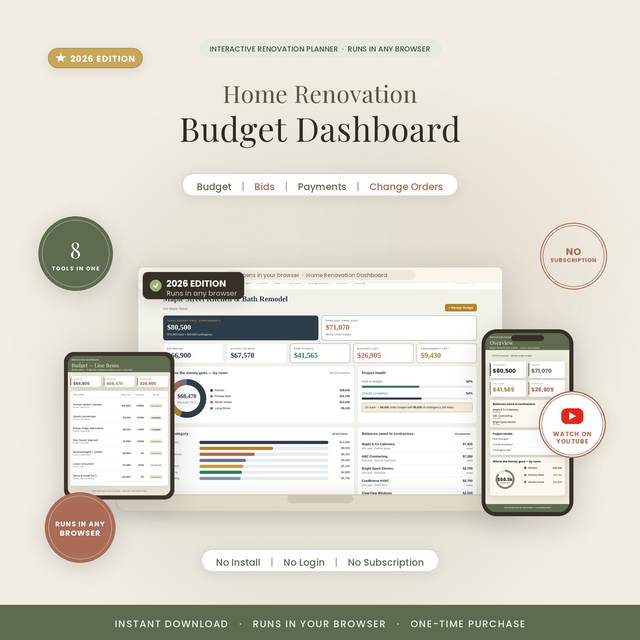
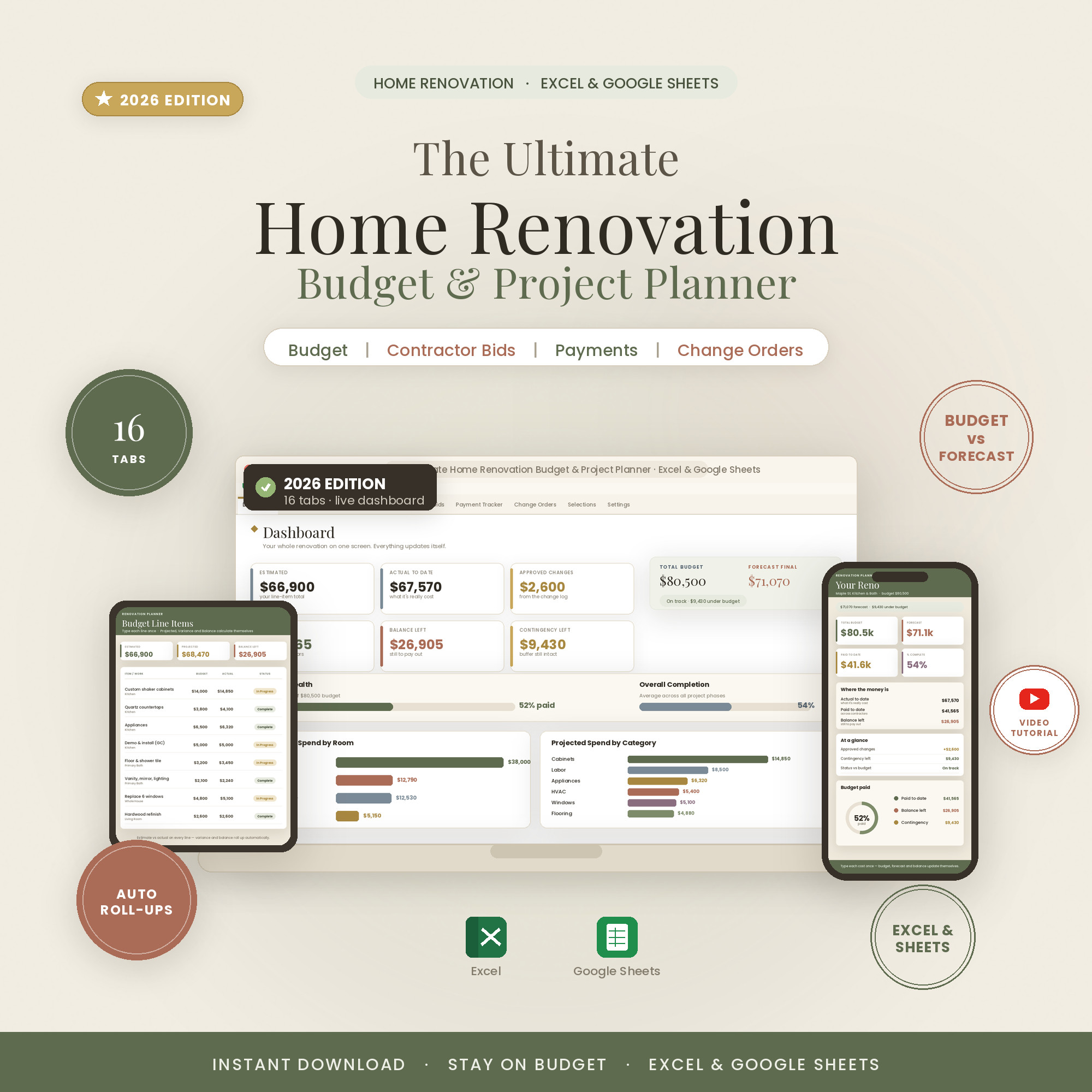
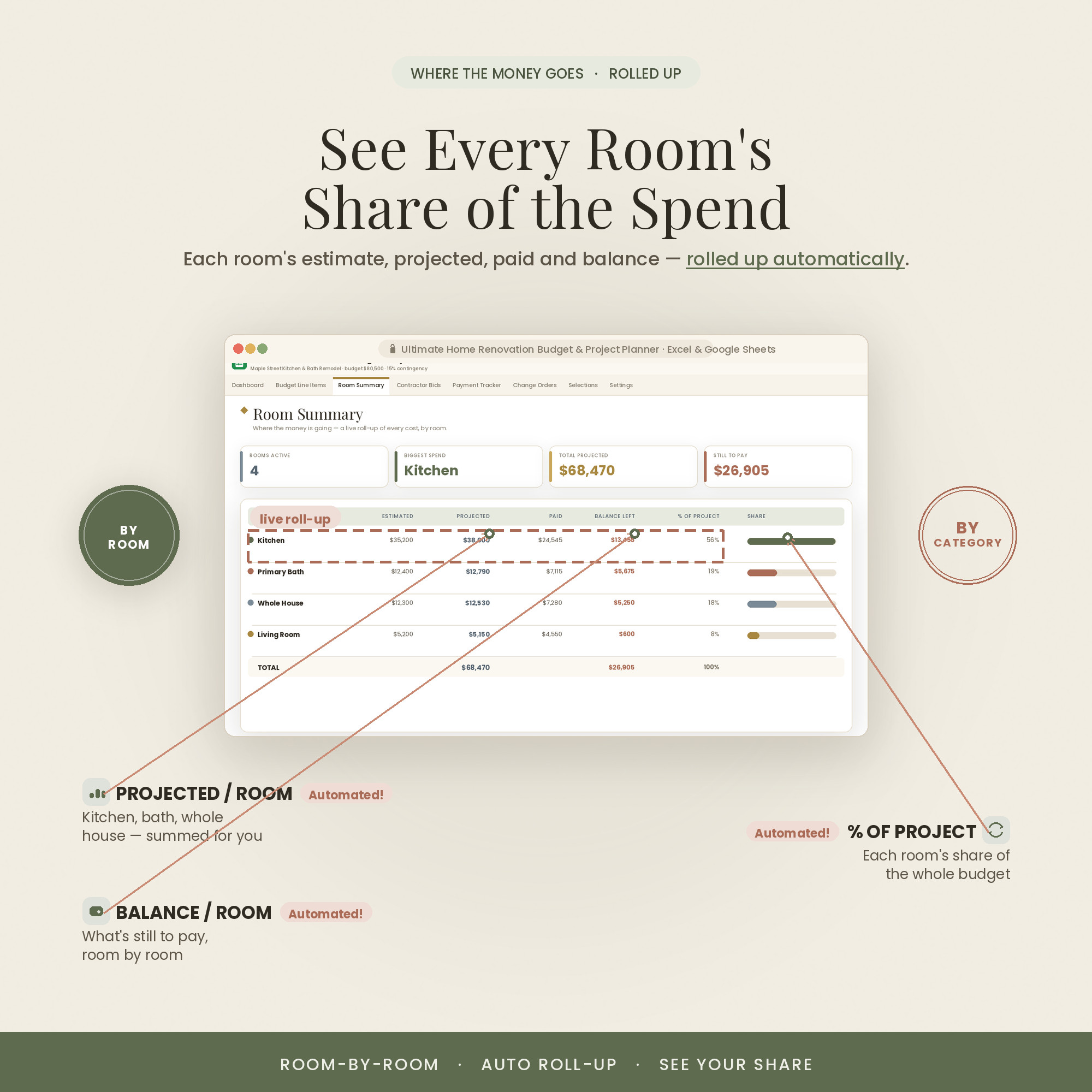
A 16-tab renovation control room: a room-by-room budget, contractor bid comparison, a payment and draw tracker, and a change-order log that keeps the project honest from demo to done.
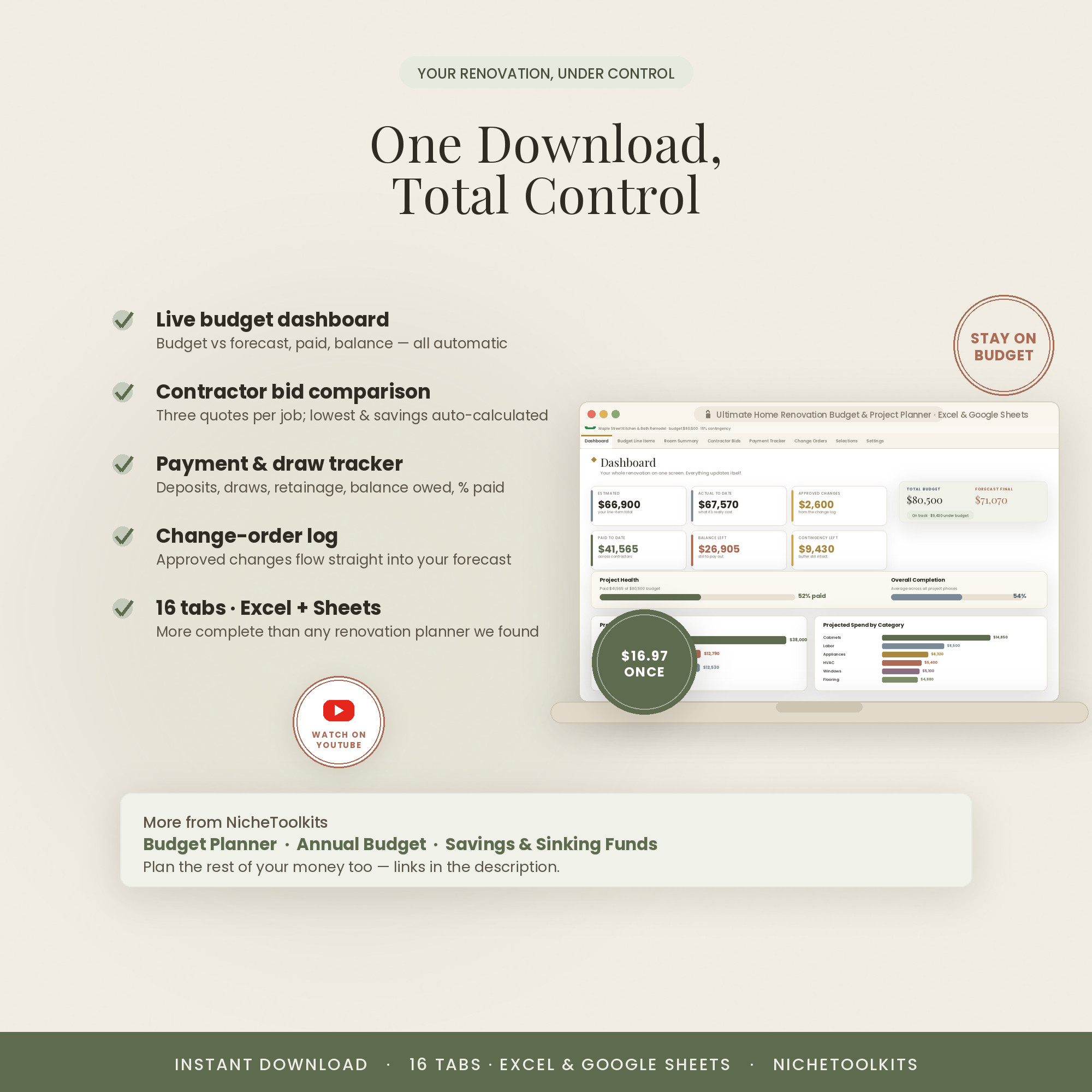
- Contractor bid comparison
- Payment & draw schedule tracking
- Change-order log with cost impact
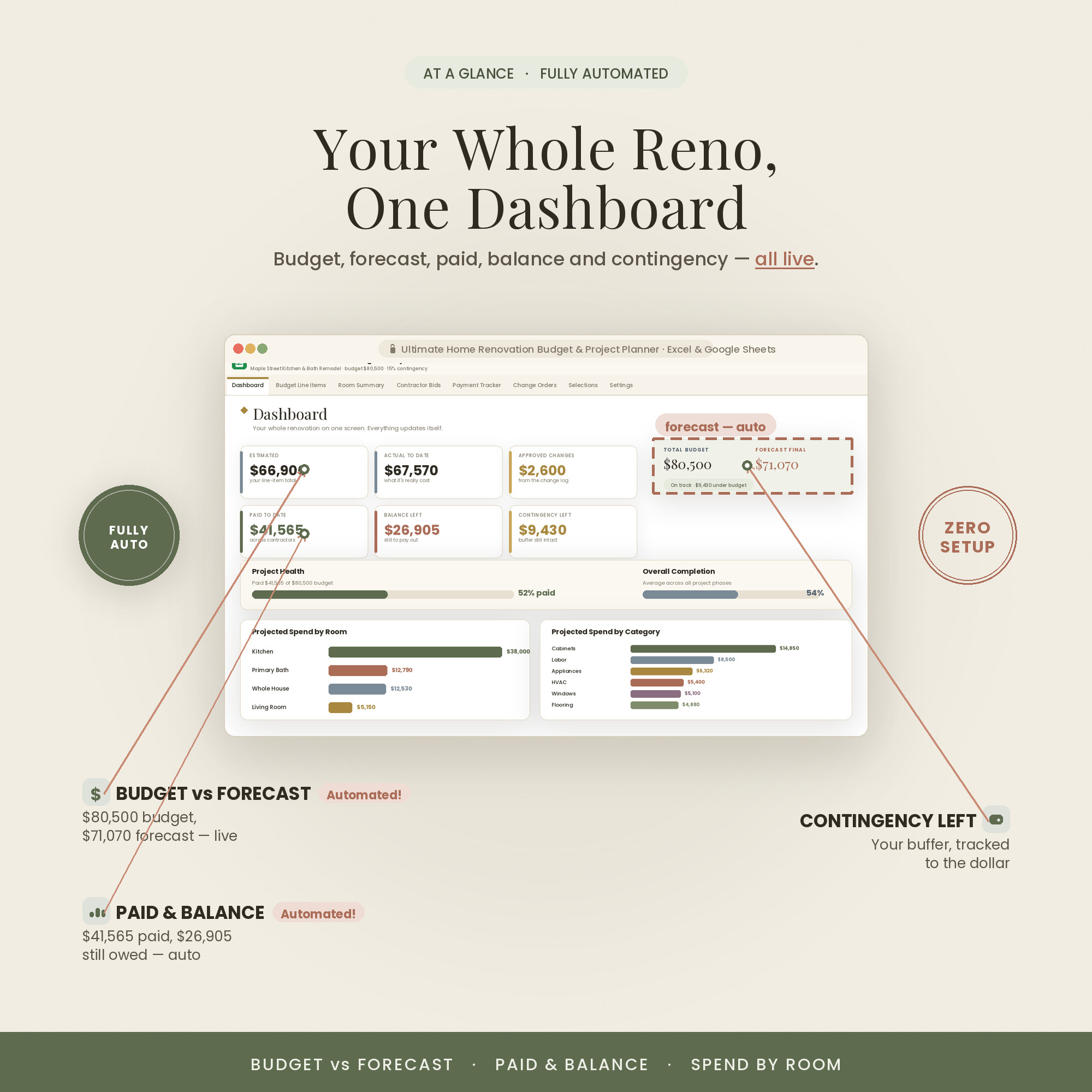
- Budget vs forecast, live
- Comes in Colorful, Light & Dark — all three included
Overview
Run the remodel like a project manager
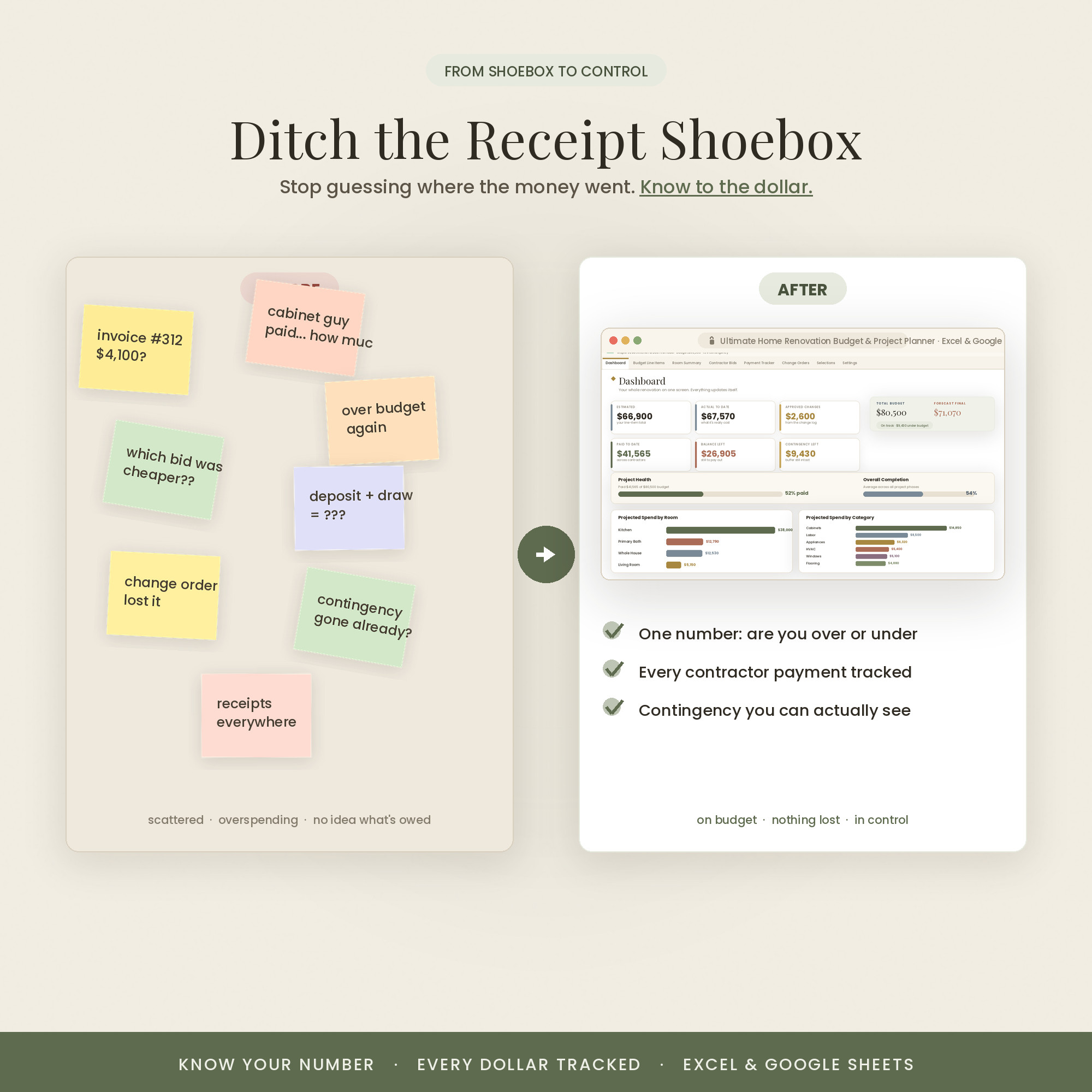
Renovations blow their budget in the gaps — a bid you didn't compare, a draw you lost track of, a change order nobody priced. This closes those gaps with one connected workbook that watches the money from first estimate to final payment.
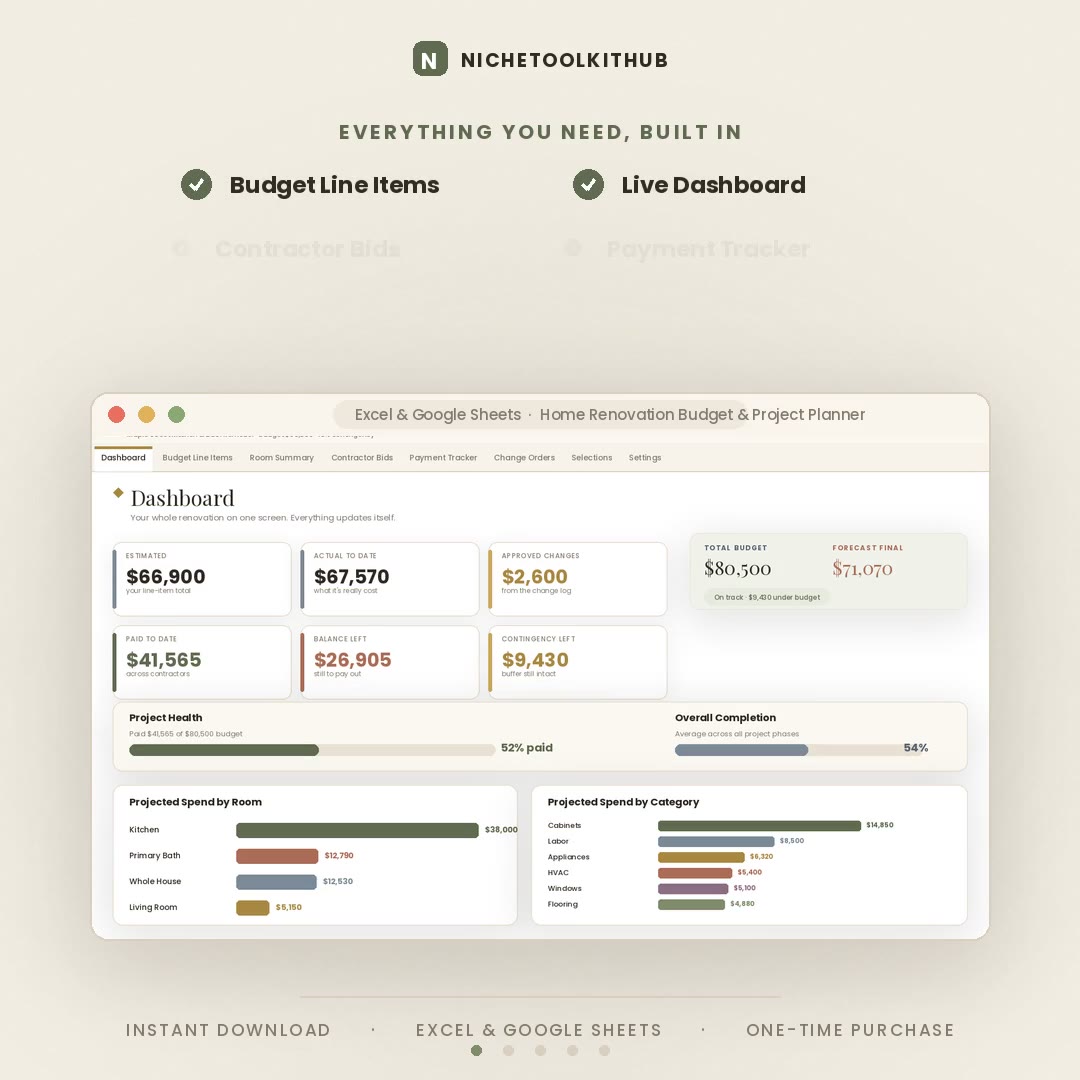
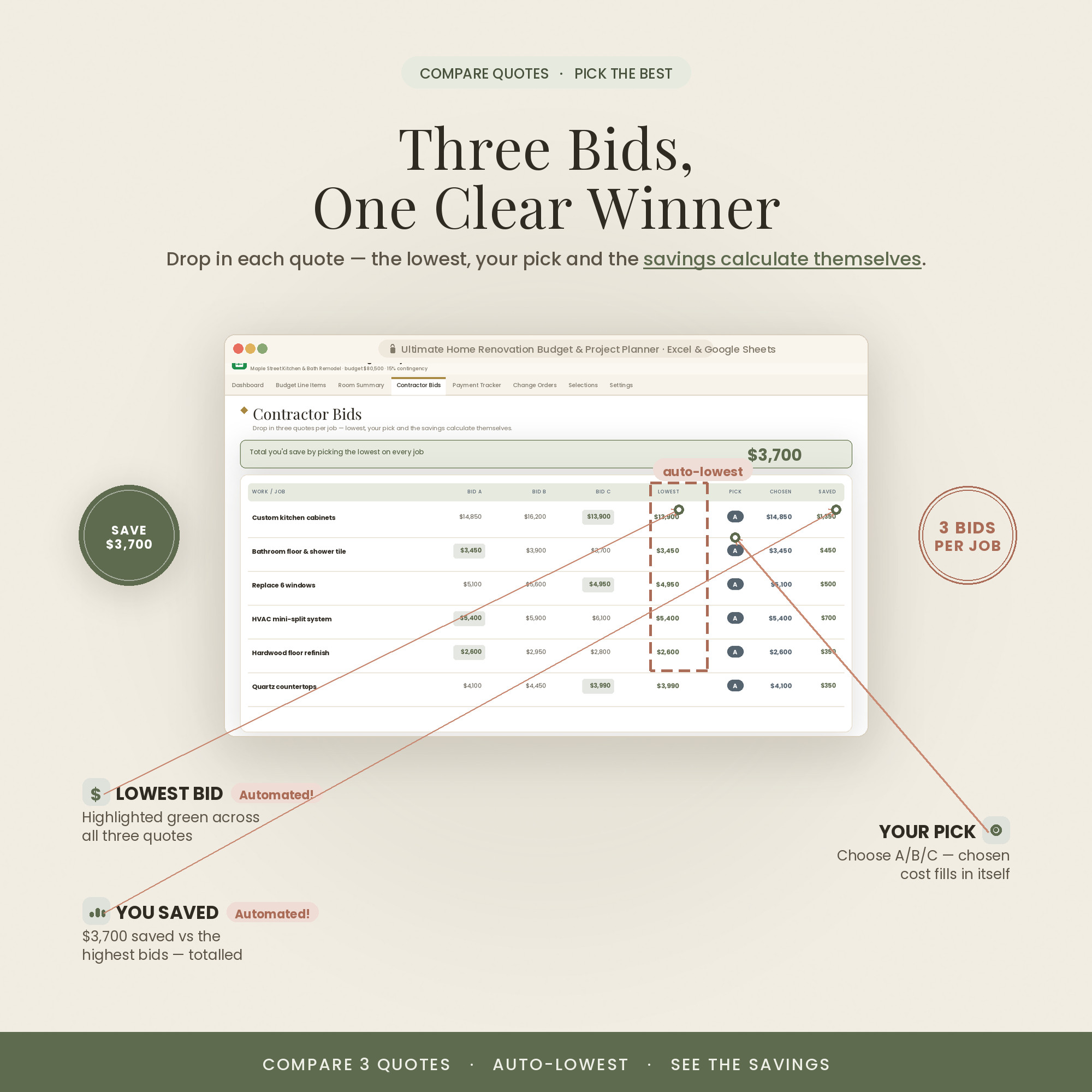
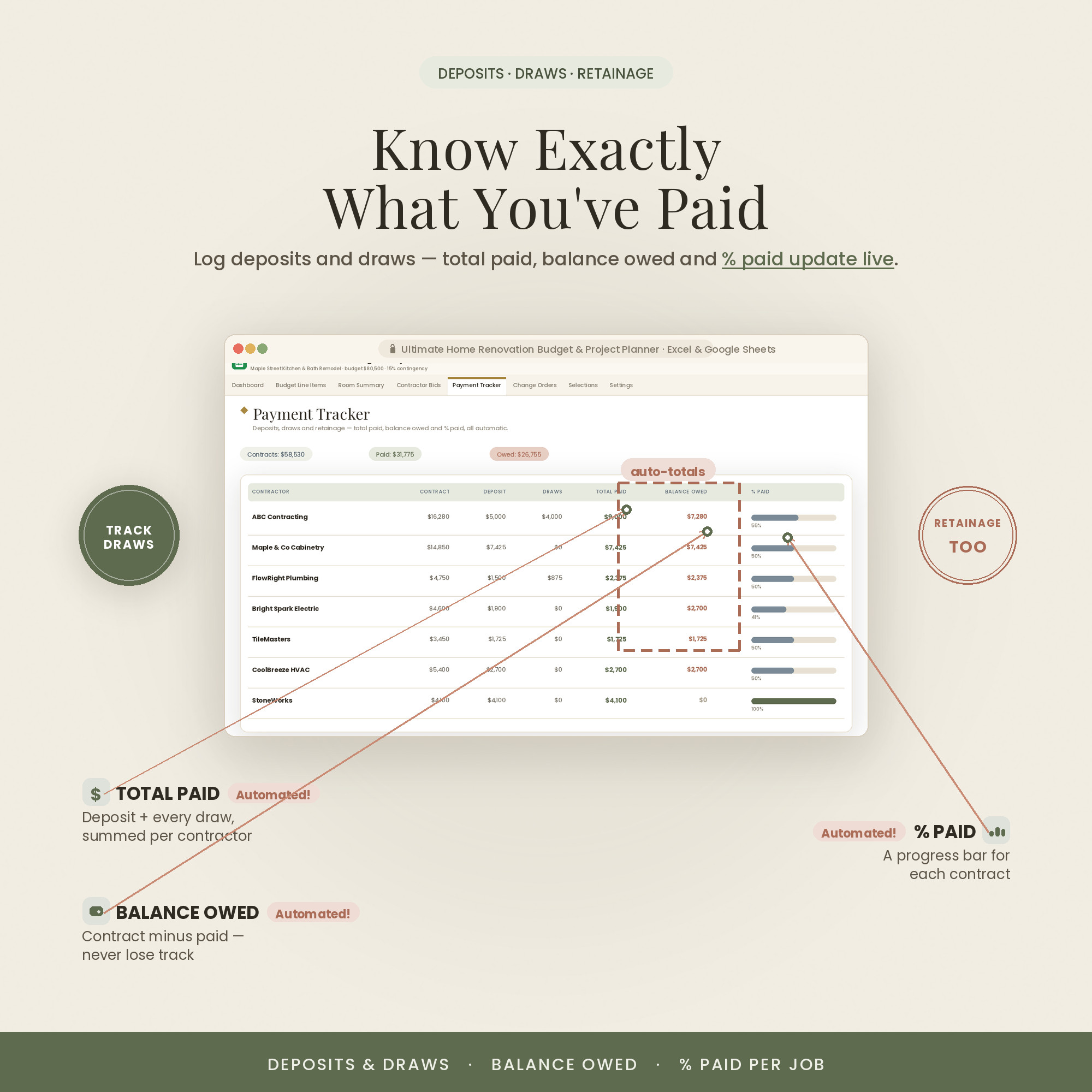
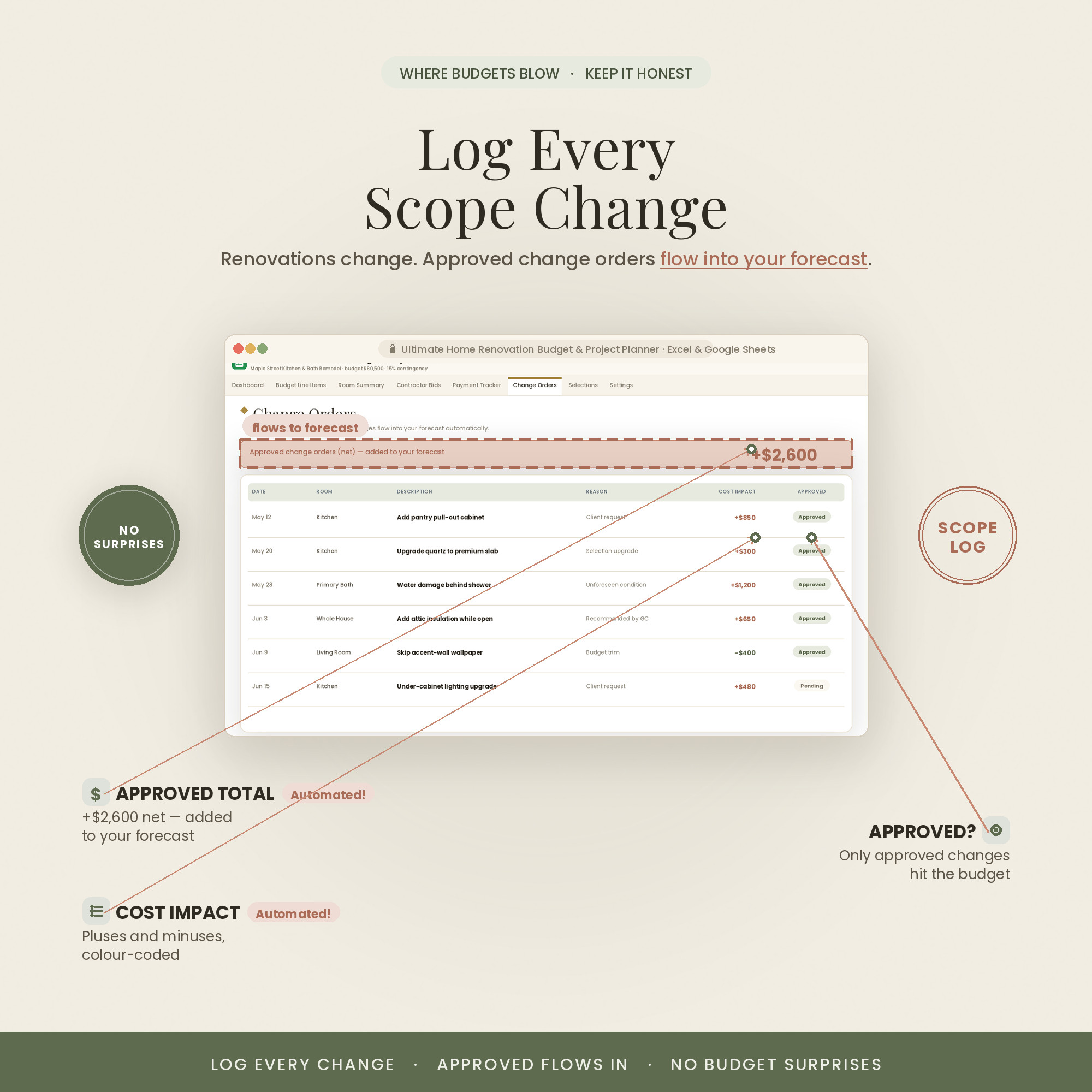
Compare contractor bids side by side, schedule and track every payment and draw, and log each change order with its cost impact so the running total stays honest. The dashboard shows budget versus forecast at all times.
It also comes in three looks — Colorful, Light and Dark. Use the color switch on this page to preview each one; every purchase includes all three, so you can pick the style that fits you.
What's Included
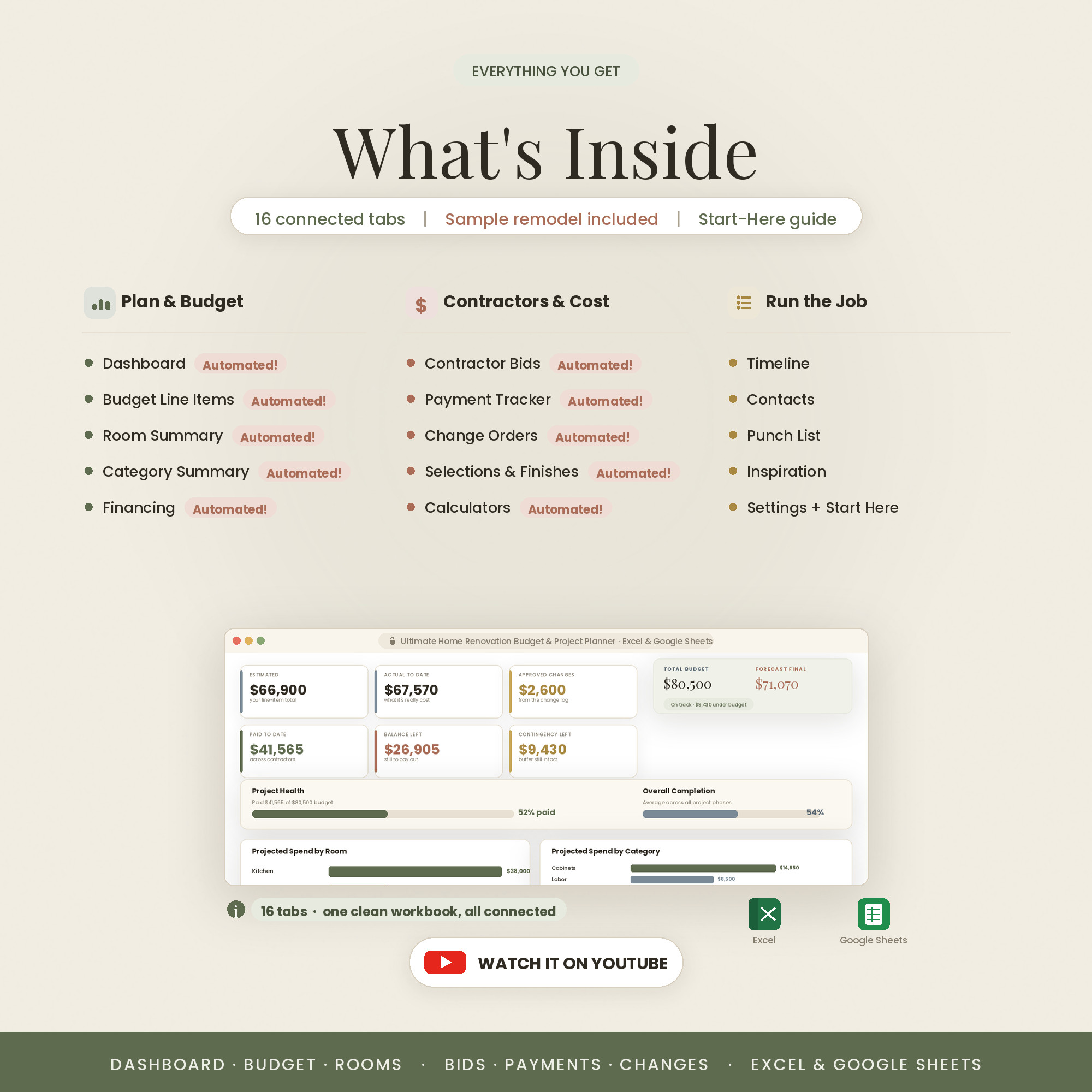
16 connected tabs that keep it honest
- The Excel workbook (.xlsx) in all three colors — Colorful, Light & Dark — each also opens in Google Sheets
- A step-by-step Quick-Start guide (PDF)
- A link to an in-depth video walkthrough on YouTube
- Free lifetime updates & friendly support — message anytime
Key Benefits
Why this one, not a free template
Line up contractor quotes side by side and see the real difference before you sign.
Scheduled payments and draws are logged, so you always know what's paid and what's due.
Each change is logged with its cost impact and folded into the running total.
The dashboard shows where you'll land, not just where you started.
Update from the job site in Sheets or plan at home in Excel.
Colorful, Light or Dark — pick your look. All three included.
Who It's For
For homeowners who don't want surprises
- Homeowners managing a remodel or addition
- DIYers coordinating multiple contractors and trades
- Anyone comparing bids and tracking draws
- House flippers watching budget versus forecast
How It Works
Up and running in three steps
Open the .xlsx in Excel, or upload it to Google Drive and open with Google Sheets.
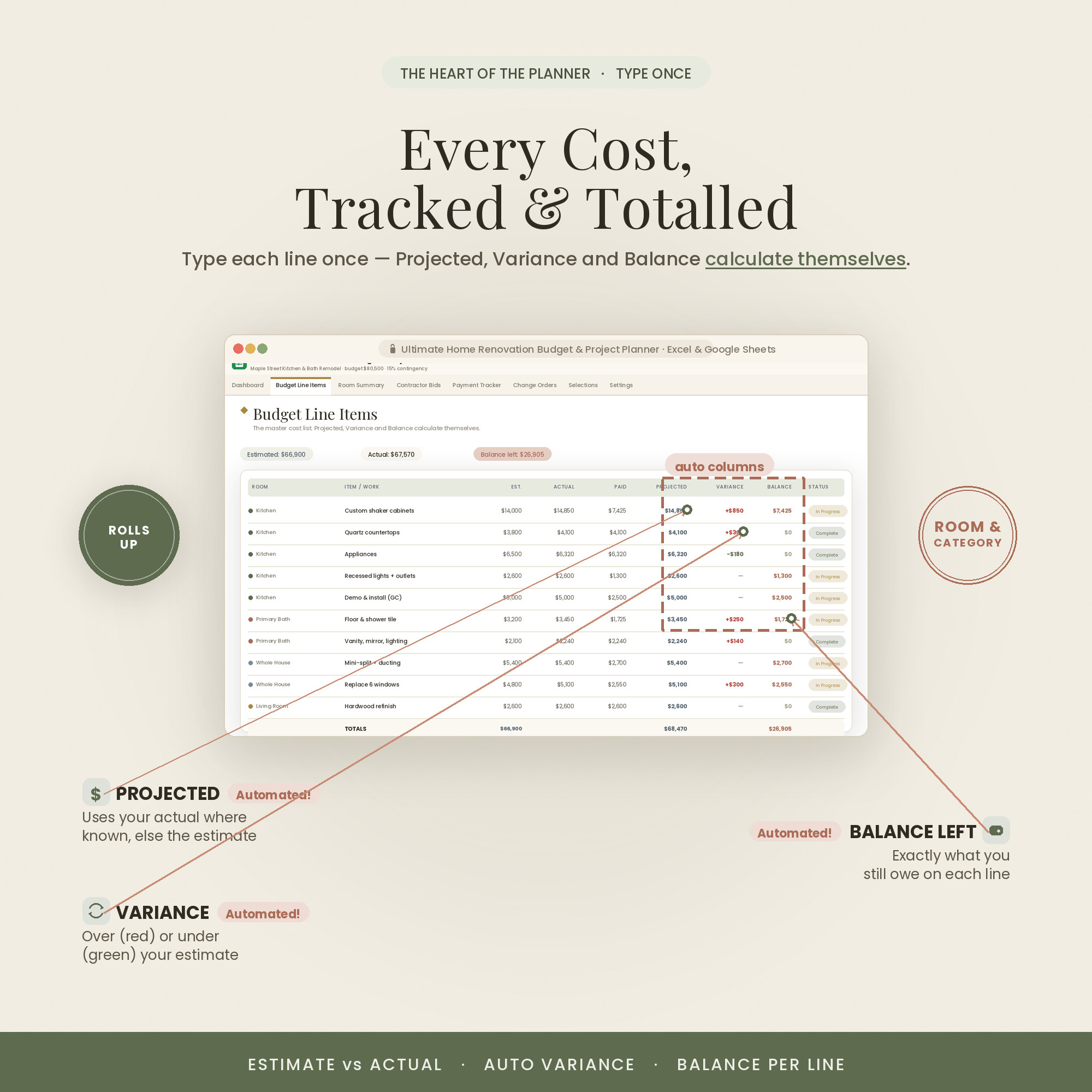
Enter your line-item budget by room on the Setup and Budget tabs.
Add contractor bids, payments and change orders — the dashboard updates budget vs forecast.
Why It's Different
A control room, not a wish list
Most renovation templates are a single budget grid — they don't compare bids, track draws or price change orders, which is exactly where projects go over. This is built around those three moments.
Because it's a spreadsheet you own, you can shape it to your project — add rooms, phases or trades — and it never expires or asks for a subscription.
Delivery & Compatibility
Instant, and works with what you use
As soon as your order is complete you get instant access to download the spreadsheet, plus a copy by email. Prefer Google Sheets for real-time updates and dropdowns? It's fully optimized. More comfortable in Excel? It works just as well.
Built and tested in the latest Excel (Office 365). On Mac we recommend the Google Sheets version — the template is not compatible with Apple Numbers. Available in English. The template is delivered blank; the images and video show sample data to demonstrate how it looks once filled in.
FAQ
Questions, answered
What formats does it come in?
Both Excel (.xlsx) and Google Sheets. If you're on a Mac, note that Apple Numbers isn't supported — use Excel for Mac or the Google Sheets version.
Does it come in different colors?
Yes — every purchase includes three color versions: Colorful, Light and Dark. Preview them with the color switch near the top of the page, and you'll receive all three in your download (for both Excel and Google Sheets).
Do I need a subscription or special software?
No. It's a one-time purchase with no subscription. It works in Excel or in free Google Sheets — nothing else to install.
How do I receive it after purchase?
Instantly. After secure Stripe checkout you're taken to a download page, and you also receive an email with your download link.
Are there instructions or a tutorial?
Yes — a Quick-Start PDF is included, plus a full video walkthrough on our YouTube channel. You can message us anytime with questions.
Do I have to build any formulas?
Never. Type only in the highlighted cells; every dashboard, tab, total and chart calculates itself.
Can I resell or use it commercially?
It's licensed for personal use only. Reselling, sharing or redistributing the file isn't permitted. See our Terms for details.
What's your refund policy?
Because it's an instant digital download, please review the details above before buying. Full details are on our Refunds page.
For personal use only. © 2026 NicheToolkitHub — no resale or redistribution.