 ▶
▶
 ▶
▶Renovation Dashboard App
Run the remodel like a general contractor.
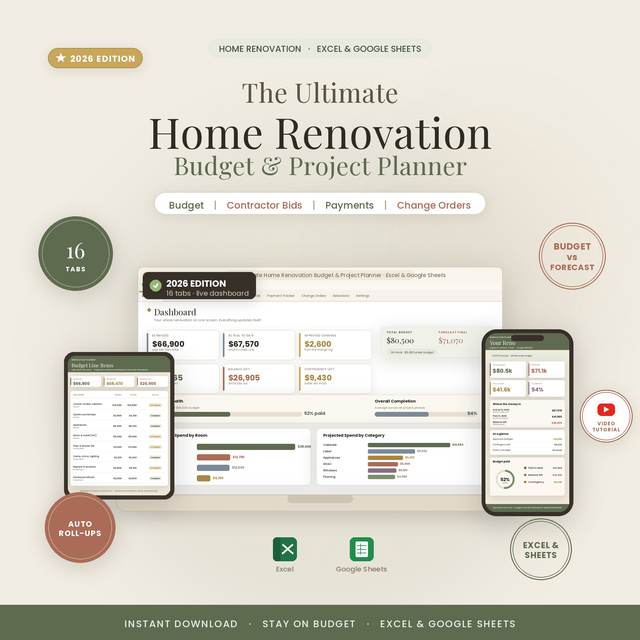
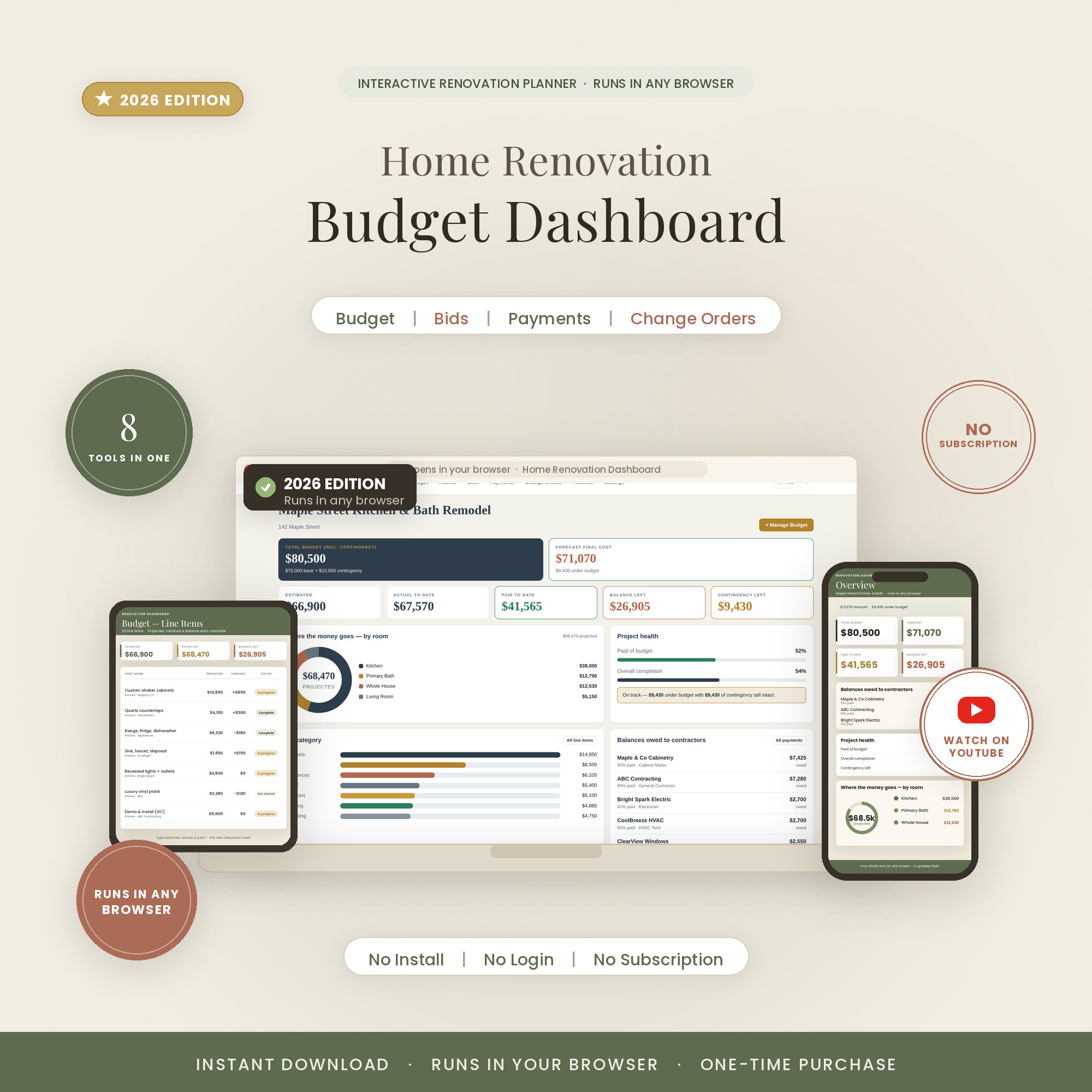
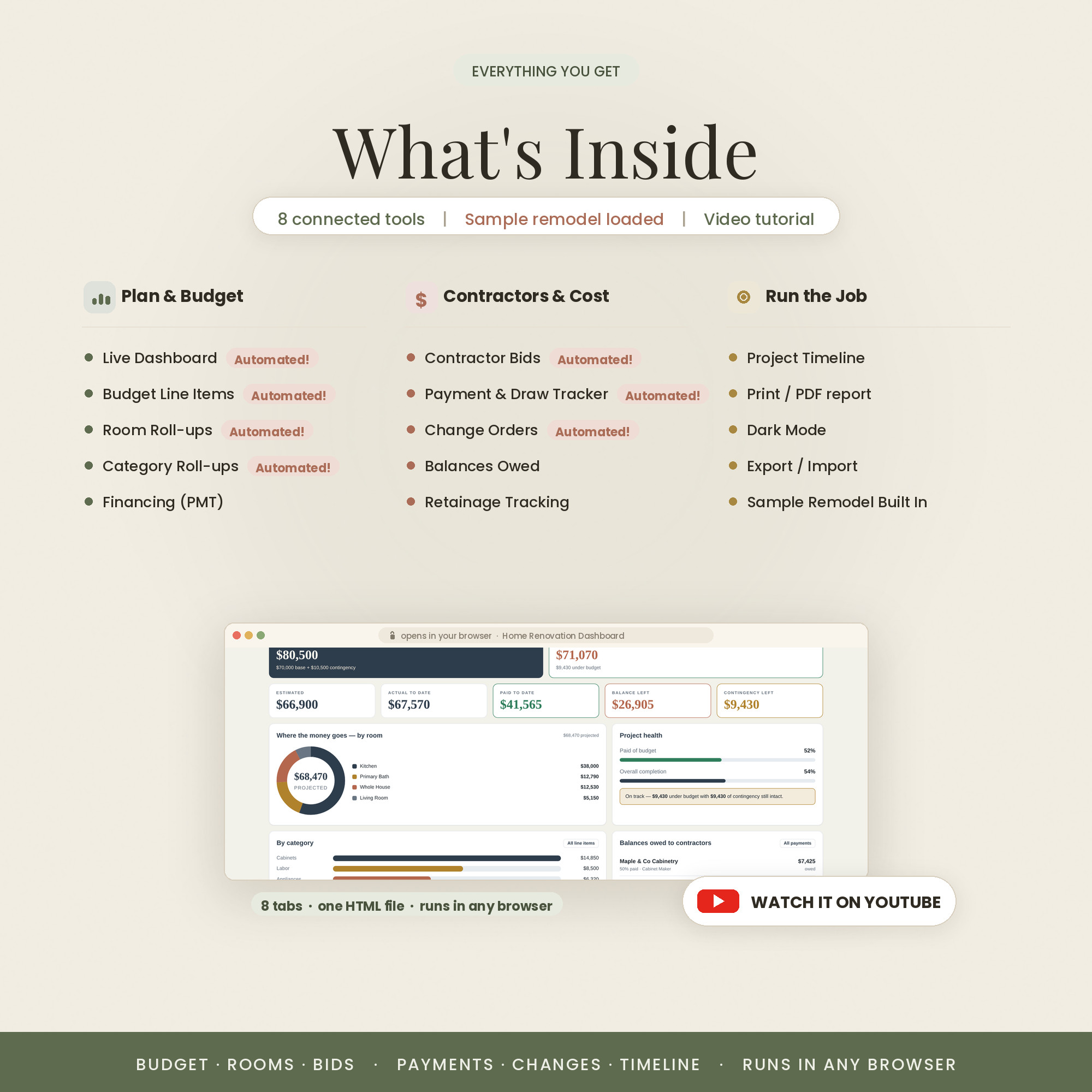
The interactive renovation manager: budget, bids, payments and change orders on 8 live tabs, in any browser, with no login and no subscription. Every total recalculates as you type.
- 8 tools in one dashboard
- Live budget vs actual math
- No install, no login, no subscription
- Works offline — one file
- Private: data stays on your device
Overview
The control room, made interactive
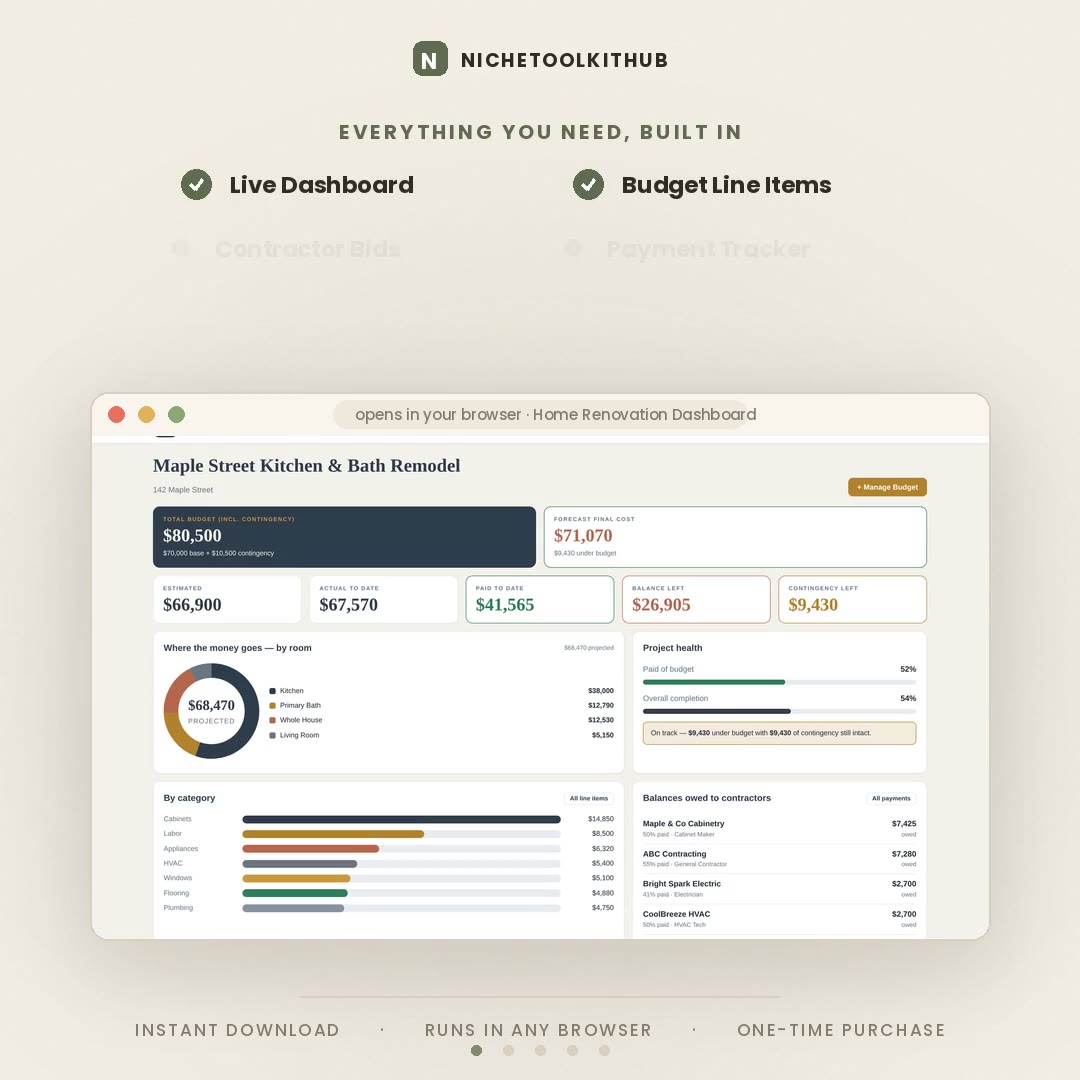
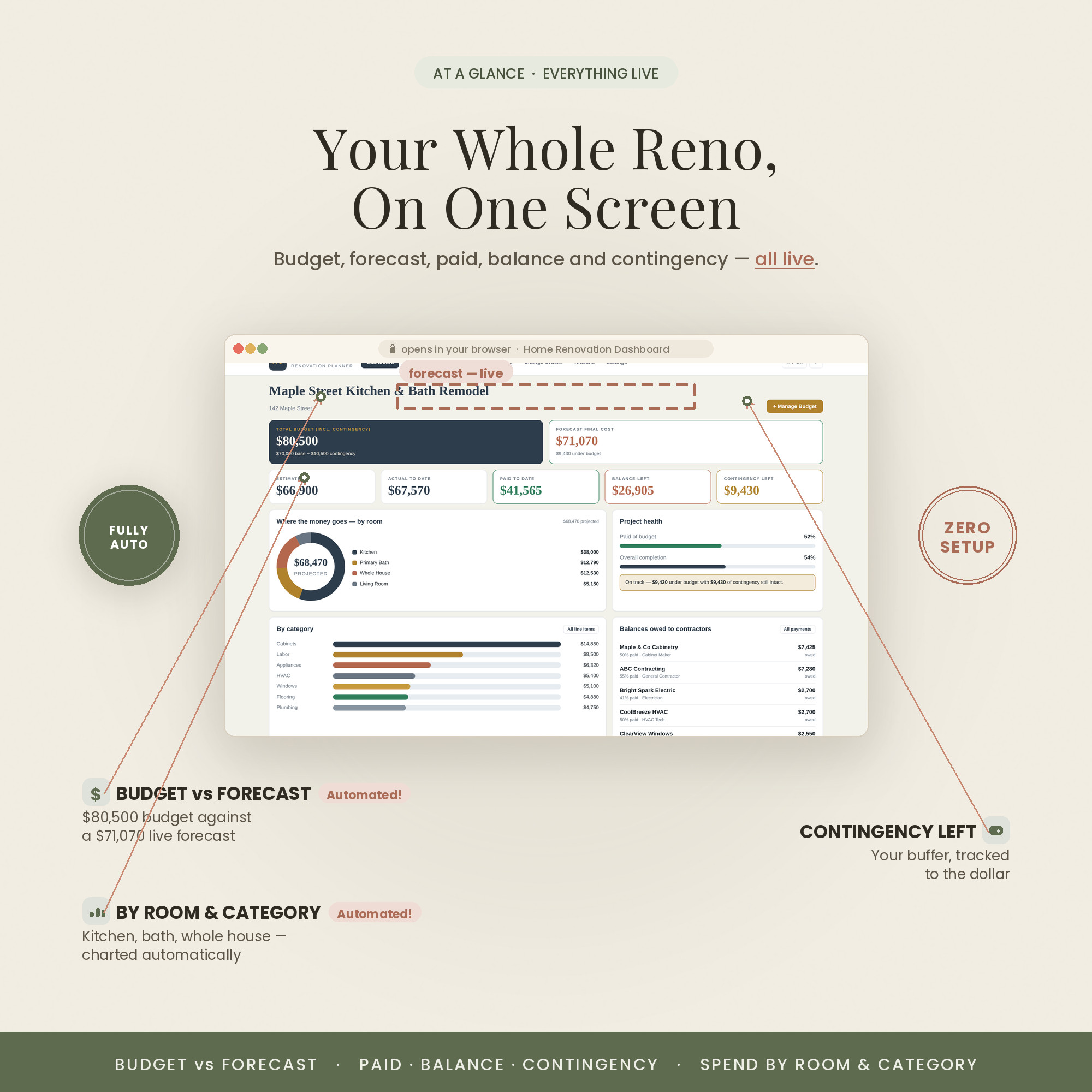
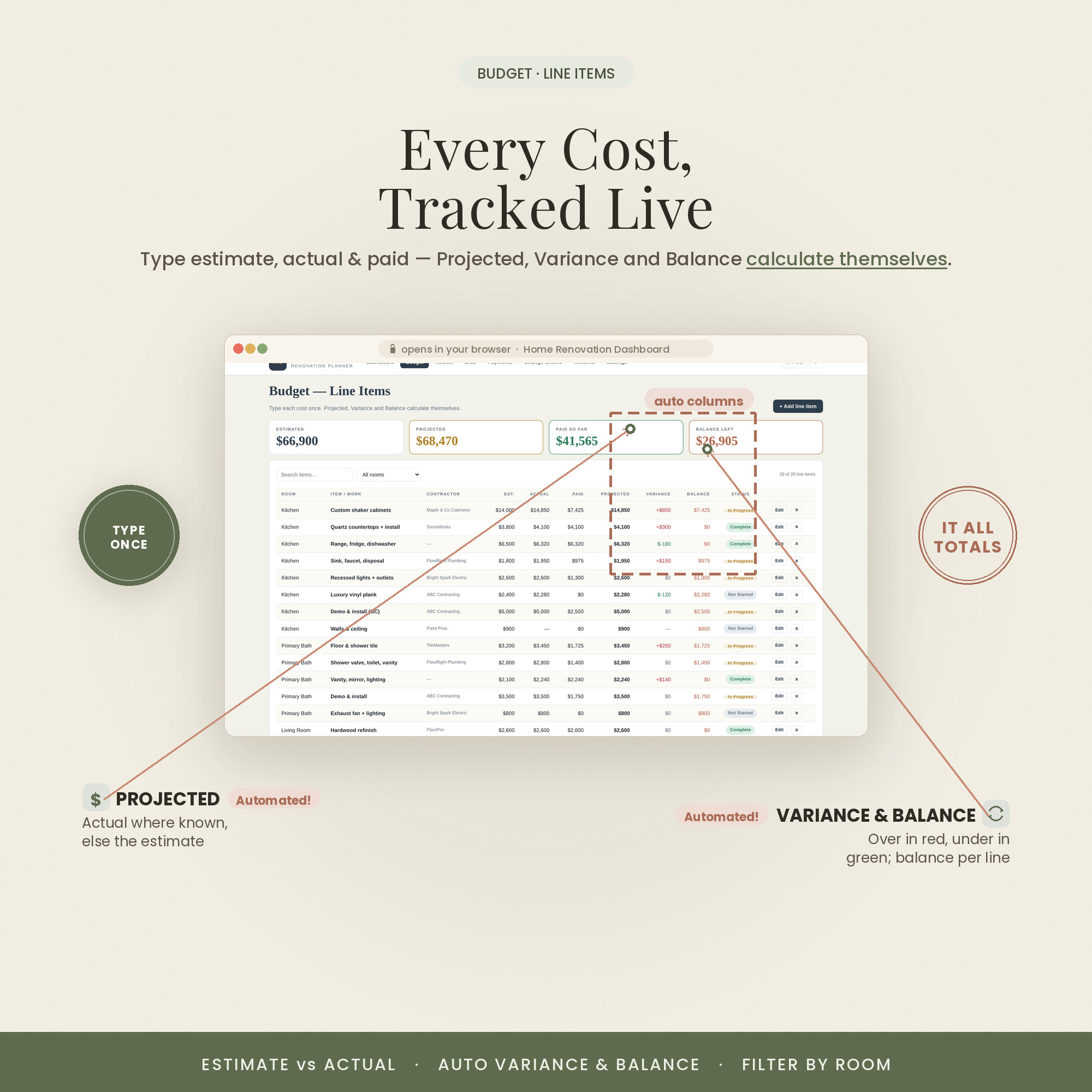
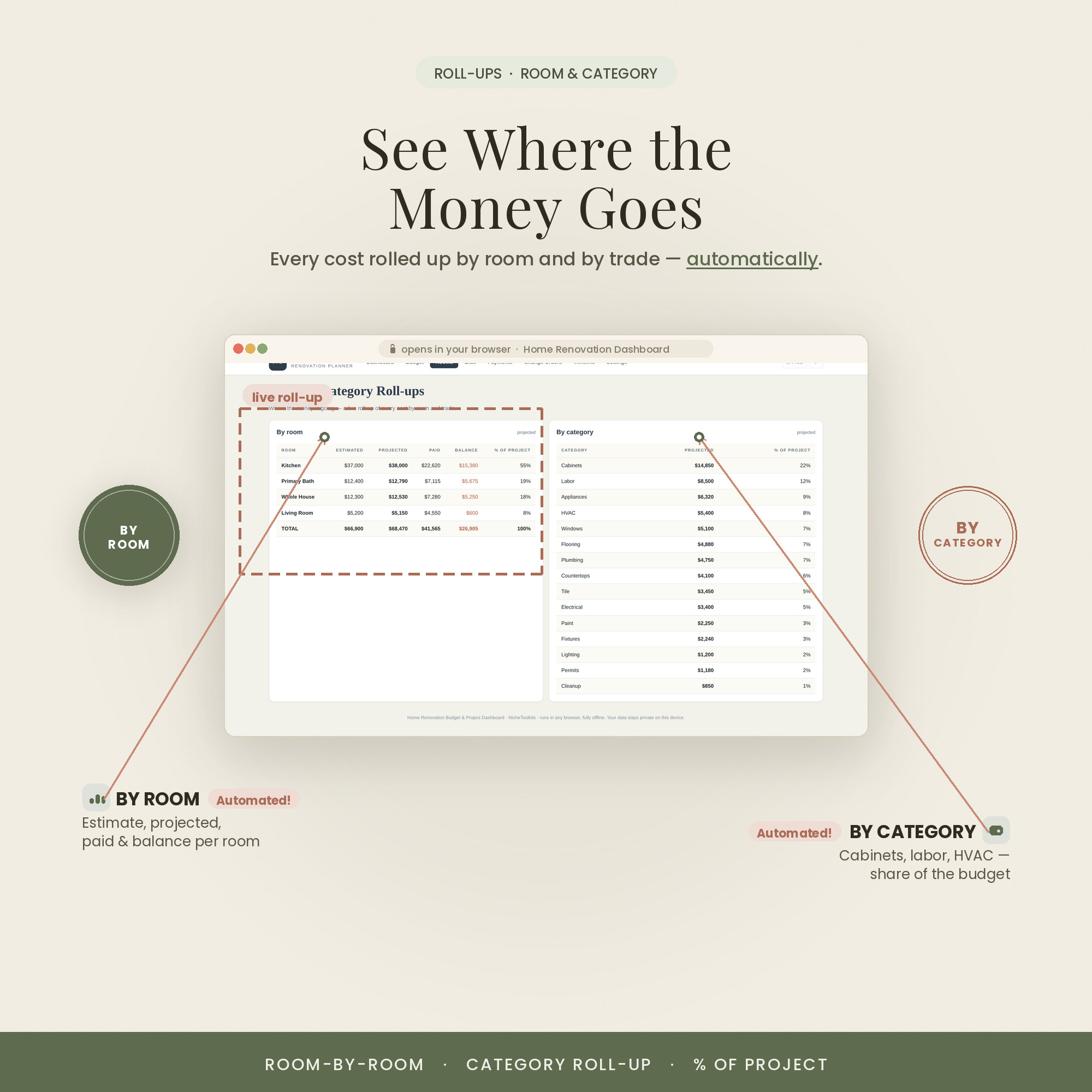
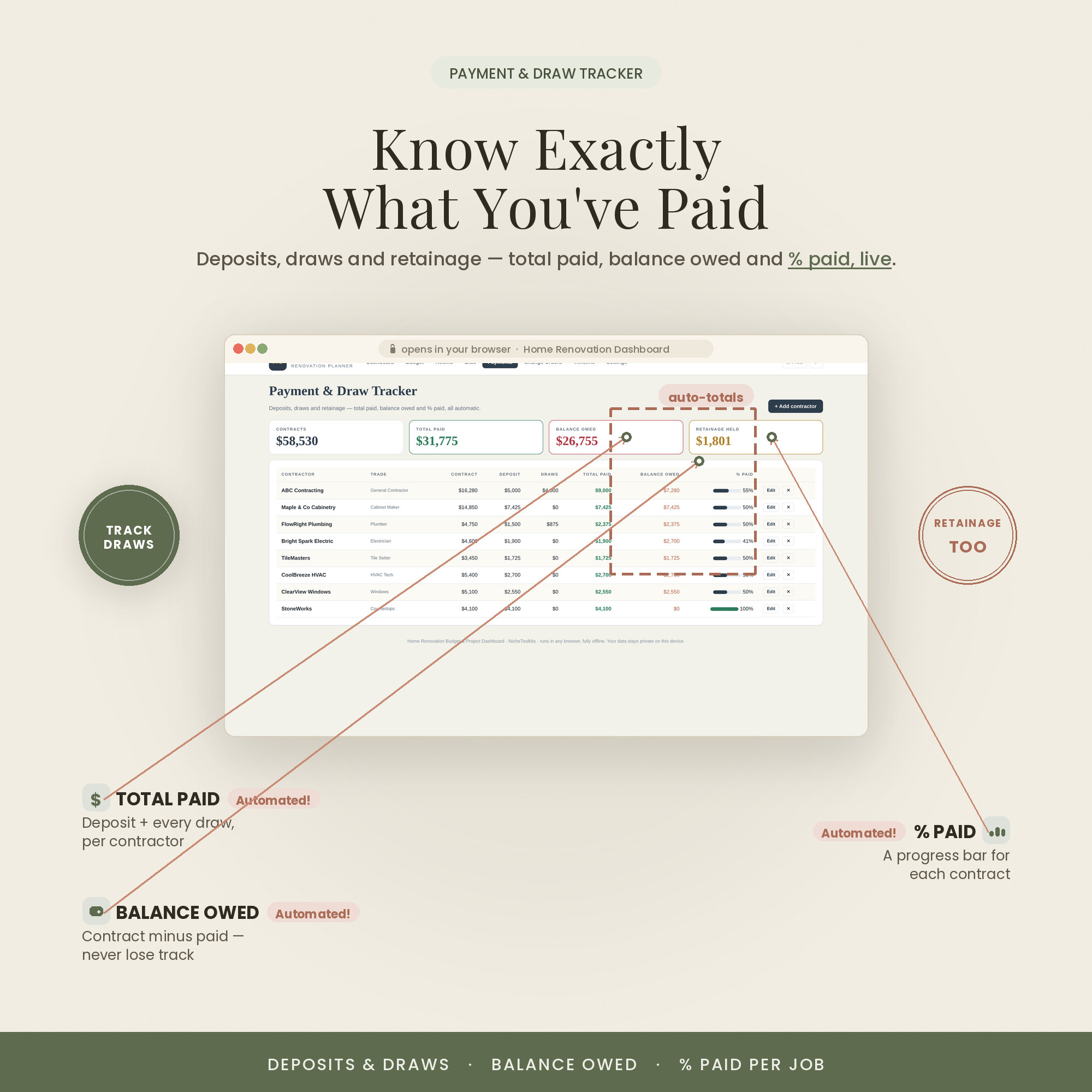
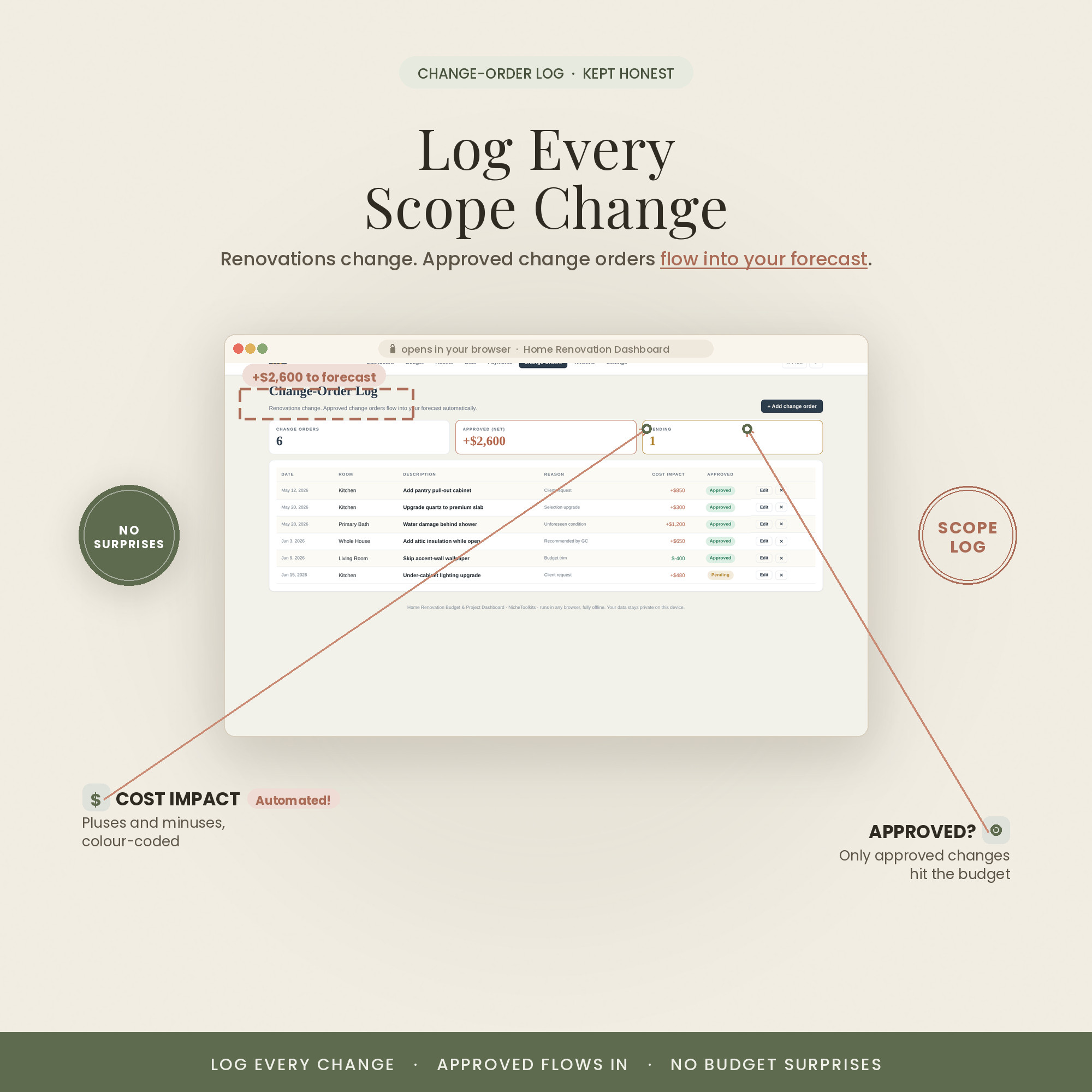
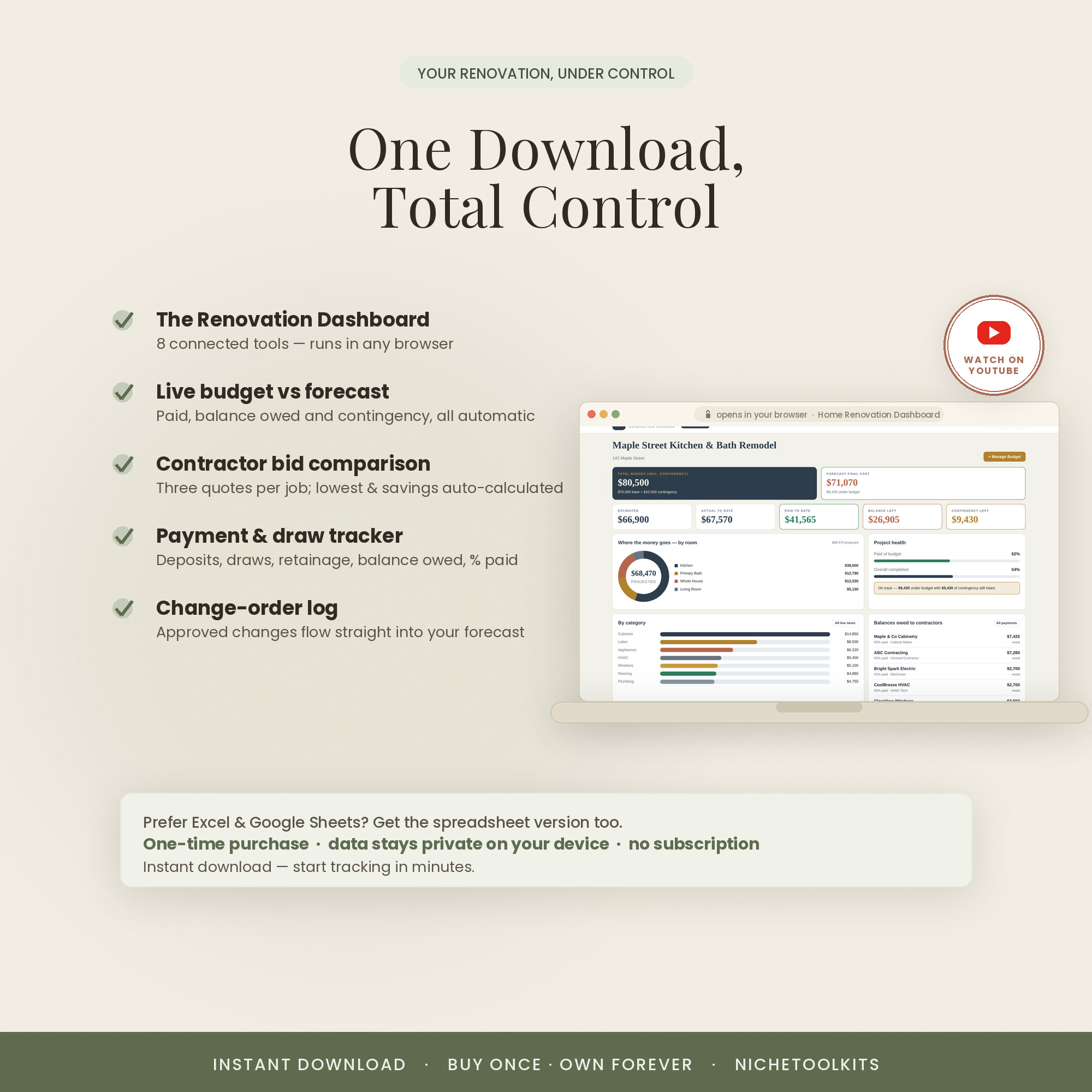
This is the renovation planner rebuilt as a real app. Budget, rooms, contractor bids, payments and change orders each get a live tab, and the dashboard recalculates budget versus actual the moment you enter a number.
It's a single file that opens in any browser — nothing to install, no account to create. Your project data is saved privately in your own browser, so it stays on your device.
It also comes in three looks — Colorful, Light and Dark. Use the color switch on this page to preview each one; every purchase includes all three, so you can pick the style that fits you.
What's Included
8 interactive tabs, no spreadsheet required
- The interactive dashboard (a single .html file) in all three colors — Colorful, Light & Dark
- Runs in any modern browser — nothing to install, no account, no subscription
- A step-by-step Quick-Start guide (PDF)
- A link to an in-depth video walkthrough on YouTube
- Free lifetime updates & friendly support — message anytime
Key Benefits
Why this one, not a free template
Every bid, payment and change updates your totals instantly — no formulas to touch.
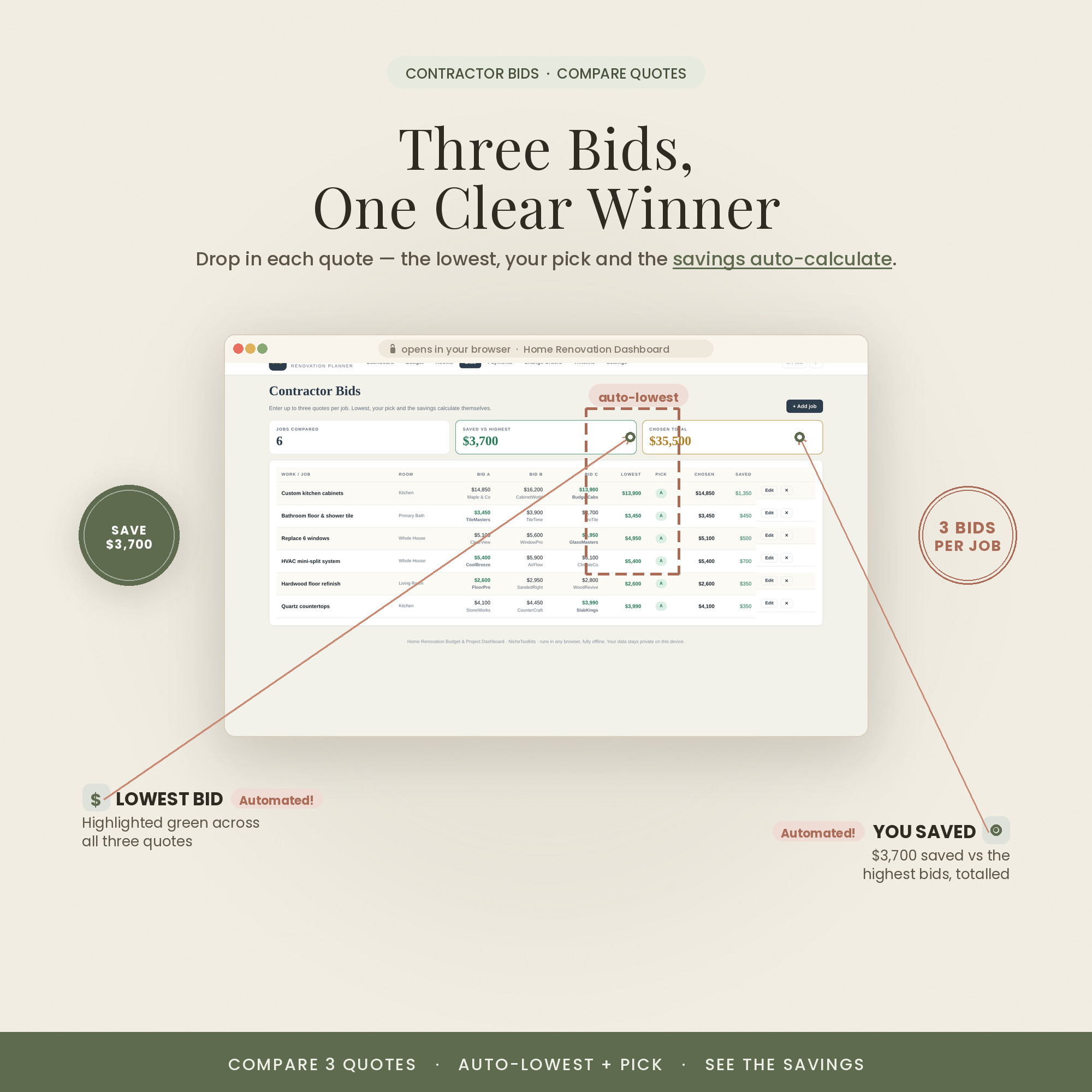
Compare contractor quotes in a click and see the real difference before you commit.
One .html file that opens in the browser you already have, on any device.
Project data stays in your browser on your device and works with no internet.
A one-time purchase with no subscription and nothing to renew.
Colorful, Light or Dark — switch with a click. All three included.
Who It's For
For homeowners who'd rather click than calculate
- Homeowners running a remodel who want it live, not in a spreadsheet
- DIYers coordinating trades from a tablet on site
- Anyone who wants project data private, with no account
- Fans of the spreadsheet who want the interactive version
How It Works
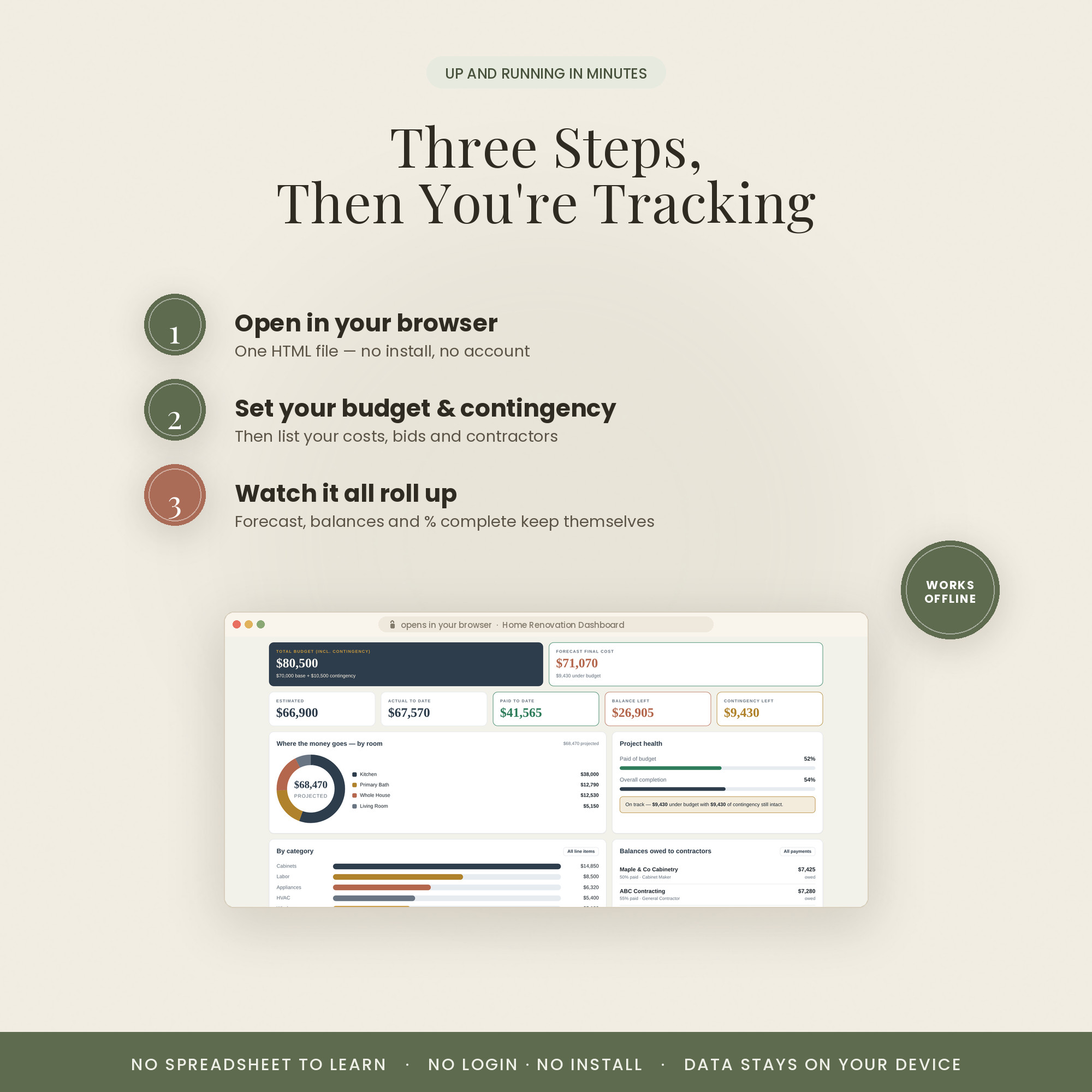
Open and go in three steps
You get one .html file — save it to your computer or tablet.
Double-click to launch it. No install, no login, no setup.
Enter your budget, bids and payments — the dashboard updates budget vs actual live.
Why It's Different
An app you own, not a service you rent
Project-management apps want a monthly fee, an account and your data in their cloud. This is a single file you download once and run entirely on your own device.
You get the feel of a polished tool with the privacy and permanence of a file you keep — no subscription, no sign-up, nothing to lose if a company folds.
Delivery & Compatibility
Instant, and works with what you use
As soon as your order is complete you get instant access to download the dashboard, plus a copy by email. It runs in any modern browser — Chrome, Safari, Edge or Firefox — on desktop, laptop or tablet. There's nothing to install and no account to create.
Your entries are saved privately in your own browser, on your own device — nothing is uploaded and there's no login. To move to a new computer, just re-open the file there.
FAQ
Questions, answered
What exactly is this?
It's a self-contained web app — a single .html file you open in your browser. It looks and works like a polished dashboard, but there's no website to log into and nothing to install.
Do I need Excel or Google Sheets?
No. It runs entirely in your browser, so it works the same on Windows, Mac, Chromebook and tablets. No spreadsheet app required.
Does it come in different colors?
Yes — every purchase includes three looks: Colorful, Light and Dark. Preview them with the color switch near the top of the page; you receive all three in your download.
Is there a subscription or login?
No. It's a one-time purchase with no subscription, no account and no cloud. Your data is saved privately in your own browser on your device.
Does it work offline?
Yes. Once downloaded it works with no internet connection — open the file and go.
How do I receive it after purchase?
Instantly. After secure Stripe checkout you're taken to a download page, and you also receive an email with your download link.
Are there instructions?
Yes — a Quick-Start PDF is included, plus a full video walkthrough on our YouTube channel. You can message us anytime with questions.
Can I resell or share it?
It's licensed for personal use only. Reselling, sharing or redistributing the file isn't permitted. See our Terms for details.
What's your refund policy?
Because it's an instant digital download, please review the details above before buying. Full details are on our Refunds page.
For personal use only. © 2026 NicheToolkitHub — no resale or redistribution.