 ▶
▶



 ▶
▶Owner-Operator Settlement & Driver Pay Tracker
Know what you actually kept per mile.
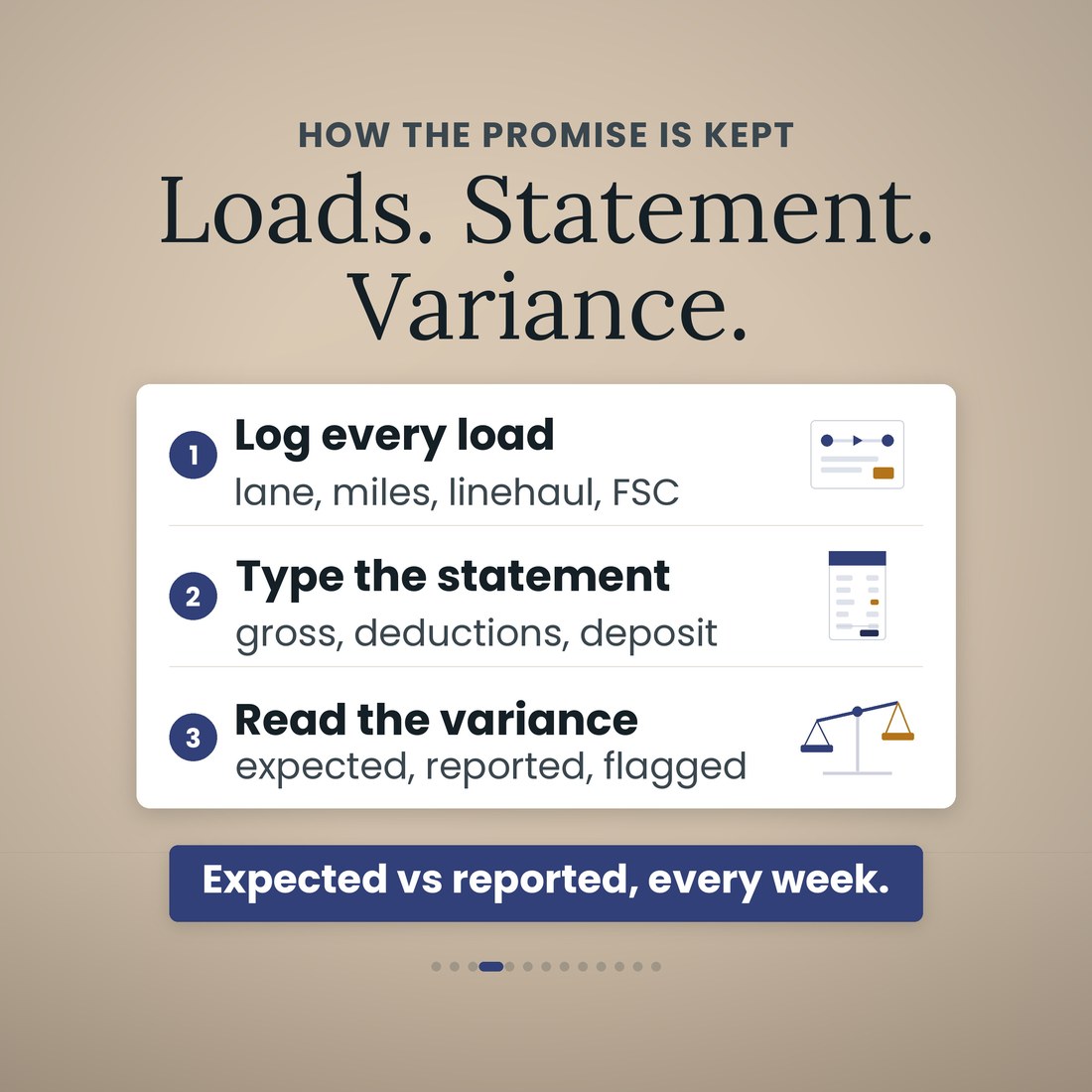
The settlement lands, the gross looks big, the deposit looks thin, and somewhere between the two are fuel, escrow, plates, insurance, the ELD and a fuel surcharge that may or may not have made it onto the page. Most owner-operators take the carrier's word for it because checking means an evening with a calculator. This file checks it for you: log each load as you run it, type the statement when it arrives, and the Settlements tab tells you what the statement should have said, what it said, and the difference, flagged.
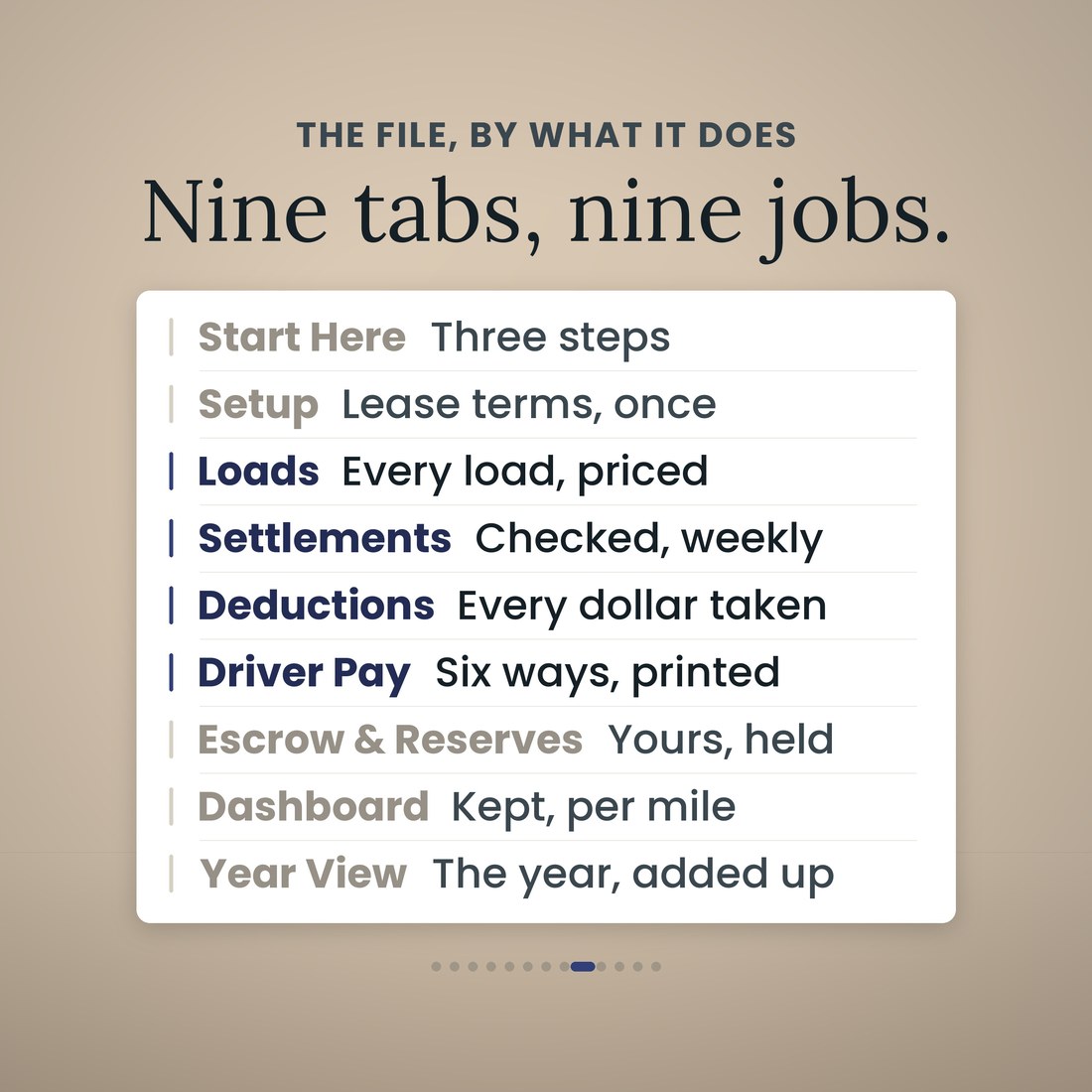
- Settlements: the statement as reported versus what your loads say it owes, the variance in dollars, a SHORT or Matches flag, and the days from proof of delivery to paid against the 15-day rule
- Loads: every load you ran and what it was worth to the truck — loaded and deadhead miles, linehaul, fuel surcharge, detention, stops, tarp, lumper and revenue per mile
- Driver Pay runs six methods (percent of linehaul, percent of gross including fuel surcharge, per practical mile, per HHG mile, per load, hourly) plus owner drives, with per diem and a pay stub you can print
- Escrow & Reserves treats escrow as a deposit, not an expense: what has been taken, what is still to come, what is yours, and the maintenance reserve against the target you set
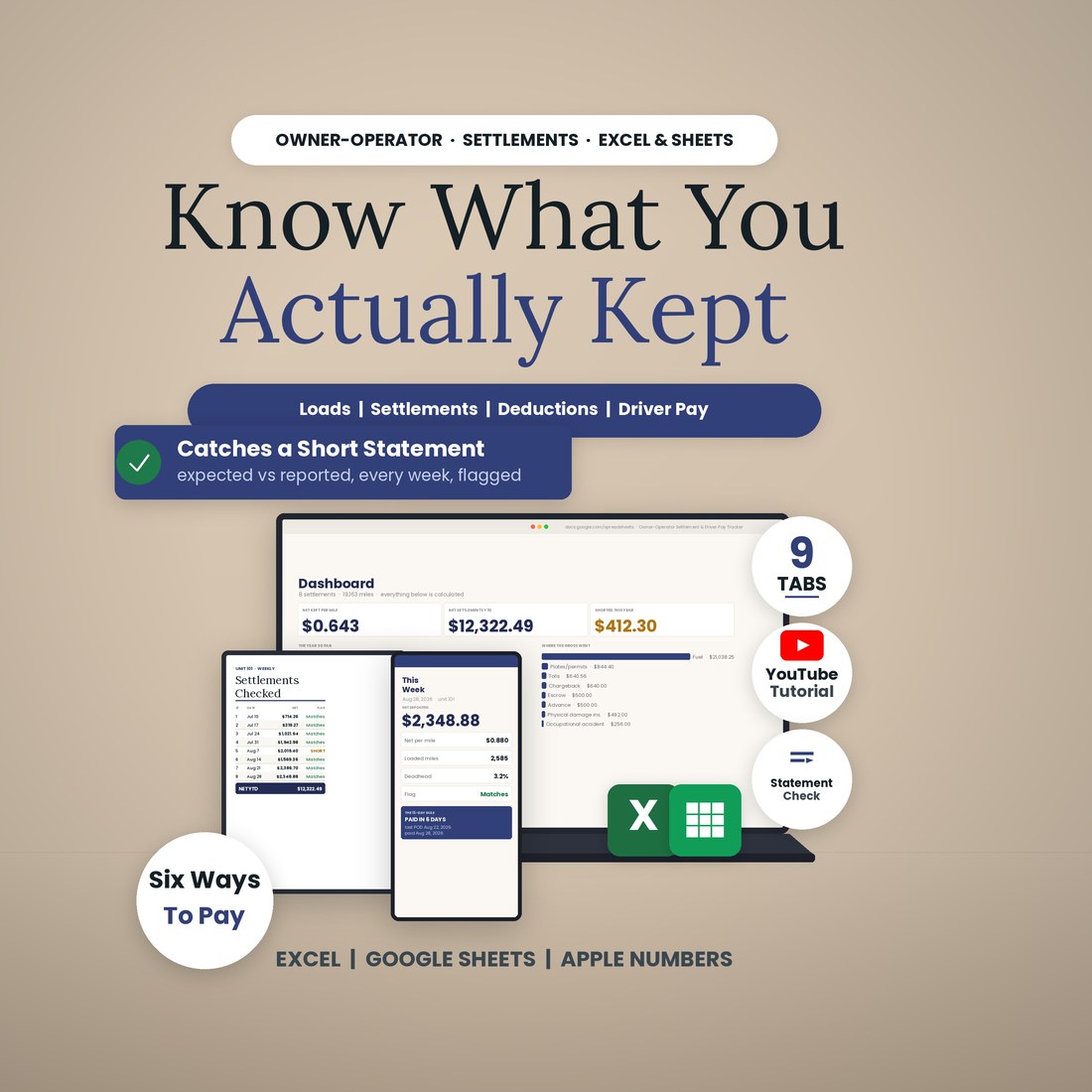
- The Dashboard reads net kept per total mile and per loaded mile, deadhead percentage, statements that did not match, average days to get paid, and the cash of yours held outside the account
Overview
Know what you actually kept per mile.
The settlement lands, the gross looks big, the deposit looks thin, and somewhere between the two are fuel, escrow, plates, insurance, the ELD and a fuel surcharge that may or may not have made it onto the page. Most owner-operators take the carrier's word for it because checking means an evening with a calculator. This file checks it for you: log each load as you run it, type the statement when it arrives, and the Settlements tab tells you what the statement should have said, what it said, and the difference, flagged.
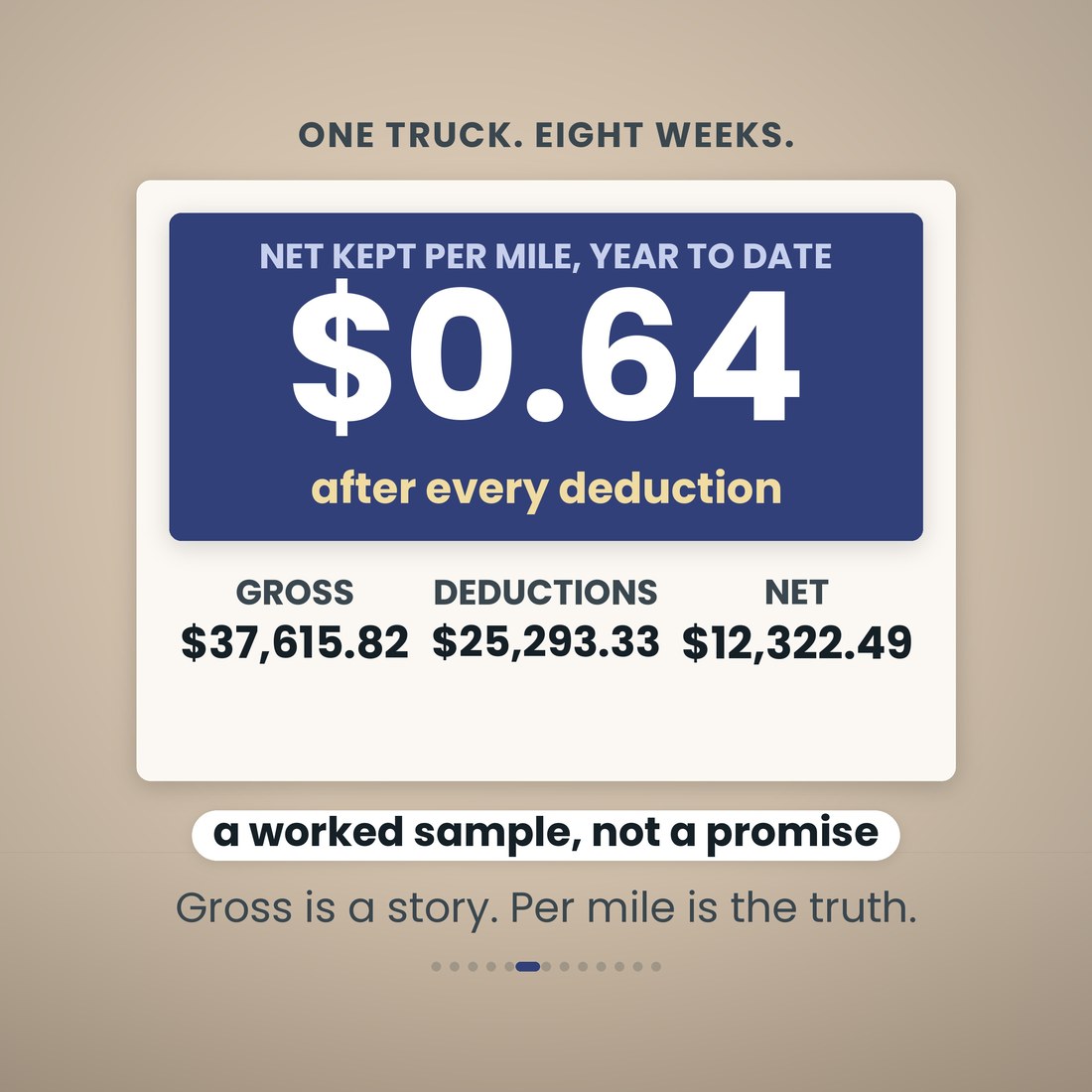
It is one workbook with 9 tabs and 7,431 formulas, and it opens the same way in Microsoft Excel, Google Sheets and Apple Numbers because every formula uses the portable function set — no add-ins, no macros, no login and nothing to install. Setup holds your lease terms once: your percentage of linehaul, whether the fuel surcharge passes through, the fixed weekly deductions, the escrow schedule, the maintenance reserve target and per diem. After that you type in the cream cells only: one row per load, one row per statement, one row per deduction line, with room for 300 loads, 60 settlements and 400 deduction lines. Every carrier's statement looks different and the file does not care — you type what the page reports (linehaul, fuel surcharge, accessorials, deductions, deposit), and the deduction categories are yours to rename. A worked sample ships inside: one truck, eight weekly settlements, 30 loads, 19,163 miles, $37,615.82 gross to the truck, $25,293.33 in deductions, $12,322.49 net deposited, $0.643 kept per mile. Clear the sample rows and the formulas stay.
What's Included
One workbook, 9 tabs, in four color editions:
- Owner-Operator-Settlement-Driver-Pay-Tracker.xlsx: the 9-tab workbook with 7,431 formulas, opening in Microsoft Excel, Google Sheets and Apple Numbers
- The same workbook in four color editions — Colorful, Light, Dark and Editorial — every one doing the same arithmetic
- A worked sample book inside: one truck, eight weekly settlements, 30 loads, 19,163 miles, so every tab works on open
- A printable pay stub on the Driver Pay tab, and a Year View that adds the settlements up month by month
- A full narrated video walkthrough on YouTube, linked on your confirmation page
- Five .xlsx files in one ZIP, instant download. Nothing is shipped and there is nothing to install
Key Benefits
Why this one
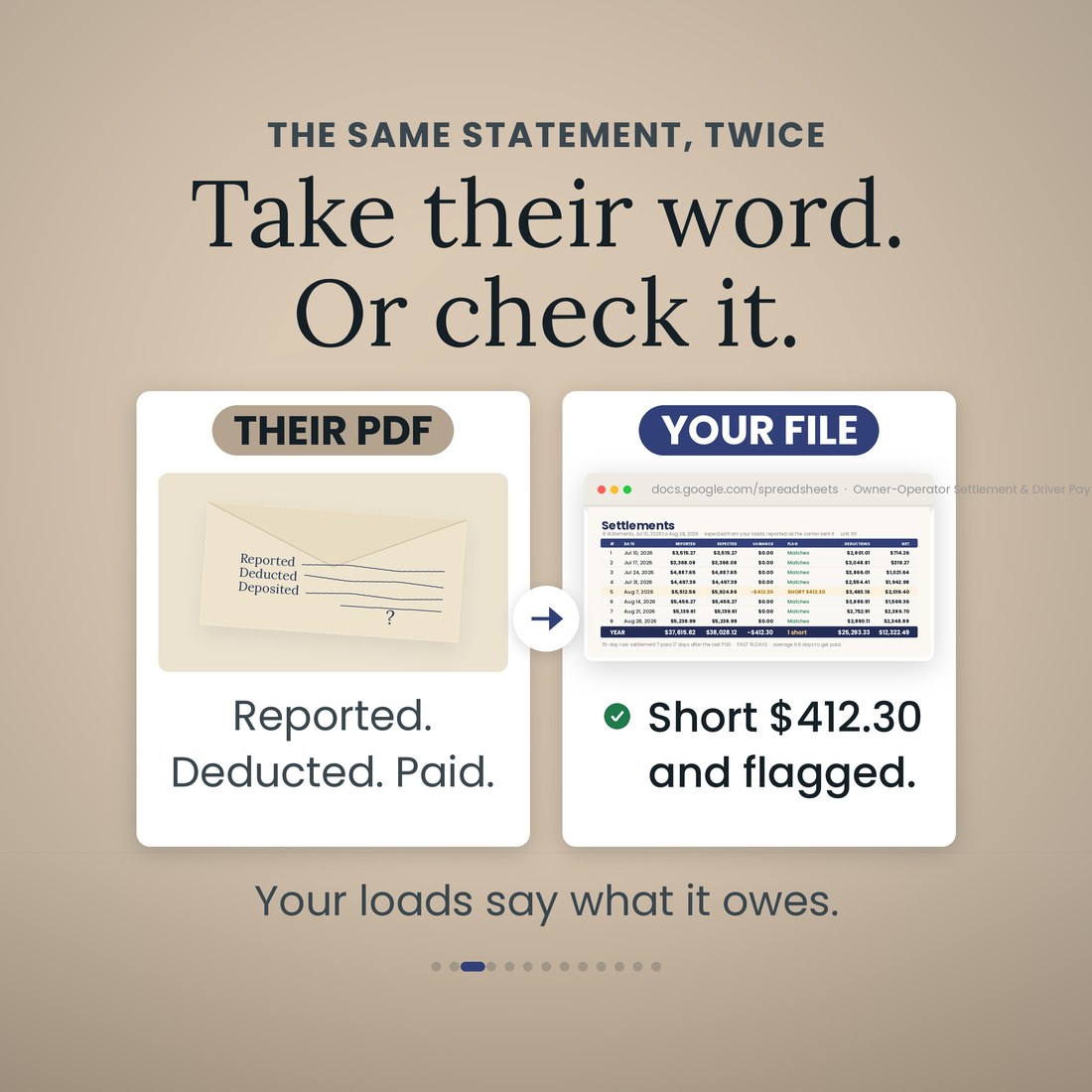
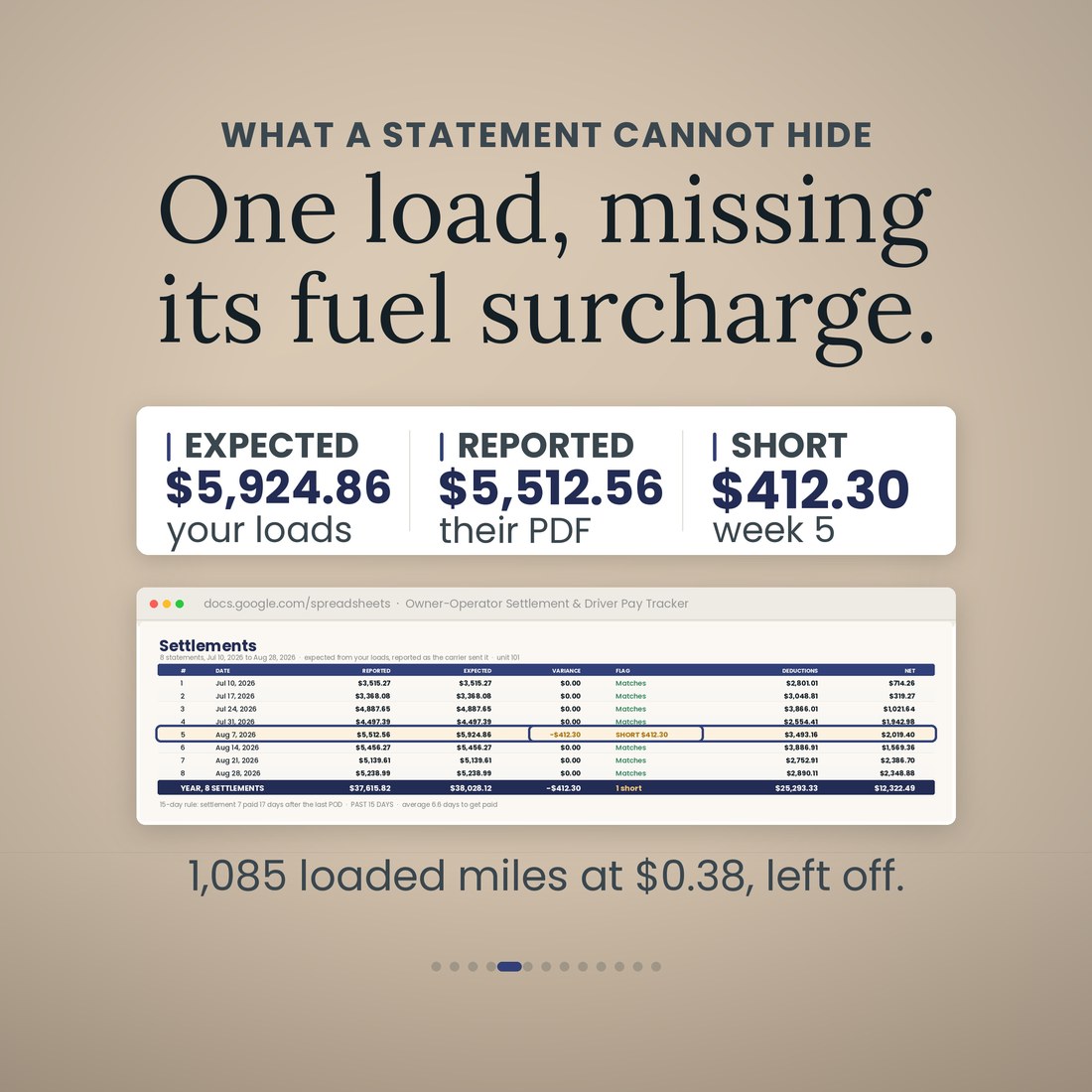
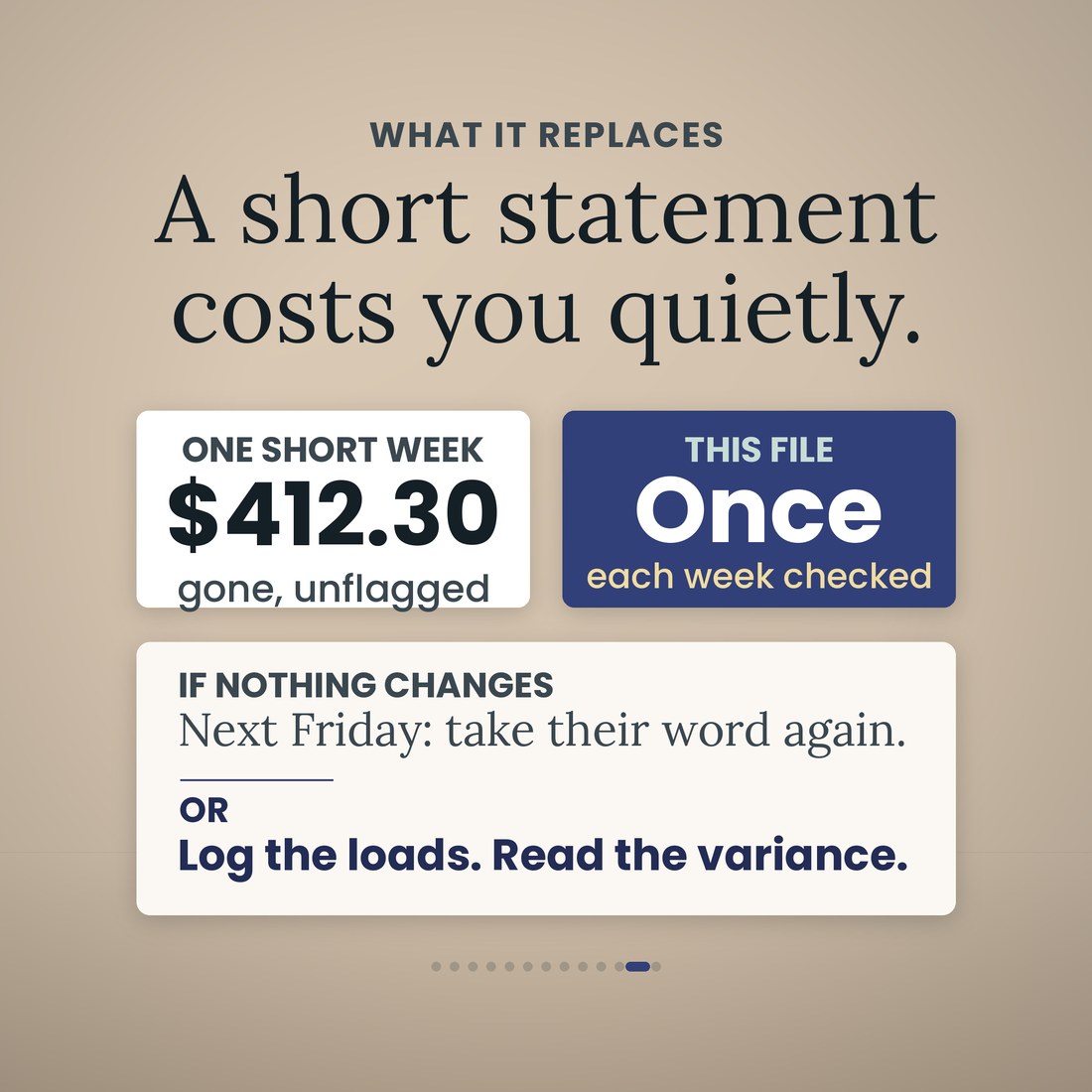
On the sample book your loads say settlement 5 should have paid $5,924.86; the statement said $5,512.56. The file flags it SHORT $412.30: the fuel surcharge on one load, 1,085 loaded miles at $0.38, never made it onto the page. That is one week, and it would have gone unnoticed.
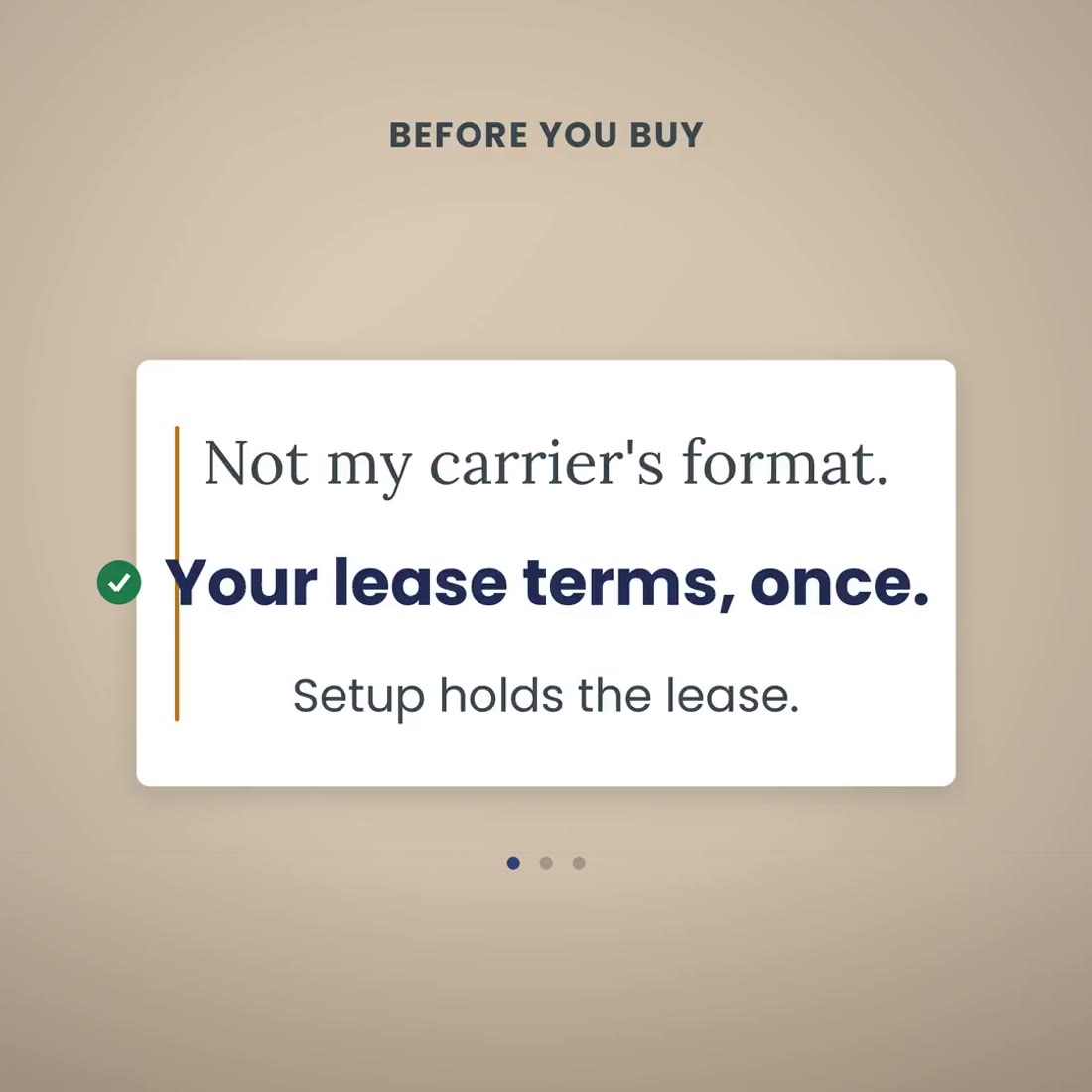
Setup holds the lease terms once — percent split, surcharge pass-through, the fixed deductions. After that you type what the statement reports: linehaul, fuel surcharge, accessorials, deductions, deposit. The deduction categories are yours to rename.
Gross to the truck, deductions and net deposited are three different numbers, and the one that matters is the last one divided by your miles. The sample book comes out at $0.643 kept per total mile and $0.674 per loaded mile.
Escrow & Reserves shows what has been taken, what is still to come and what is yours. On the sample, $500 of a $1,000 escrow and a $1,360 maintenance reserve make $1,860 of your money sitting outside your account, and the Dashboard counts it.
Percent of linehaul, percent of gross including fuel surcharge, per practical mile, per HHG mile, per load or hourly, plus owner drives, with per diem, and a pay stub you can print.
Microsoft Excel, Google Sheets and Apple Numbers. Every formula uses the portable function set, and the file was recalculated clean in all three before shipping. No add-ins, no macros, no login, nothing to install.
Who It's For
Built for
- Owner-operators leased to a carrier on a percentage or per-mile settlement
- Small fleet owners paying a driver, who want the pay worked out and a stub to hand over
- Anyone who has looked at a Friday deposit and wondered where the gross went
- Drivers who want one file on their own laptop, with no carrier portal and no subscription
How It Works
Up and running in minutes
Percent split, fuel surcharge pass-through, the fixed weekly deductions, escrow schedule, maintenance reserve target, per diem. Once.
One row per load on the Loads tab: miles loaded and deadhead, linehaul, fuel surcharge, accessorials. Revenue per mile is worked out per row.
Linehaul, fuel surcharge, accessorials, deductions, deposit, as the carrier reported them. The Settlements tab already knows what the week should have paid.
Expected versus reported, the difference in dollars, SHORT or Matches, and the days from proof of delivery to paid.
The Dashboard reads net kept per total mile and per loaded mile, and the Year View adds the settlements up month by month.
Why It's Different
Not another template
Most settlement trackers are a ledger: they record what the carrier paid and add it up. This one records what the carrier should have paid, from your own loads, and holds the two side by side every week with the difference in dollars and a flag. That is the part a PDF from the carrier can never do for you, and on the sample book it is worth $412.30 in one week. It also keeps the other things owner-operators are told to take on faith: every deduction by category and per mile, escrow tracked as a deposit rather than an expense, the maintenance reserve against a target, driver pay six ways with a printable stub, and the days from proof of delivery to paid against the 15-day rule. It computes; it does not give legal opinions on your lease.
Delivery & Compatibility
Instant, and it opens in what you already use
As soon as your order is complete you get instant access to download the ZIP, so you can put your lease terms in tonight and check this Friday's statement against your loads.
Five .xlsx workbooks (the tracker plus Colorful, Light, Dark and Editorial editions) delivered as one ZIP, instant download. Opens in Microsoft Excel, Google Sheets and Apple Numbers using the portable function set only — no add-ins, no macros, no login and nothing to install. The file ships with a worked sample book so every screen works on open; the images and video show that sample. This is a digital download; nothing is shipped.
FAQ
Questions, answered
My carrier's statement looks different. Will it still work?
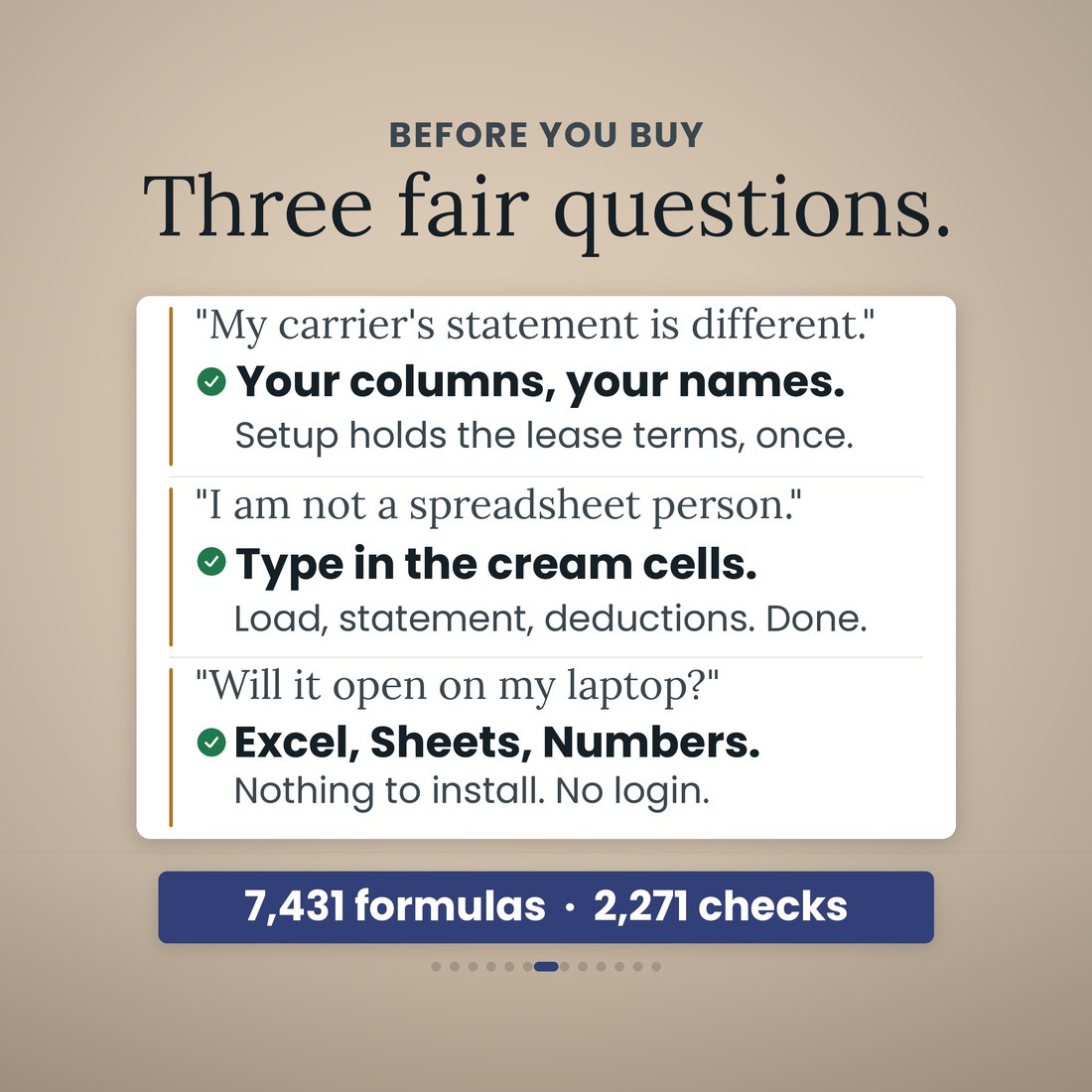
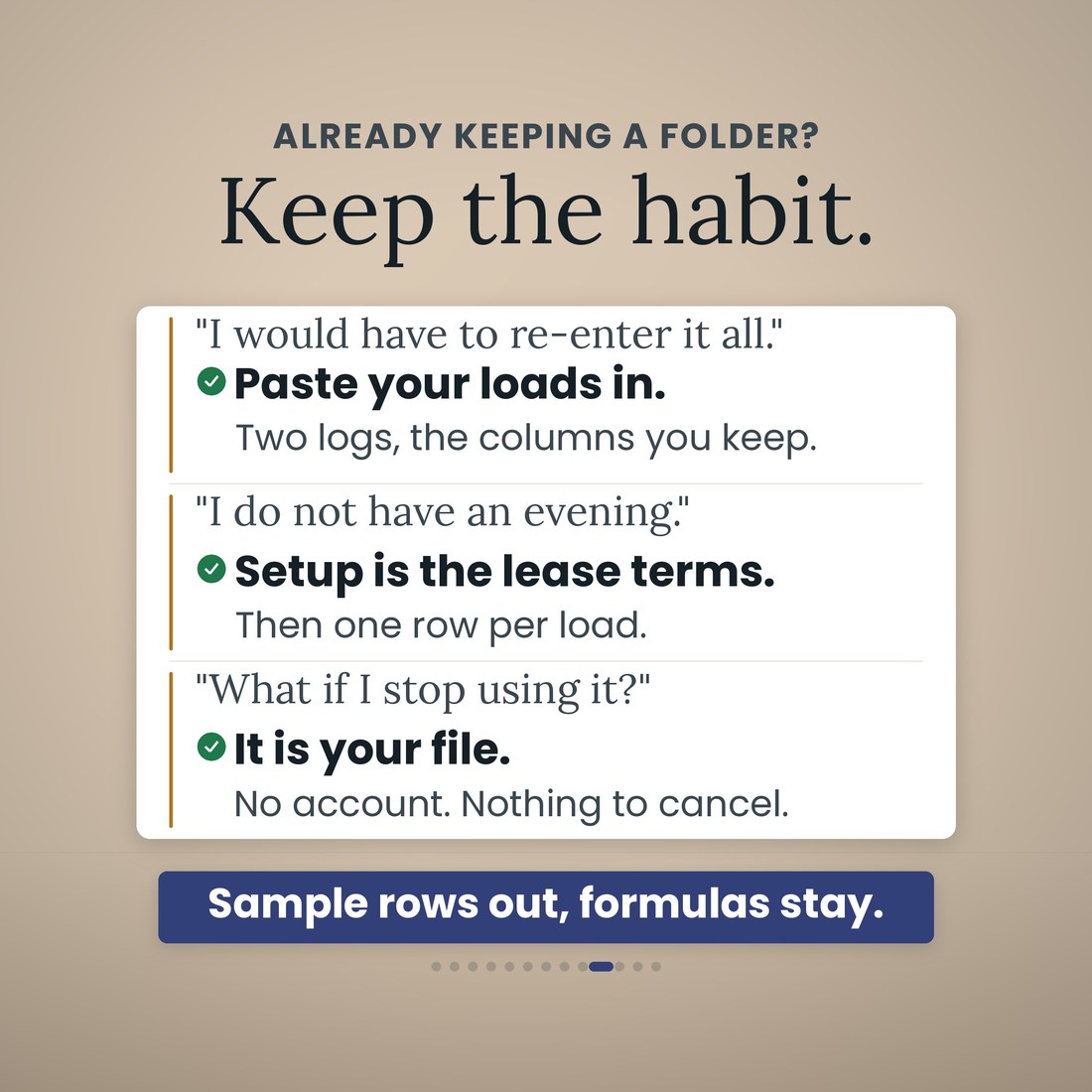
Yes. Every carrier's page looks different and the file does not care. Setup holds your lease terms once: your percentage of linehaul, whether the fuel surcharge passes through, the fixed weekly deductions. After that you type what the statement reports: linehaul, fuel surcharge, accessorials, deductions, deposit. The deduction categories are yours to rename.
I am not a spreadsheet person. How much do I have to type?
You type in the cream cells only: one row per load, one row per statement, one row per deduction line. Every other cell is a formula, 7,431 of them.
Will it open on my laptop?
Yes. Microsoft Excel, Google Sheets and Apple Numbers, with no add-ins, no macros, no login and nothing to install. Every formula uses the portable function set, and the file was recalculated clean in all three before shipping.
What are the nine tabs?
Start Here; Setup; Loads; Settlements; Deductions; Driver Pay; Escrow and Reserves; Dashboard; and Year View. Each does one job.
How does it know a statement is short?
The Loads tab prices every load from your lease terms, so the file knows what each settlement period should have paid. When you type the statement as reported, the Settlements tab shows the expected figure, the reported figure, the variance in dollars and a SHORT or Matches flag. On the sample, settlement 5 dated August 7, 2026 is flagged SHORT $412.30 because the fuel surcharge on one 1,085-mile load at $0.38 never appeared.
What is the 15-day rule?
The federal leasing regulations (49 CFR 376.12) require the lease to provide for payment within 15 days after you submit the delivery documents for a trip. The Settlements tab counts the days from proof of delivery to paid on every statement, and the Dashboard shows the average.
Can I pay a driver with it?
Yes. The Driver Pay tab runs six methods: percent of linehaul, percent of gross including fuel surcharge, per practical mile, per HHG mile, per load and hourly, plus owner drives, with per diem, and it prints a pay stub.
What is the difference between the four color editions?
Only the look. Colorful, Light, Dark and Editorial are the same 9-tab workbook with the same formulas in a different palette, and all four ship in the download.
Is this legal advice about my lease?
No. It organizes your settlements and computes the comparison from the terms you enter; it is not tax, legal or accounting advice, and not a legal opinion on your lease. Check your own lease agreement and 49 CFR 376.12 for what your carrier owes and when.
For personal and internal business use. Organizes your settlements and computes the comparison from the terms you enter; not tax, legal or accounting advice, and not a legal opinion on your lease. © 2026 NicheToolkitHub — no resale or redistribution.