 ▶
▶
 ▶
▶Teacher Command Center
You did not become a teacher to do paperwork. So stop doing it twice.
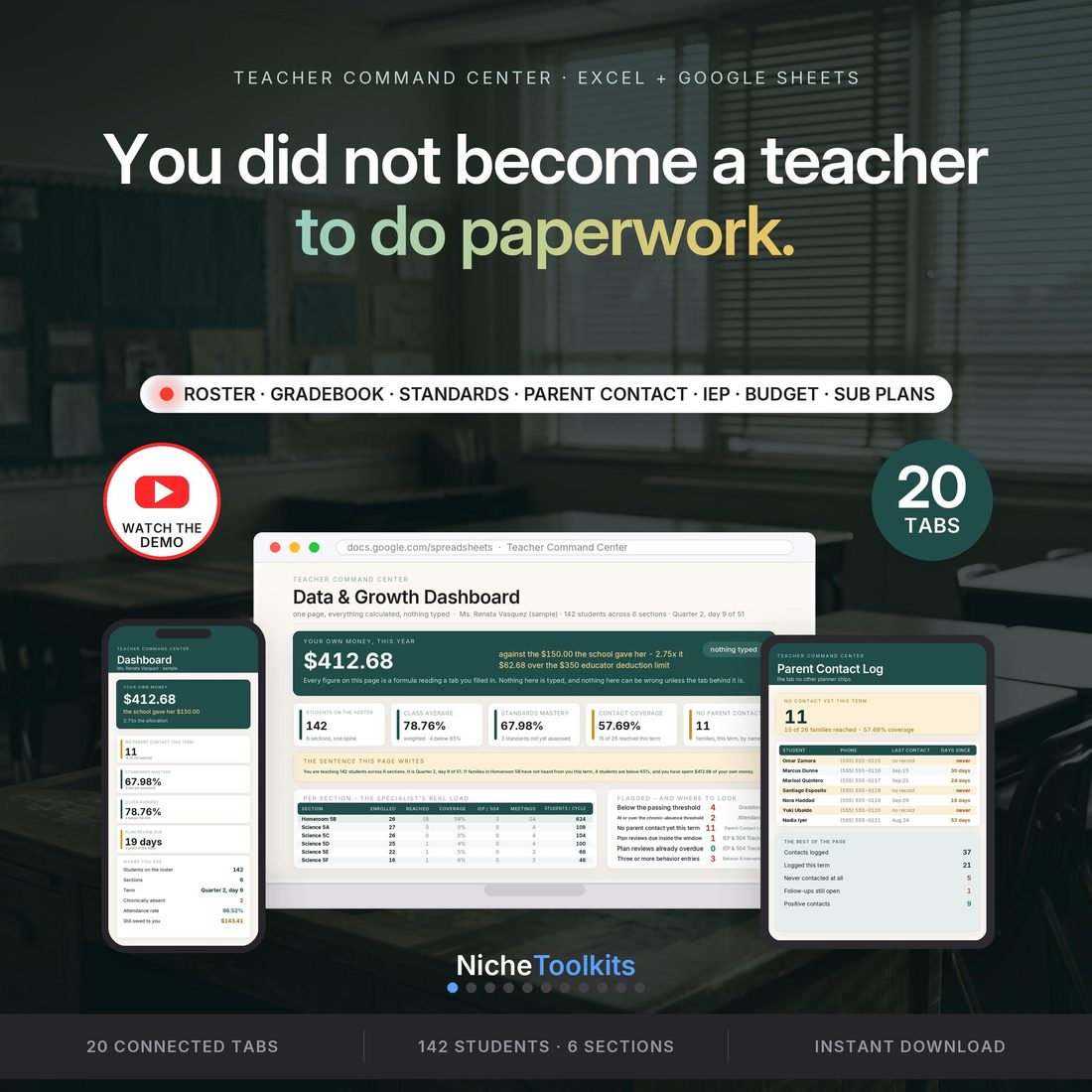
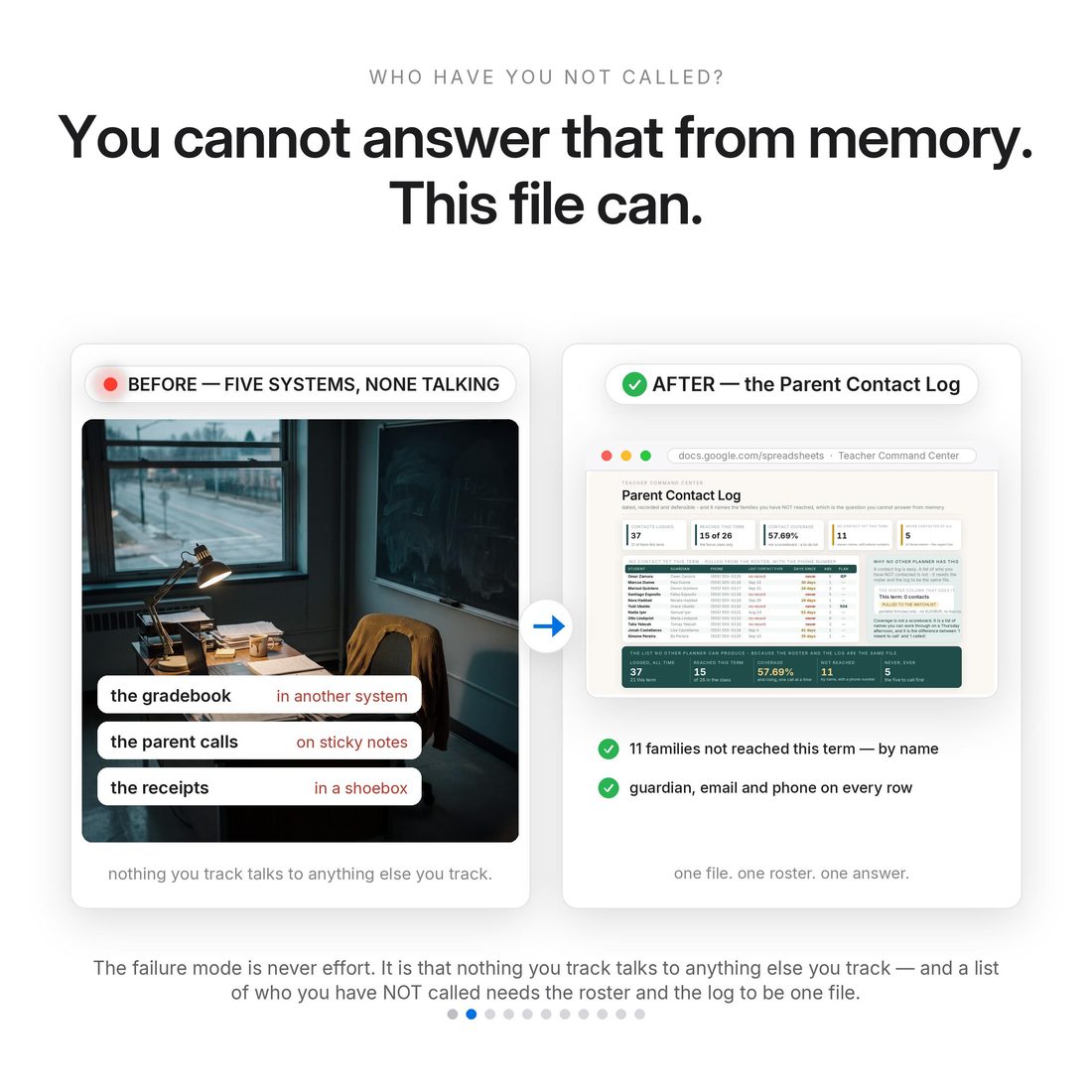
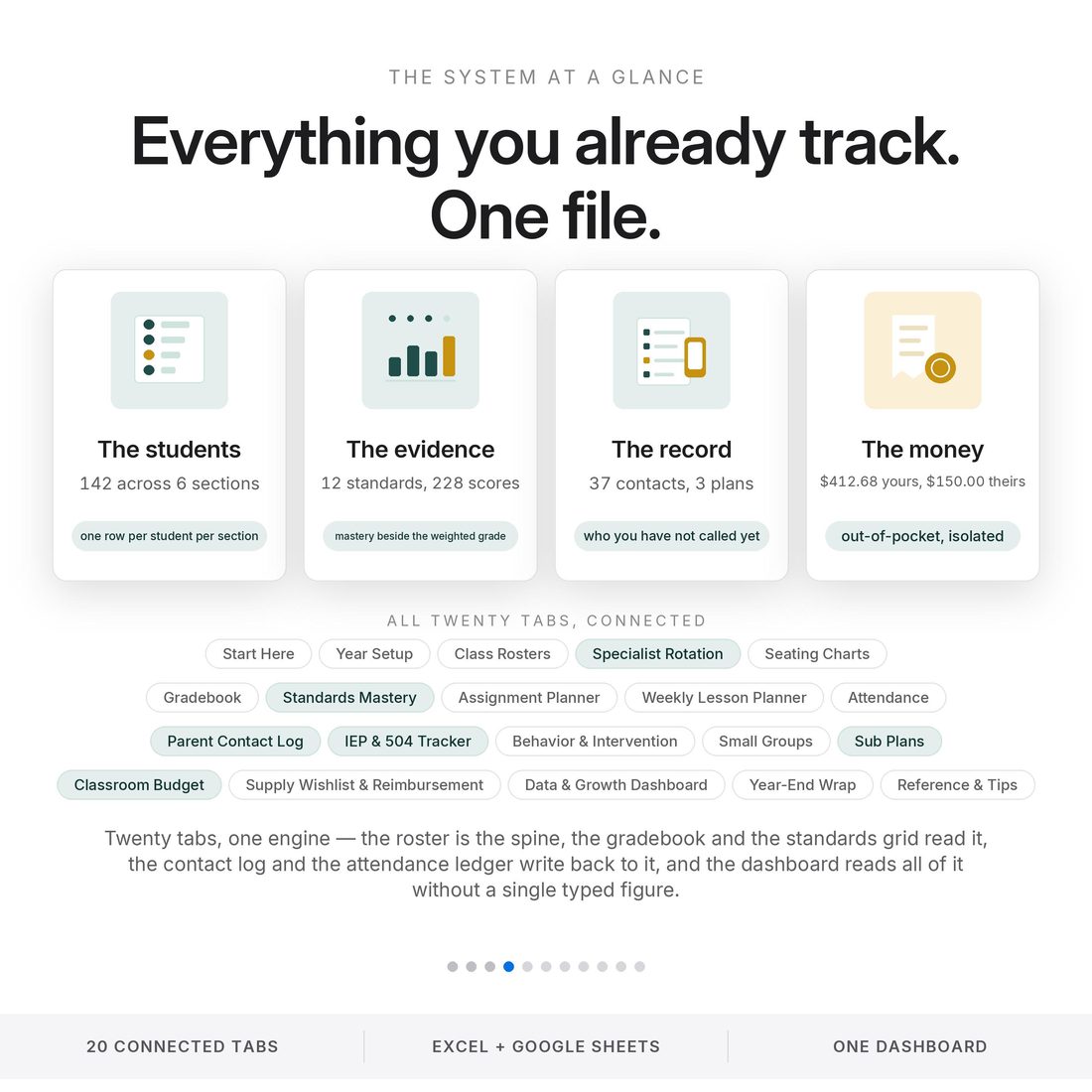
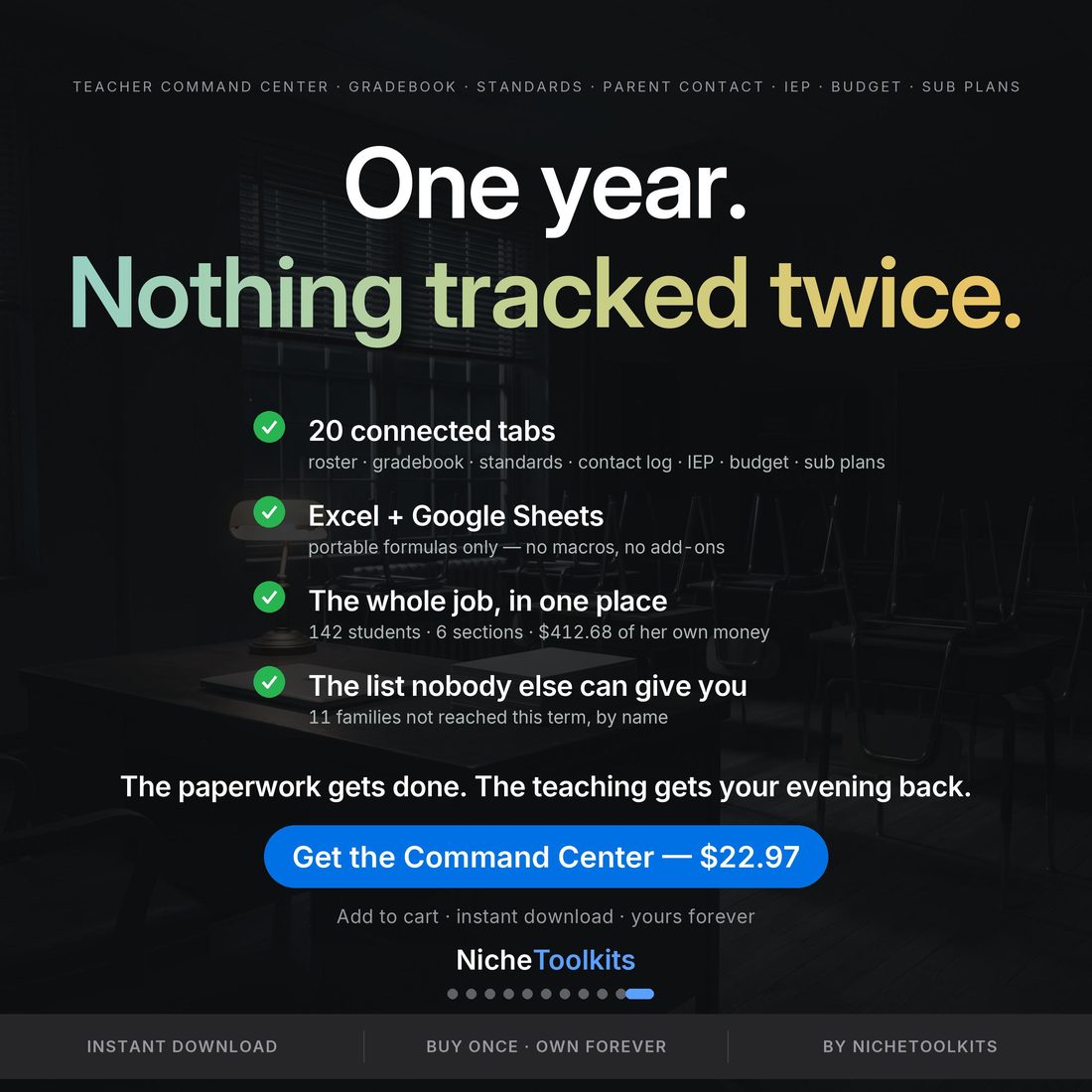
The gradebook is in one system. The parent calls are on sticky notes. The accommodations are in a binder. The standards are in a district spreadsheet you open once a quarter. The money you spent is in a shoebox. The failure mode was never effort — it is that nothing you track talks to anything else you track, so every question costs you an evening. This 20-tab workbook assumes the whole job instead. Two cells drive the entire file, the as-of date and the focus class, so changing the section you are looking at is one keystroke rather than a rebuild. In the shipped sample it holds 142 students across 6 sections and names 11 families in the focus class not spoken to since the term turned, 4 students below the passing line, 3 of 12 standards nobody has assessed yet, 1 plan review due in 19 days, and $412.68 of a teacher's own money against a $150 school allocation.
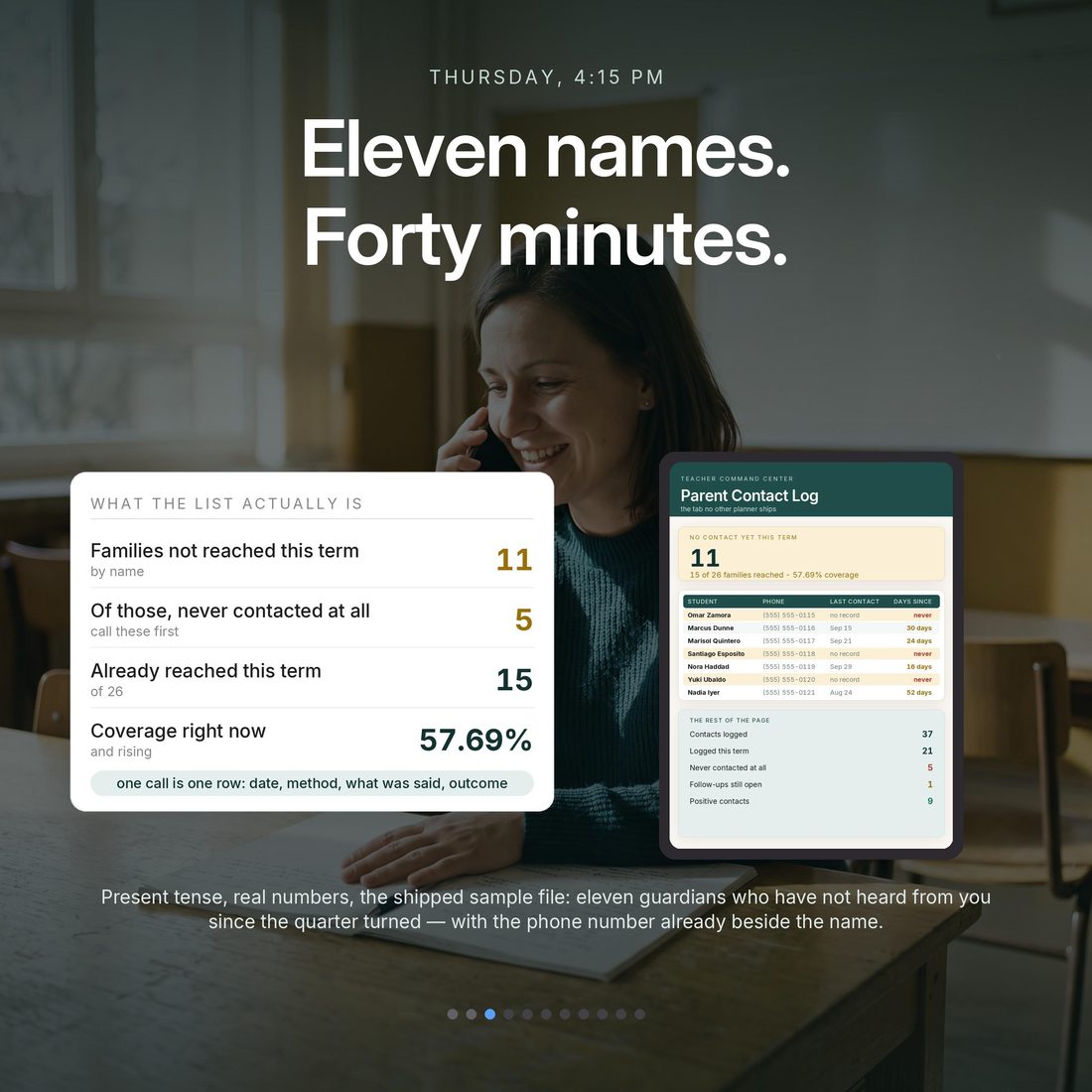
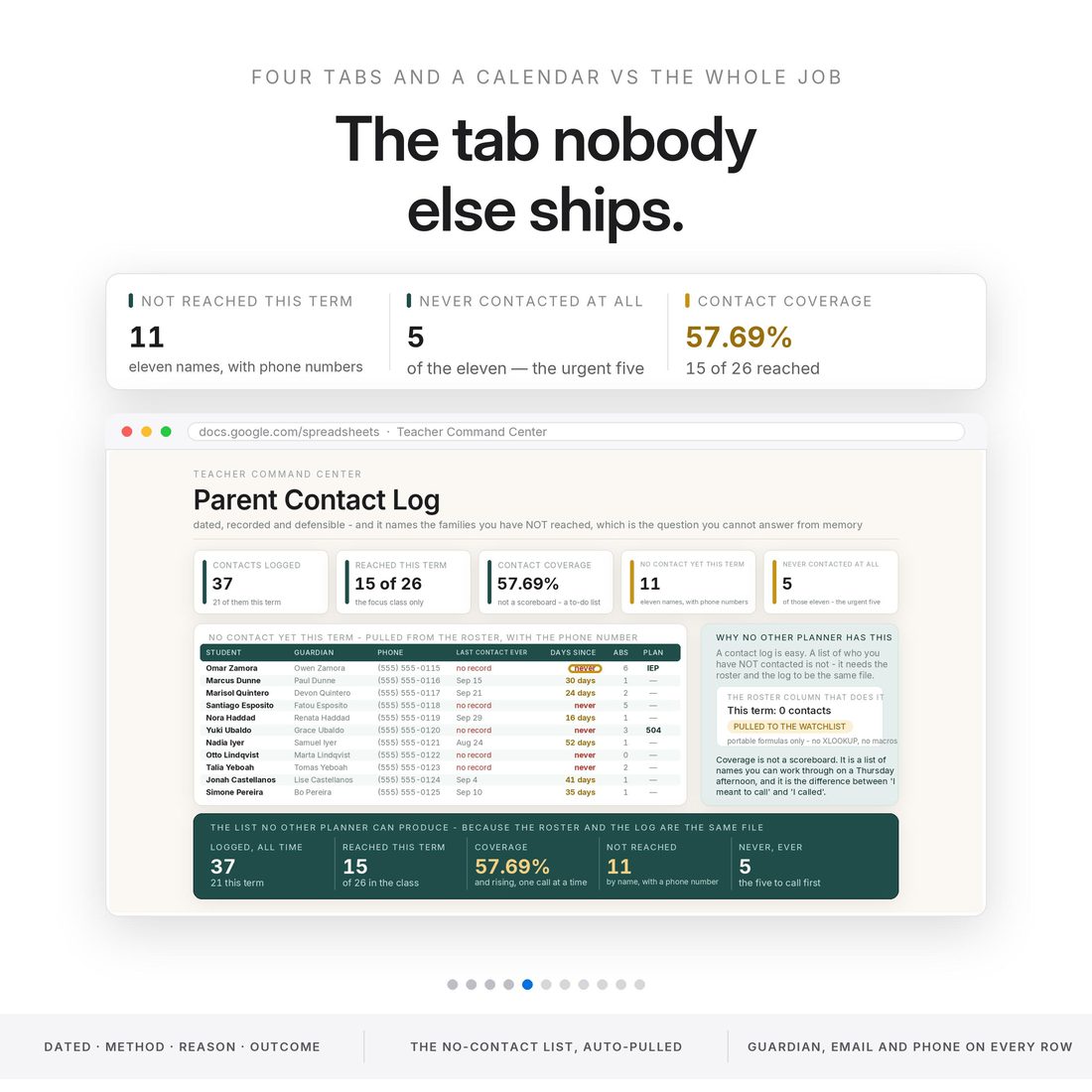
- Parent Contact Log — dated contacts with method and outcome, and a watchlist that pulls itself off the roster to name the families you have not reached, with days since last contact and never flagged in red
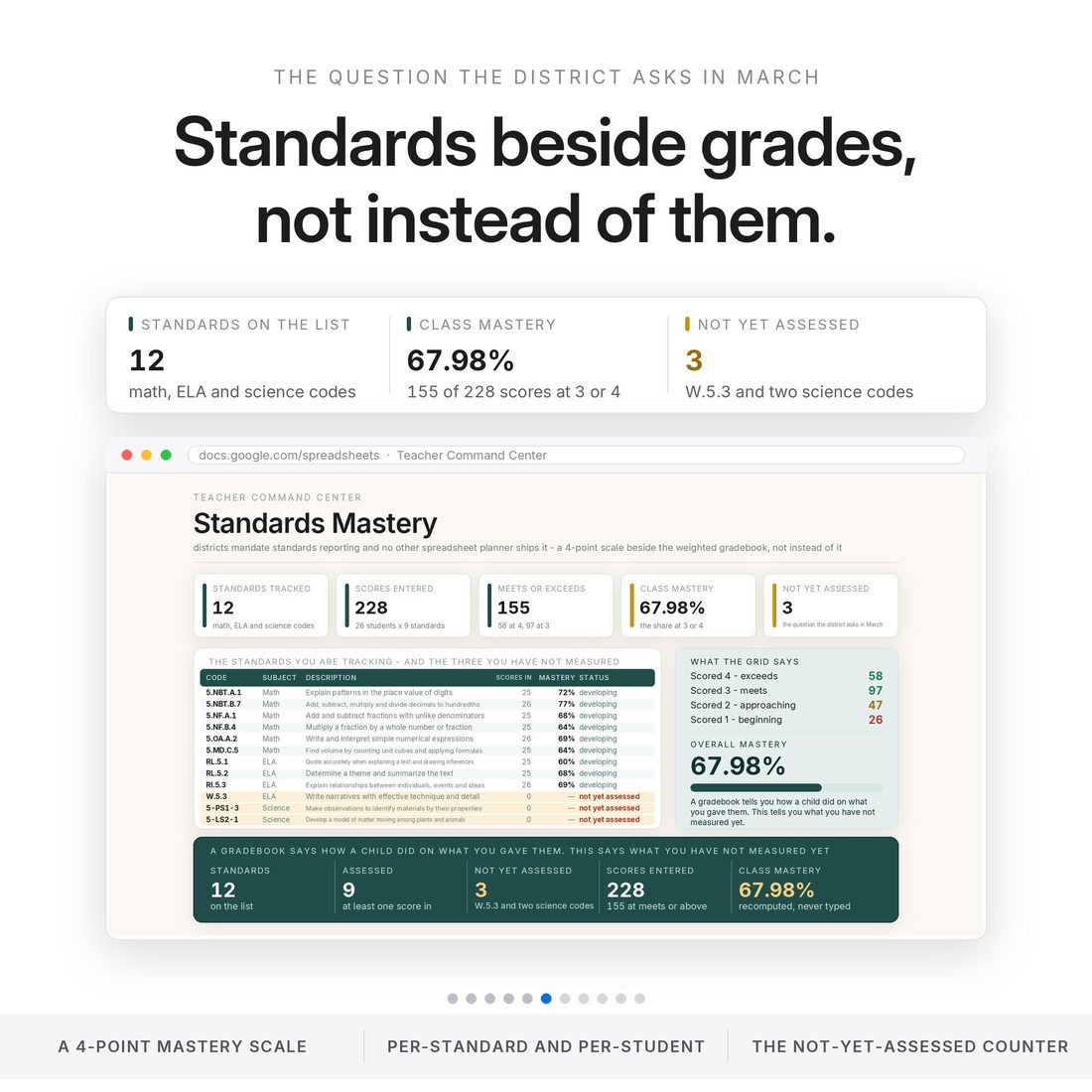
- Standards Mastery — twelve standards on a four-point scale sitting beside the weighted gradebook, not instead of it, with a counter for the ones nobody has assessed yet
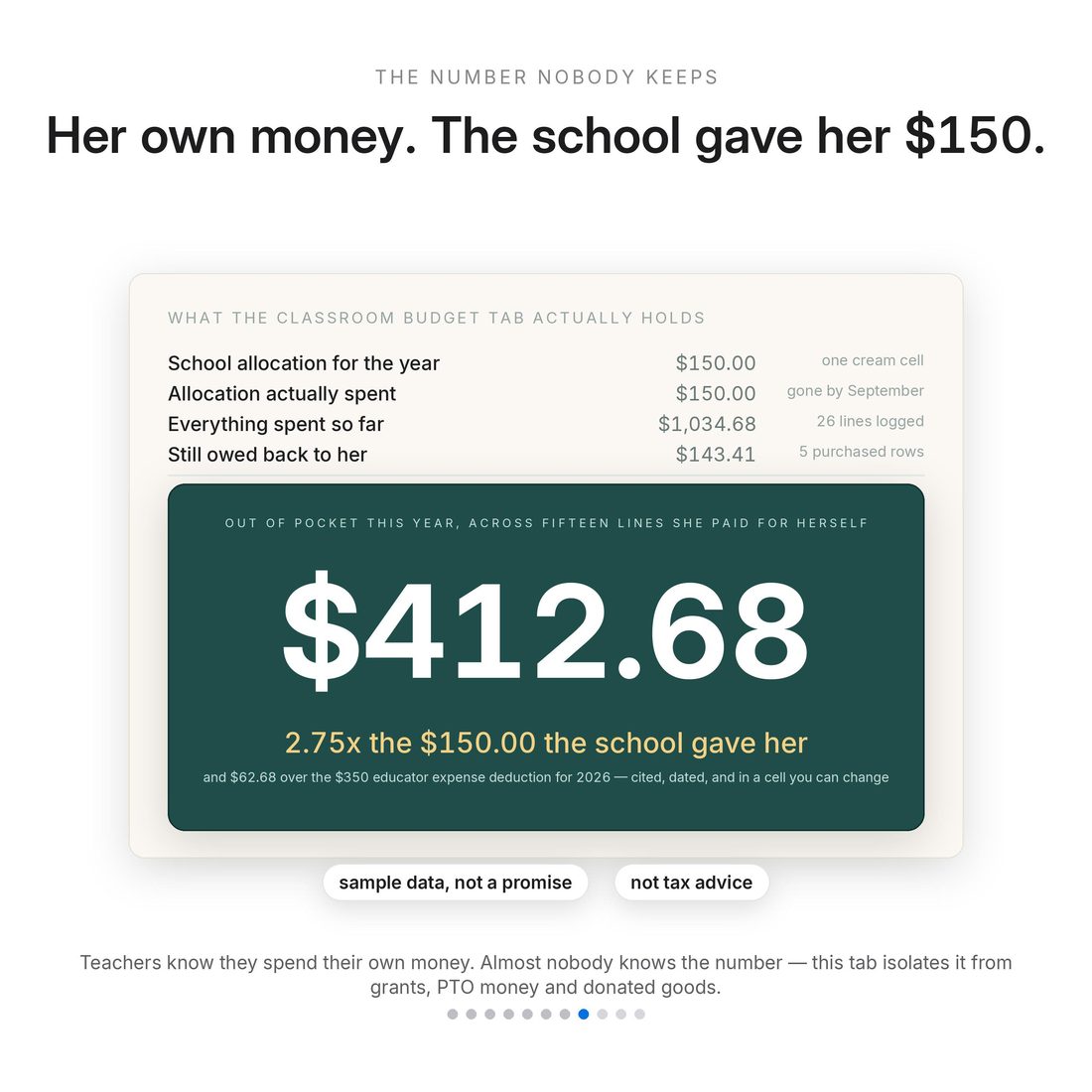
- Classroom Budget — eighty lines by source, with your own money isolated from allocation, grants, donations and PTO funds, and the educator expense deduction cited, dated and editable
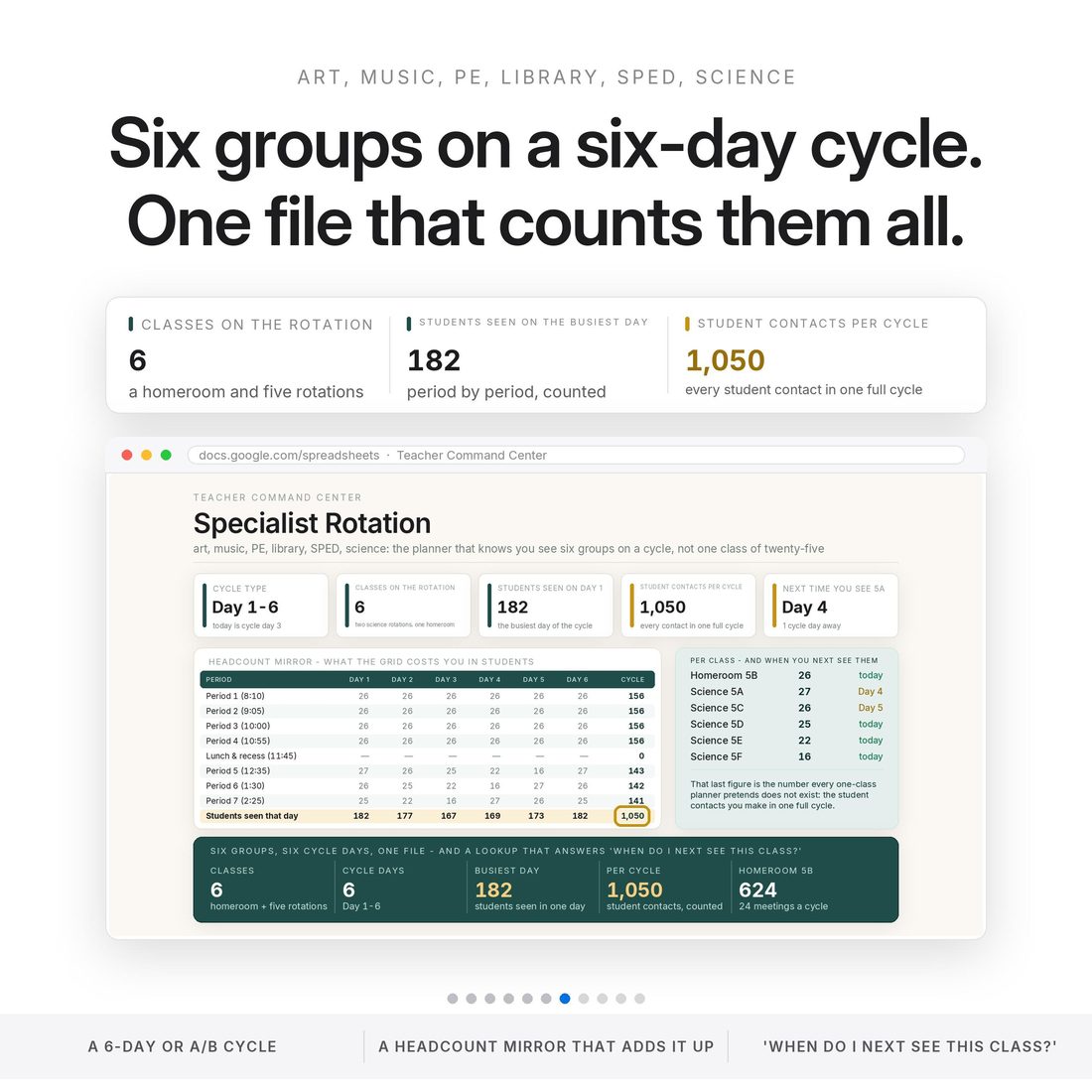
- Specialist Rotation — a six-day cycle grid with a headcount mirror and a when-do-I-next-see-this-class lookup
- Sub Plans — a print-ready packet with today's schedule, headcounts, where everything is, and the students a substitute must know about, pulled from your own roster notes
Overview
You did not become a teacher to do paperwork. So stop doing it twice.
The gradebook is in one system. The parent calls are on sticky notes. The accommodations are in a binder. The standards are in a district spreadsheet you open once a quarter. The money you spent is in a shoebox. The failure mode was never effort — it is that nothing you track talks to anything else you track, so every question costs you an evening. This 20-tab workbook assumes the whole job instead. Two cells drive the entire file, the as-of date and the focus class, so changing the section you are looking at is one keystroke rather than a rebuild. In the shipped sample it holds 142 students across 6 sections and names 11 families in the focus class not spoken to since the term turned, 4 students below the passing line, 3 of 12 standards nobody has assessed yet, 1 plan review due in 19 days, and $412.68 of a teacher's own money against a $150 school allocation.
The category standard is four tabs and a calendar: a roster, a grid, a to-do list. This one assumes you see hundreds of children on a rotation, that a parent contact is a dated record and not a memory, that accommodations have review dates, and that the money you spent on your own classroom is worth counting honestly. Class Rosters is the only place a student's name is ever typed; eleven calculated columns and nineteen other tabs read it from there.
What's Included
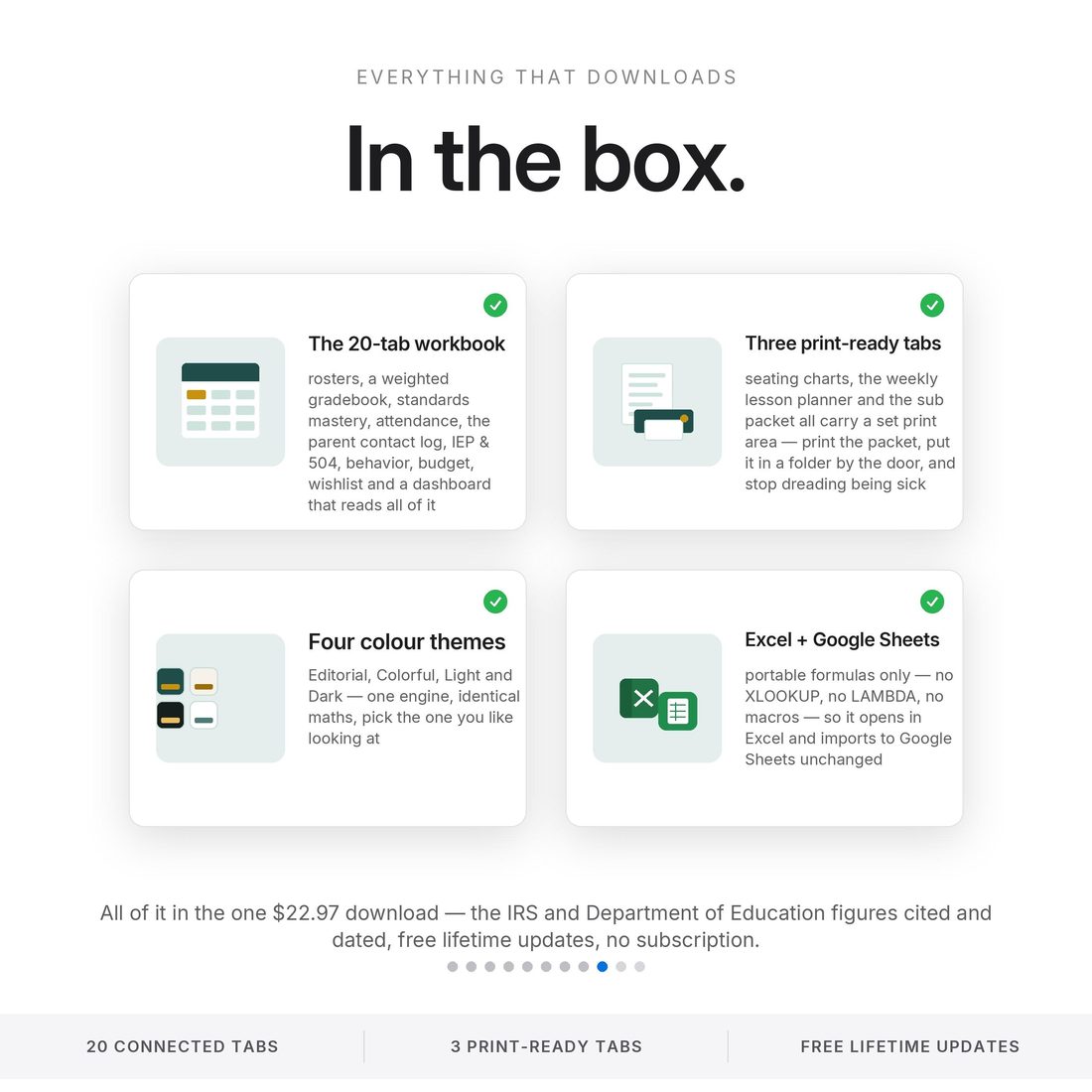
20 connected tabs:
- Four full themes — Editorial, Colorful, Light and Dark (.xlsx), the same complete engine in each
- Quick-Start-Guide.pdf — start to finish in minutes
- ACCESS-YOUR-TEMPLATE.pdf — one click opens your own copy in Google Sheets
- README and LICENSE — delivered as one ZIP, instant download
Key Benefits
Why this one
The watchlist pulls itself off the roster and names them, with guardian, email, phone and days since last contact. The sample lists 11 in the focus class and reads 57.69% contact coverage from 37 contacts logged. That is the tab this file exists for.
The as-of date and the focus class. Change the section you are looking at and all twenty tabs follow in a keystroke, not a rebuild.
Twelve standards on a four-point scale next to the weighted gradebook, with the not-yet-assessed count that the district asks about in March. The sample has 9 of 12 assessed at 67.98% class mastery.
$412.68 against a $150 school allocation in the sample — 2.75 times what the school gave her, $62.68 over the $350 educator expense deduction the file cites and dates, and $143.41 still owed back to her.
142 students across 6 sections and 1,050 student contacts per rotation cycle: the number a single-class planner never has to count.
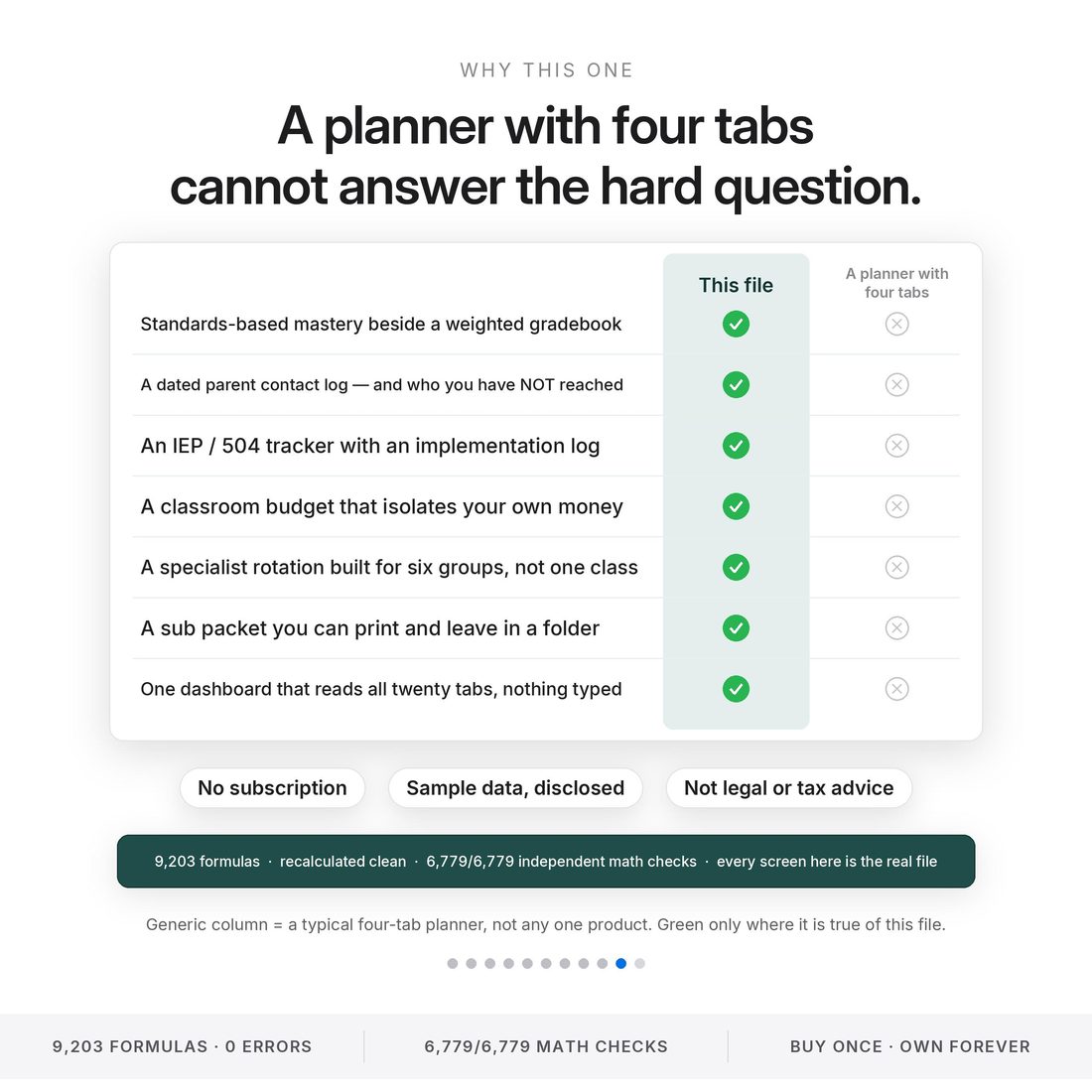
9,203 formulas · 6779 of 6779 independent math checks · 0 error cells across 144,596 cells scanned. Nothing displayed is hard-coded; the verifier re-derives every figure from the input cells alone.
Who It's For
Built for
- The teacher running more than one class list — a homeroom plus a rotation, or six sections
- Specialists in art, music, PE, library and SPED who see hundreds of children on a cycle
- Anyone tired of the answer to a simple question living in four places
- Elementary through middle, self-contained or specialist, first year or twentieth
How It Works
Up and running in minutes
The ACCESS-YOUR-TEMPLATE.pdf in your download opens Google's own Make a copy page, and the copy lands in your Drive with every formula live
The as-of date and the focus class, on Year Setup. Every other tab reads those by name
Class Rosters is the only place a student's name is ever typed. Eleven calculated columns and nineteen other tabs start reading it immediately
Date, method, outcome. The watchlist does the rest and names the families who have been missed this term
Seating charts, the weekly lesson planner, the sub packet and the year-end wrap are all print-ready
Why It's Different
Not another template
A four-tab planner gives you a roster, a grid and a to-do list, then makes you answer every real question by hand. The questions that cost a teacher an evening are cross-tab questions: which families have not been contacted this term, which standards nobody has assessed, which plan has a review due, how much of this classroom you paid for yourself. This file answers those because the tabs read each other.
Delivery & Compatibility
Instant, and works with what you use
As soon as your order is complete you get instant access to download your files. Prefer Google Sheets for real-time updates and dropdowns? It's fully optimized. More comfortable in Excel? It works just as well.
Built and tested in the latest Excel (Office 365). On Mac we recommend the Google Sheets version — the template is not compatible with Apple Numbers. Available in English. The template ships with sample data so every screen works on open; clear it whenever you're ready. The images and video show that sample data to demonstrate how it looks in use.
FAQ
Questions, answered
Does it work in Google Sheets?
Yes — one click. The ACCESS-YOUR-TEMPLATE.pdf in your download opens Google's own Make a copy page, and the copy lands in your Drive with every formula live. The .xlsx opens in Microsoft Excel too. Portable formulas only, no add-ons, no macros, no array entry.
Does it connect to my district's gradebook?
No. It is not a student information system and it does not connect to one. Nothing syncs, imports or exports. You type here or you type there.
Is it FERPA compliant?
No claim of compliance is made for the file. It holds student information, so keep it on a device and an account your district permits, do not share it publicly, and follow your school's data-privacy and FERPA policies.
How long is setup?
Five minutes. Set the as-of date and the focus class on Year Setup, then type your roster into Class Rosters. That is the only place a student's name is ever typed.
Is anything pre-loaded?
Yes — Ms. Renata Vasquez, a written persona rather than a real teacher, ships inside with 142 students across 6 sections in Quarter 2, so every stat, watchlist and countdown works the moment you open it. Every student, guardian, email and phone number is invented.
Can I get a refund on a digital download?
Because delivery is instant, all sales are final — but message us with any issue and we'll make it right.
This file holds student information. Keep it on a device and an account your district permits, do not share it publicly, and follow your school's data-privacy and FERPA policies. It is not a student information system, it is not FERPA compliance, and it does not replace your district's official plan or gradebook systems. Nothing in it is legal, compliance or tax advice: the educator expense deduction figure and the chronic-absence threshold are cited, dated references sitting in editable cells, so verify both for your own year. It does not grade for you, write your lessons, or promise a test-score outcome. The class shown in every image is demonstration data — Ms. Renata Vasquez is a fictional persona, and every student, guardian, email and phone number in the file is invented. For personal use only. © 2026 NicheToolkitHub — no resale or redistribution.