 ▶
▶
 ▶
▶Nonprofit & Church Treasurer Command Center
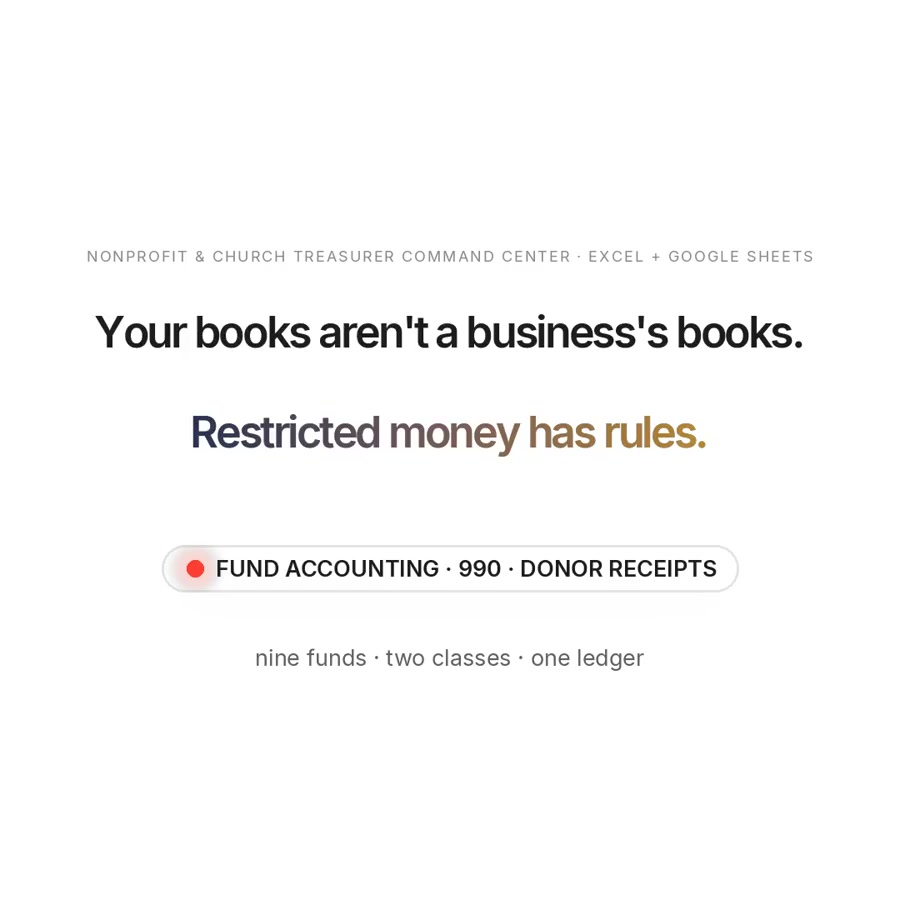
Your books aren't a business's books. Restricted money has rules.
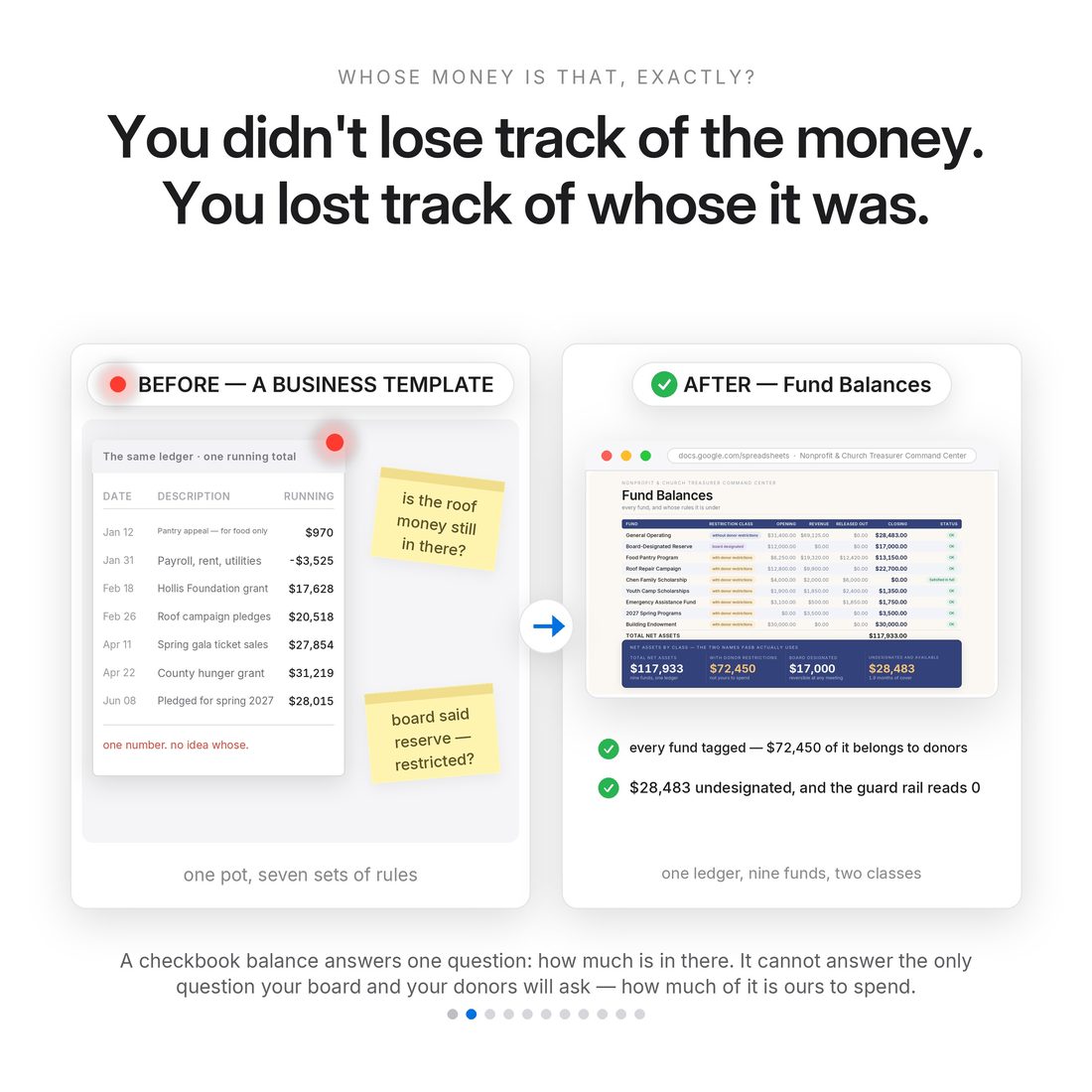
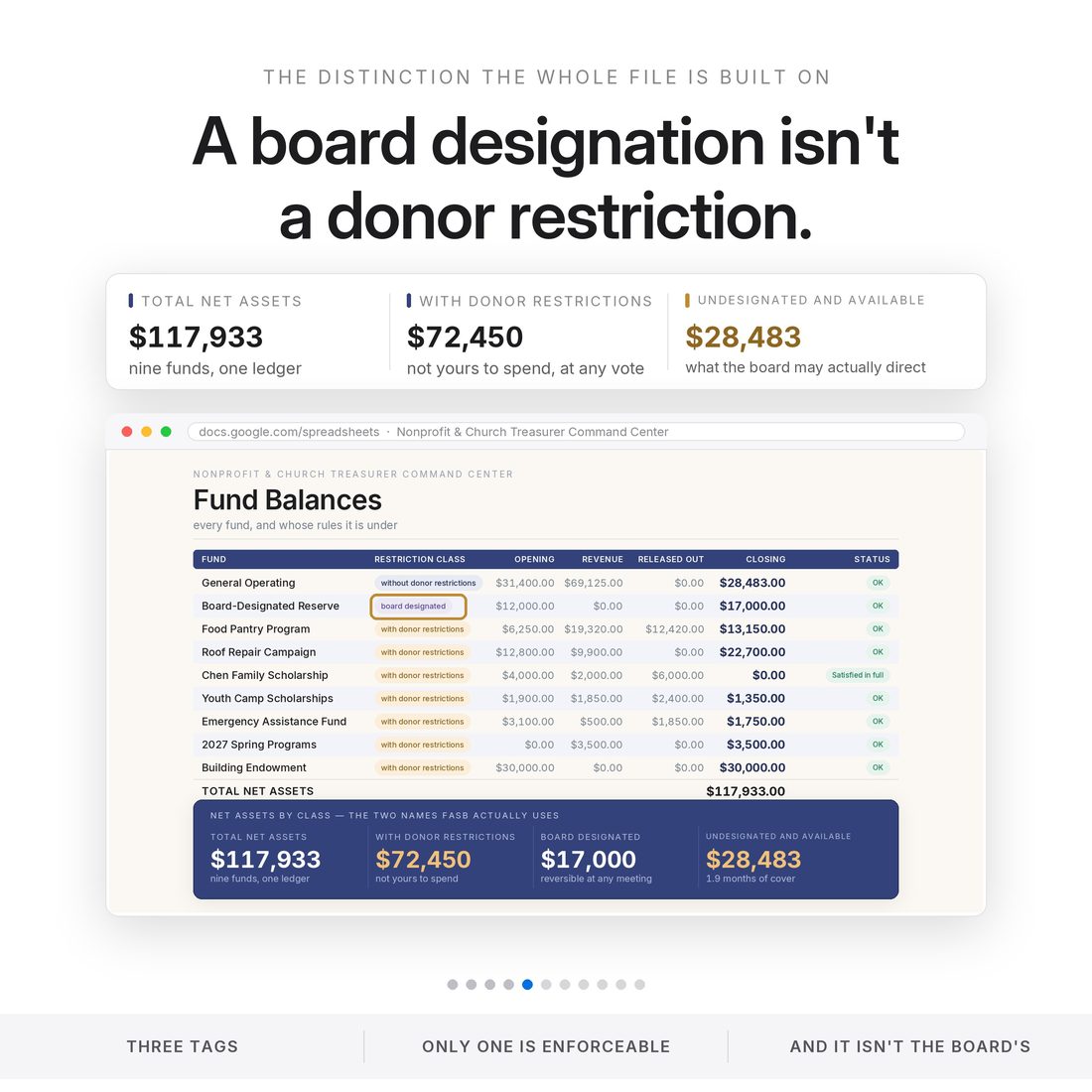
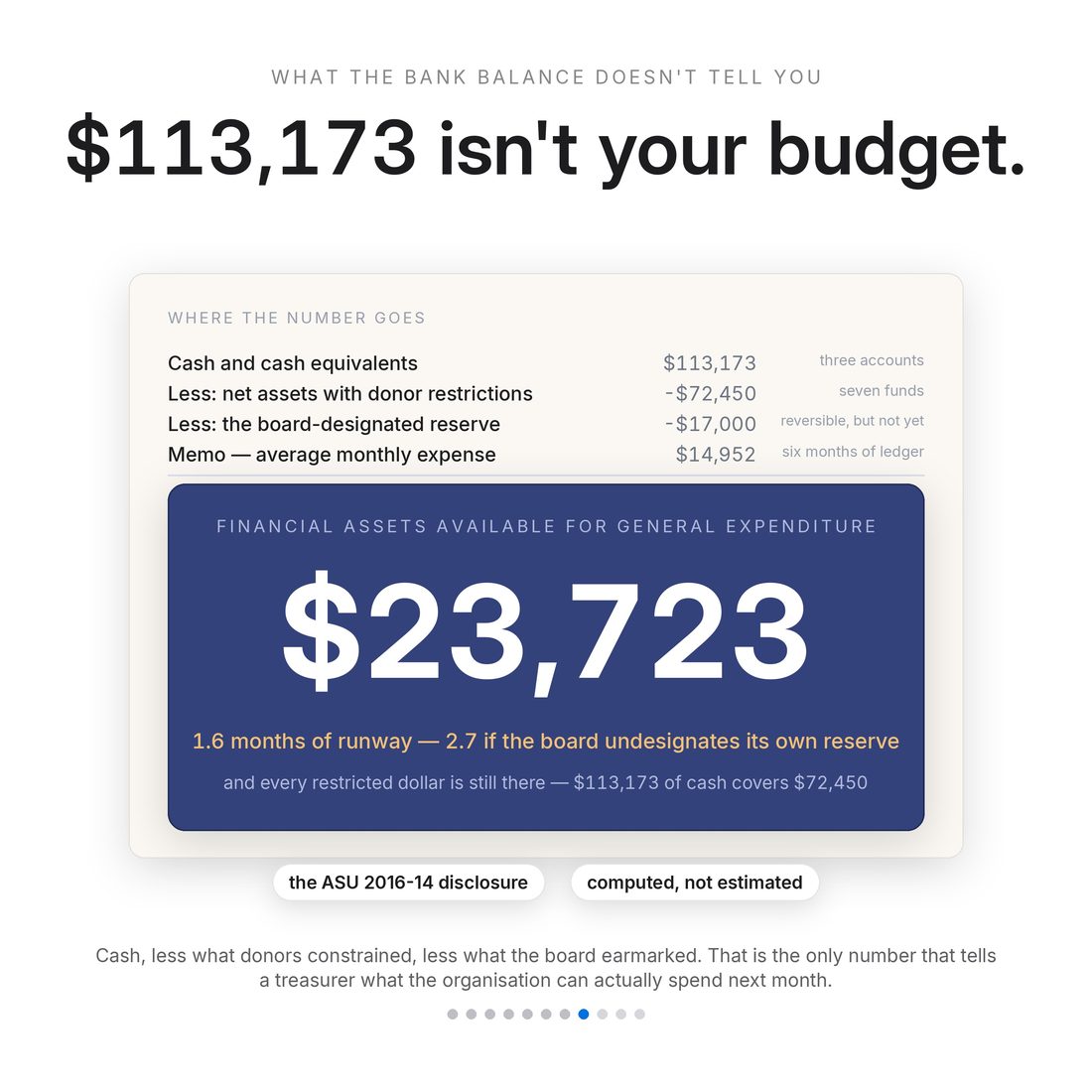
Your books aren't a business's books. Restricted money has rules. A business spreadsheet has one pot of money. You have several, and some of them are not yours to spend. When a donor gives $500 for the food pantry, that money may only buy food. When your board sets aside $12,000 as a reserve, the same board can un-set it at the next meeting. Those two dollars look identical in a bank balance and belong in different columns of your financial statements. Every income-and-expense template on the market puts them in the same column. This one does not.
- Restriction enforcement — expenses can't be charged to restricted funds; restricted funds can't go negative
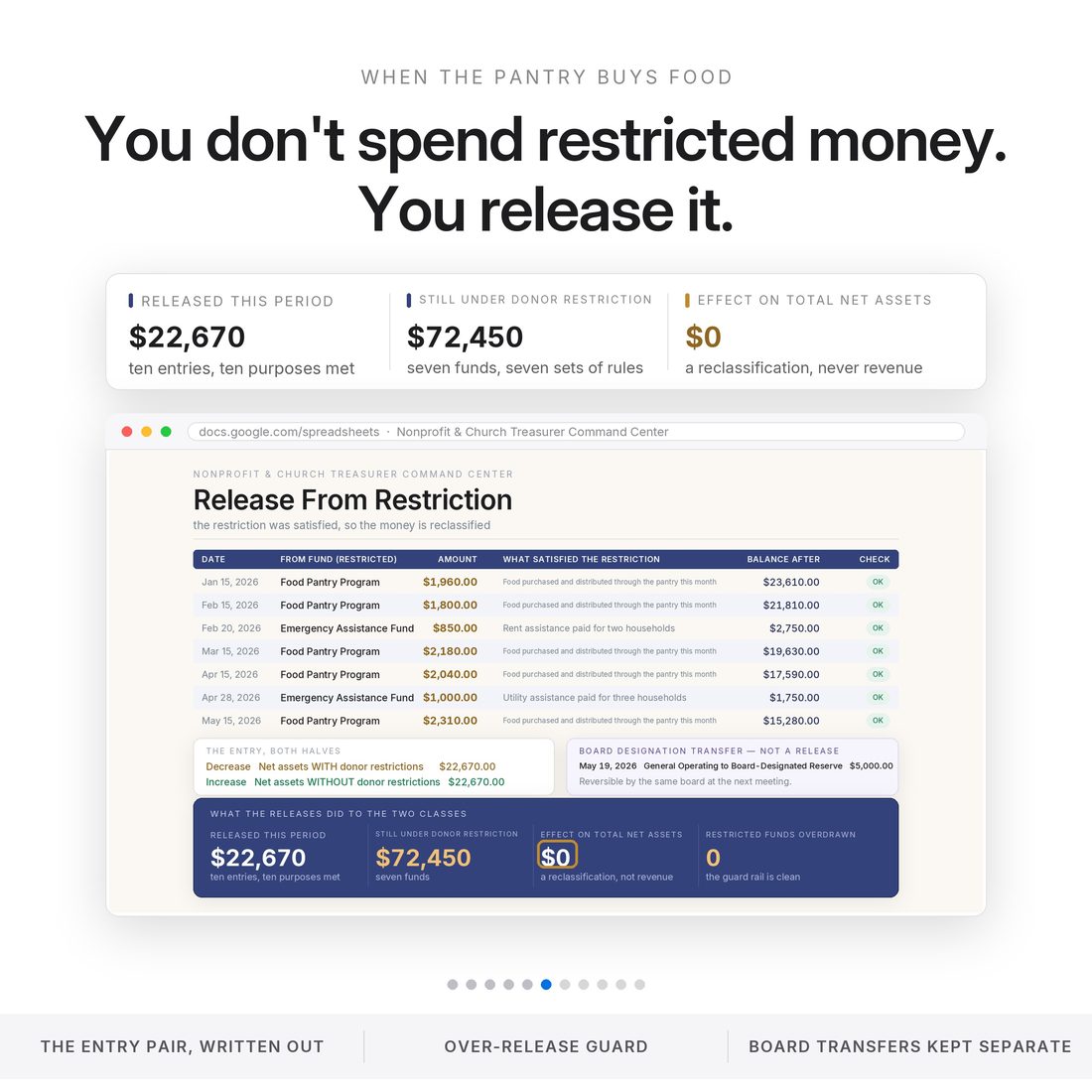
- Release From Restriction — reclassification with exactly $0 effect on total net assets, proven
- Both FASB statements — Financial Position and Activities, agreeing with each other
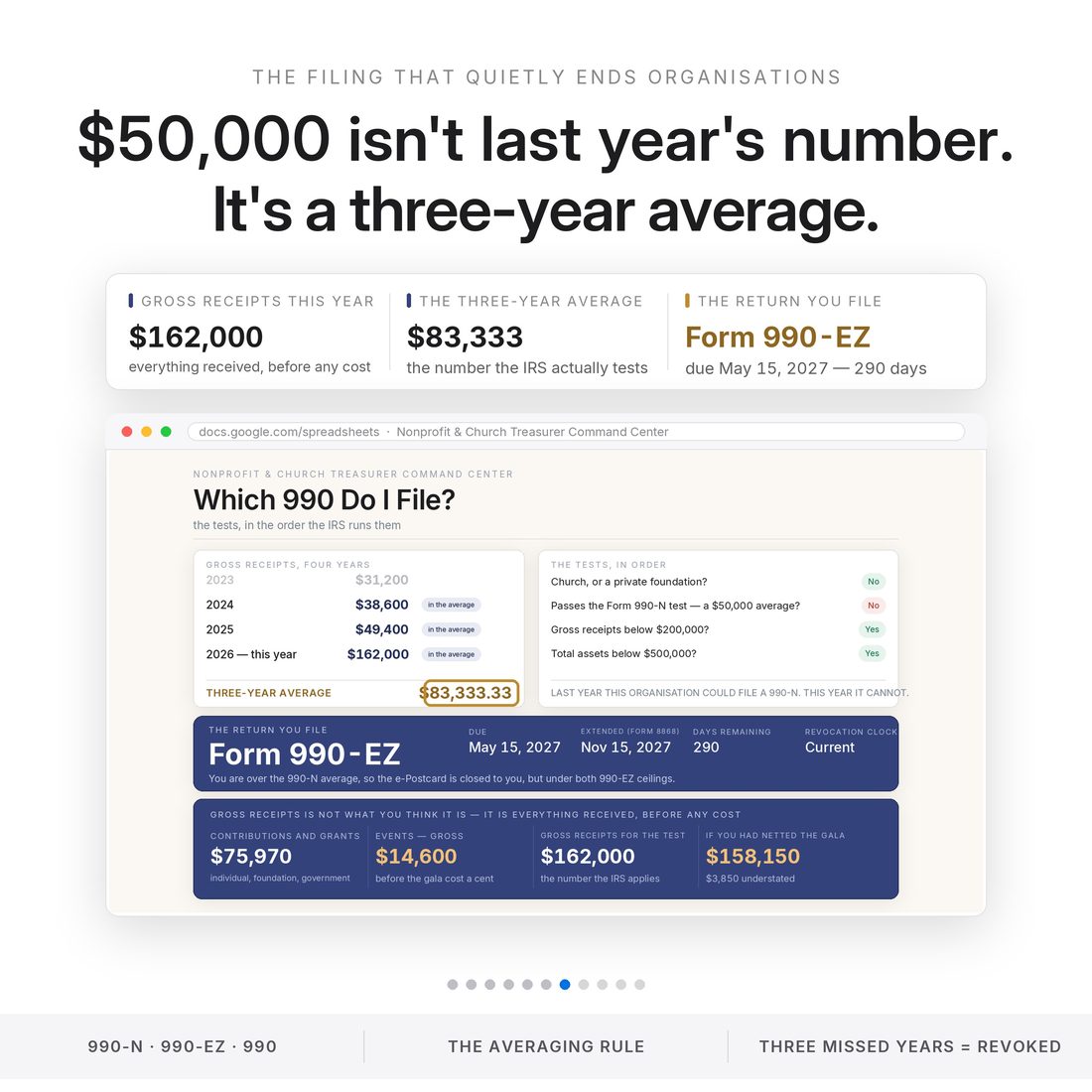
- Which 990 Do I File — the real multi-year averaging test, not folklore
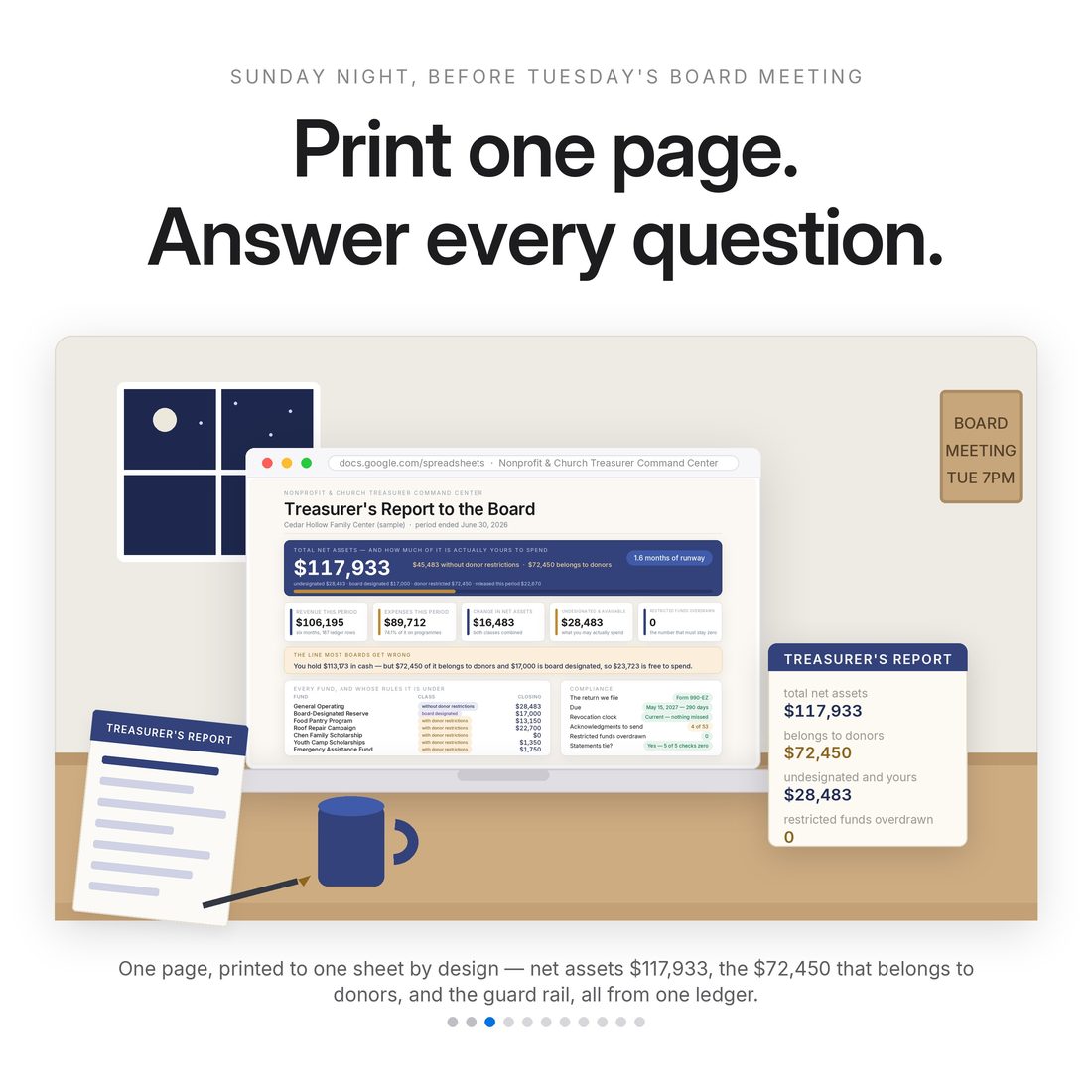
- Treasurer Report + Compliance Calendar — board night and the deadlines, handled
Overview
Your books aren't a business's books. Restricted money has rules.
A business spreadsheet has one pot of money. You have several, and some of them are not yours to spend. When a donor gives $500 for the food pantry, that money may only buy food. When your board sets aside $12,000 as a reserve, the same board can un-set it at the next meeting. Those two dollars look identical in a bank balance and belong in different columns of your financial statements. Every income-and-expense template on the market puts them in the same column. This one does not.
Tag the money. Tie the statements.
What's Included
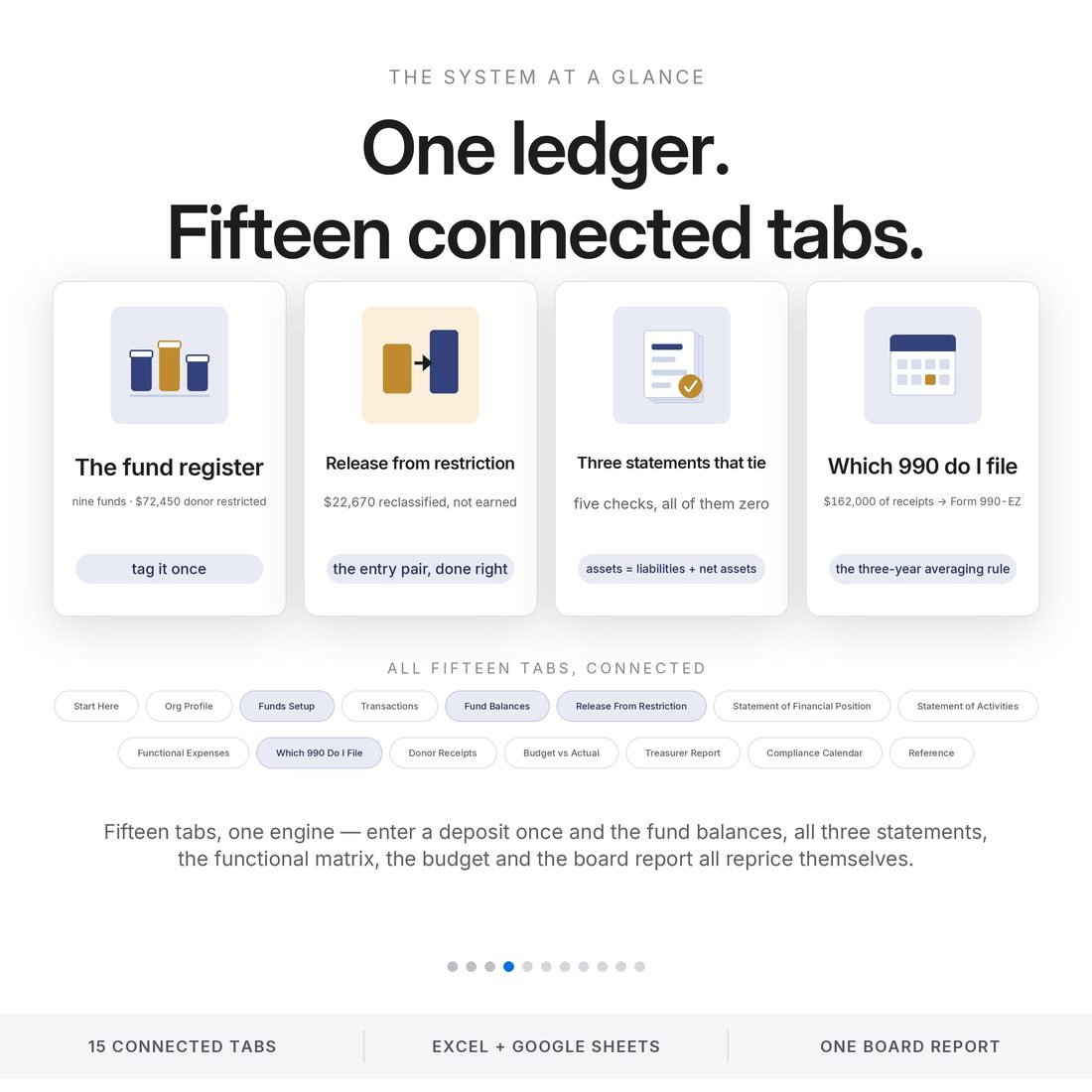
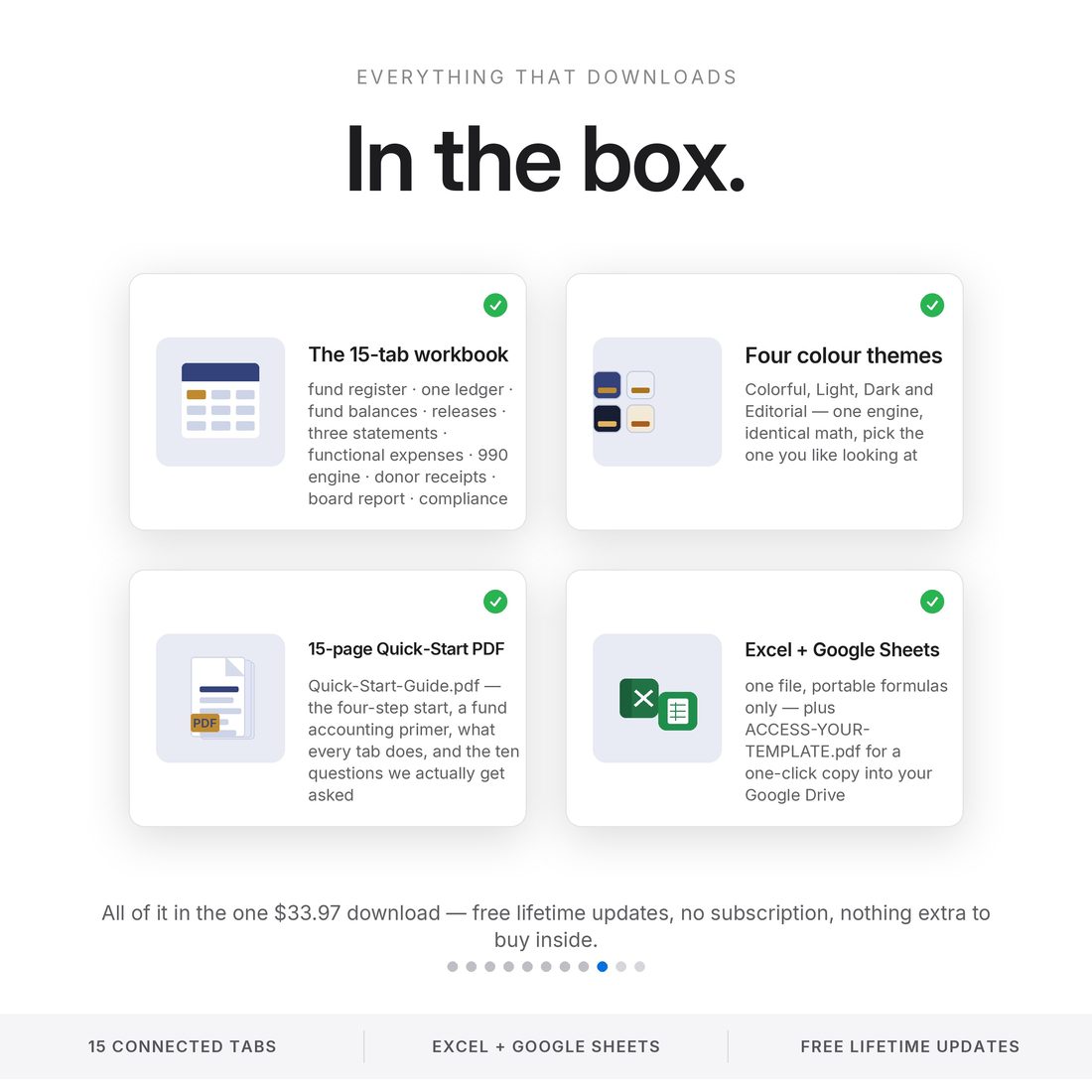
15 connected tabs:
- Nonprofit-Treasurer-Command-Center.xlsx — the 15-tab engine (Excel + Google Sheets)
- Bonus Themes folder — the same workbook in Light, Dark and Editorial
- Quick-Start-Guide.pdf + ACCESS-YOUR-TEMPLATE.pdf — one-click Google Sheets access + the video tutorial link
- README + LICENSE — delivered as one ZIP, instant download
Key Benefits
Why this one
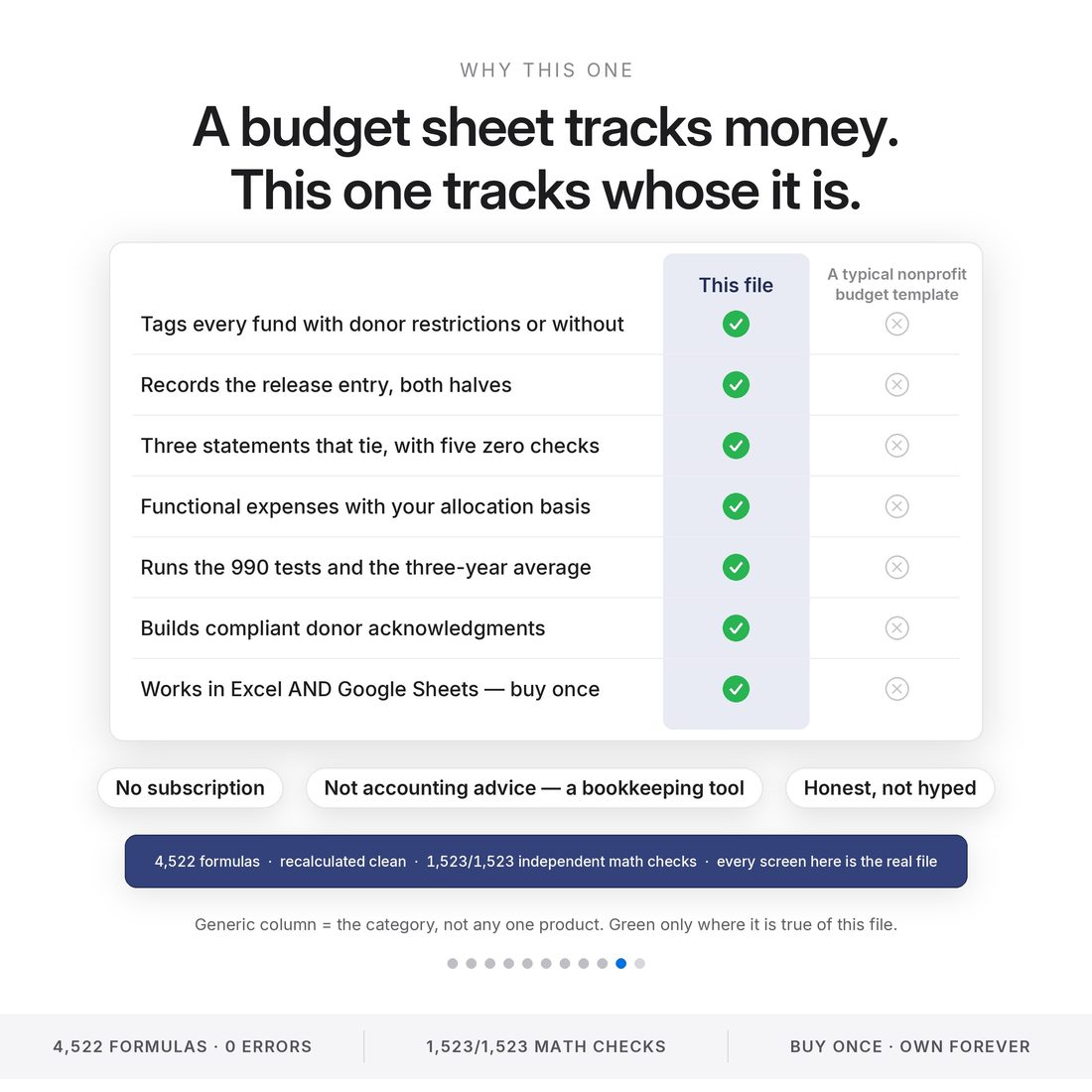
$117,933 of sample net assets: $72,450 with donor restrictions, $45,483 without — of which $17,000 is board-designated and honestly labeled as un-settable.
$22,670 released from restriction across ten entries with exactly $0 effect on total net assets — a release is a reclassification, not revenue.
Assets = liabilities + net assets, both statements agree on the change, five tie checks read zero before anything ships.
Under $50,000 is a multi-year averaging test, not last year's total — the tab runs the real test and names the deadline.
Individual fundraising accounts are the classic way booster clubs lose exemption — the file warns before you build one.
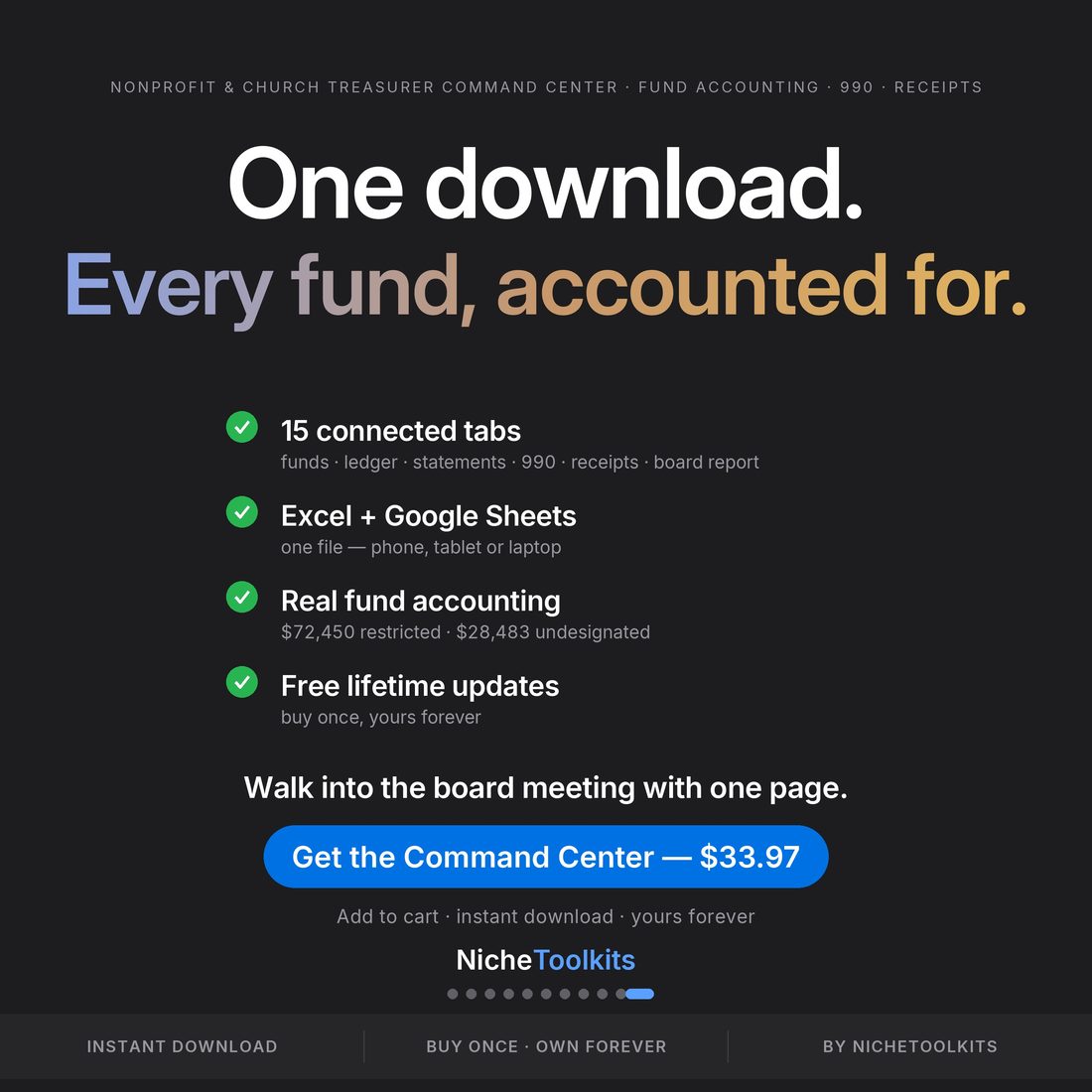
4,522 formulas · recalculated clean · 1,523/1,523 independent math checks. Every image is the real file.
Who It's For
Built for
- Church, PTO/PTA, booster club and scout troop treasurers
- Board members of small 501(c)(3)s who sign what the books say
- Part-time bookkeepers keeping a charity's books alongside businesses
- Anyone who must answer “how much of that is ours to spend?” in front of a board
How It Works
Up and running in minutes
The ACCESS-YOUR-TEMPLATE.pdf in your download opens a copy in Google Sheets with one click
Name each fund and tag it: with donor restrictions, without, or board-designated
Every dollar lands tagged; the guardrails refuse the illegal combinations
When restricted work is done, the release reclassifies it — and ties to the dollar
The treasurer report for board night, both statements, and the 990 test with its deadline
Why It's Different
Not another template
Business templates put restricted and unrestricted money in one column — that's how treasurers end up explaining a shortfall they didn't cause. This file enforces the rules: restrictions honored, releases tied, statements agreeing, the 990 test computed the way the IRS actually computes it.
Delivery & Compatibility
Instant, and works with what you use
As soon as your order is complete you get instant access to download your files. Prefer Google Sheets for real-time updates and dropdowns? It's fully optimized. More comfortable in Excel? It works just as well.
Built and tested in the latest Excel (Office 365). On Mac we recommend the Google Sheets version — the template is not compatible with Apple Numbers. Available in English. The template ships with sample data so every screen works on open; clear it whenever you're ready. The images and video show that sample data to demonstrate how it looks in use.
FAQ
Questions, answered
Does it work in Google Sheets?
Yes — one click: the ACCESS-YOUR-TEMPLATE.pdf in your download opens a copy straight into Google Sheets. The .xlsx works in Excel too.
Is this double-entry accounting software?
It's a fund-accounting workbook built for a volunteer treasurer: tagged transactions, enforced restrictions, and statements that tie — without a bookkeeping course first.
Which 990 does it tell me to file?
It runs the real IRS gross-receipts test — the multi-year averaging, not last year's total — and names your deadline from your fiscal year end.
Does it handle a church that doesn't file a 990?
Yes — churches are exempt from filing, and the tab says so while still keeping the statements and receipts clean.
Is anything pre-loaded?
A complete sample organisation (Cedar Hollow Family Center — fictional) ships inside so every screen works on open — clear it when you're ready.
Can I get a refund on a digital download?
Because delivery is instant, all sales are final — but message us with any issue and we'll make it right.
This is a bookkeeping and planning tool, not accounting, tax or legal advice. State charity registration and audit thresholds are user-entered — verify with your state and a professional where required. For personal use only. © 2026 NicheToolkitHub — no resale or redistribution.