 ▶
▶
 ▶
▶Fitness & Workout Planner
Train, track, and actually see progress.
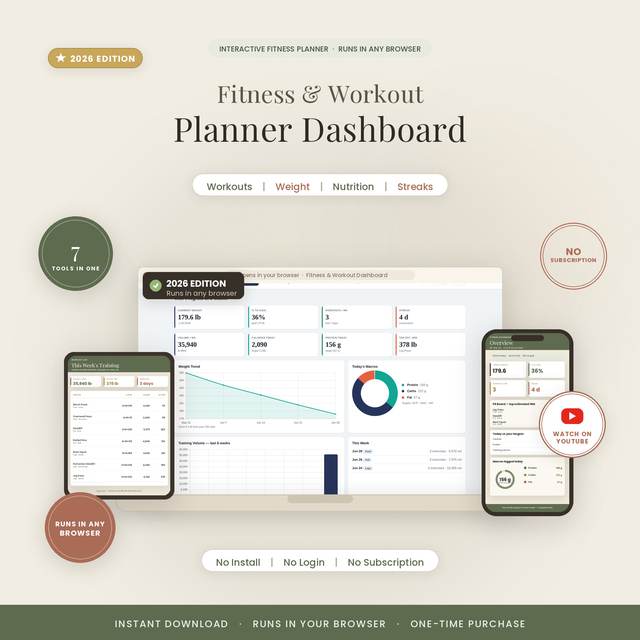
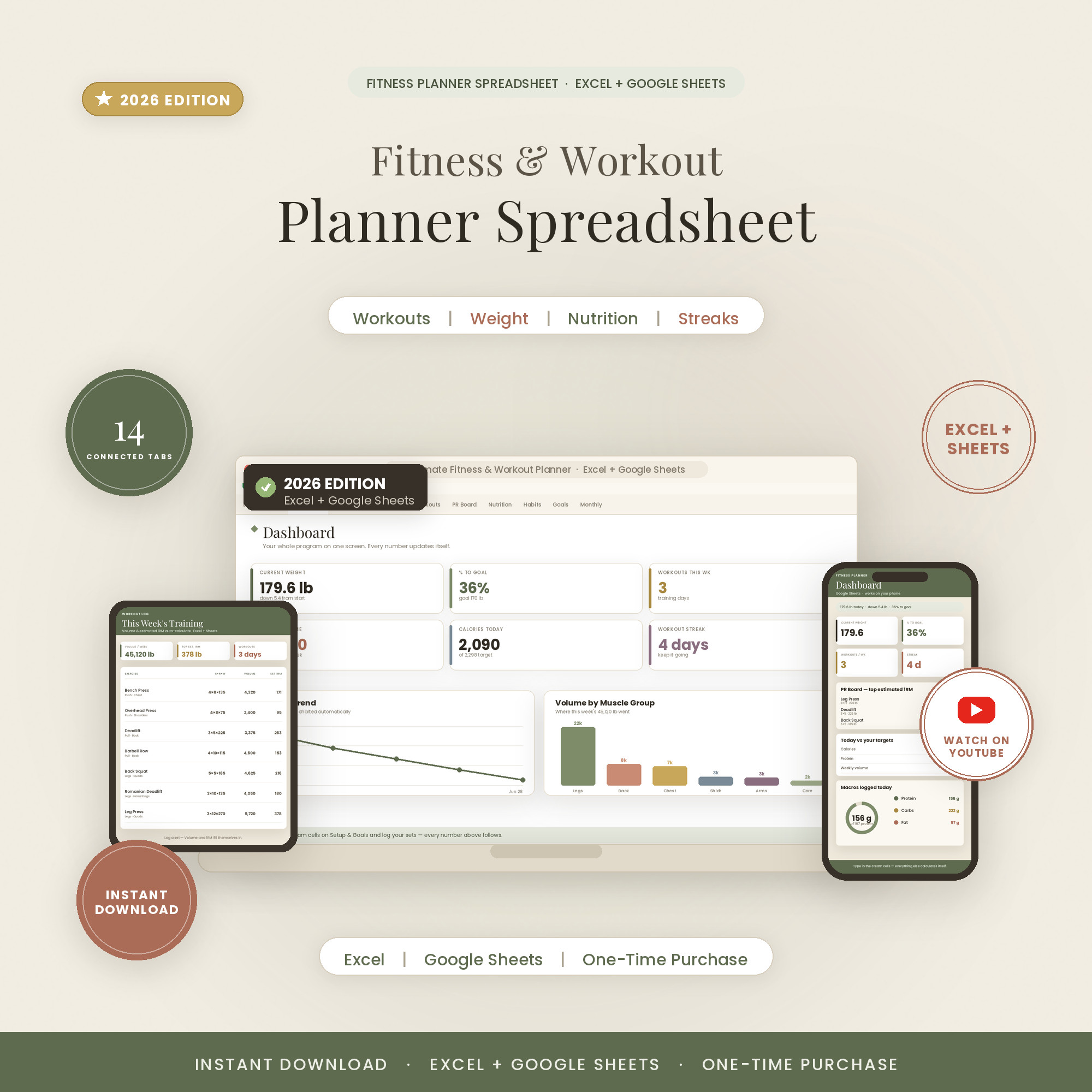
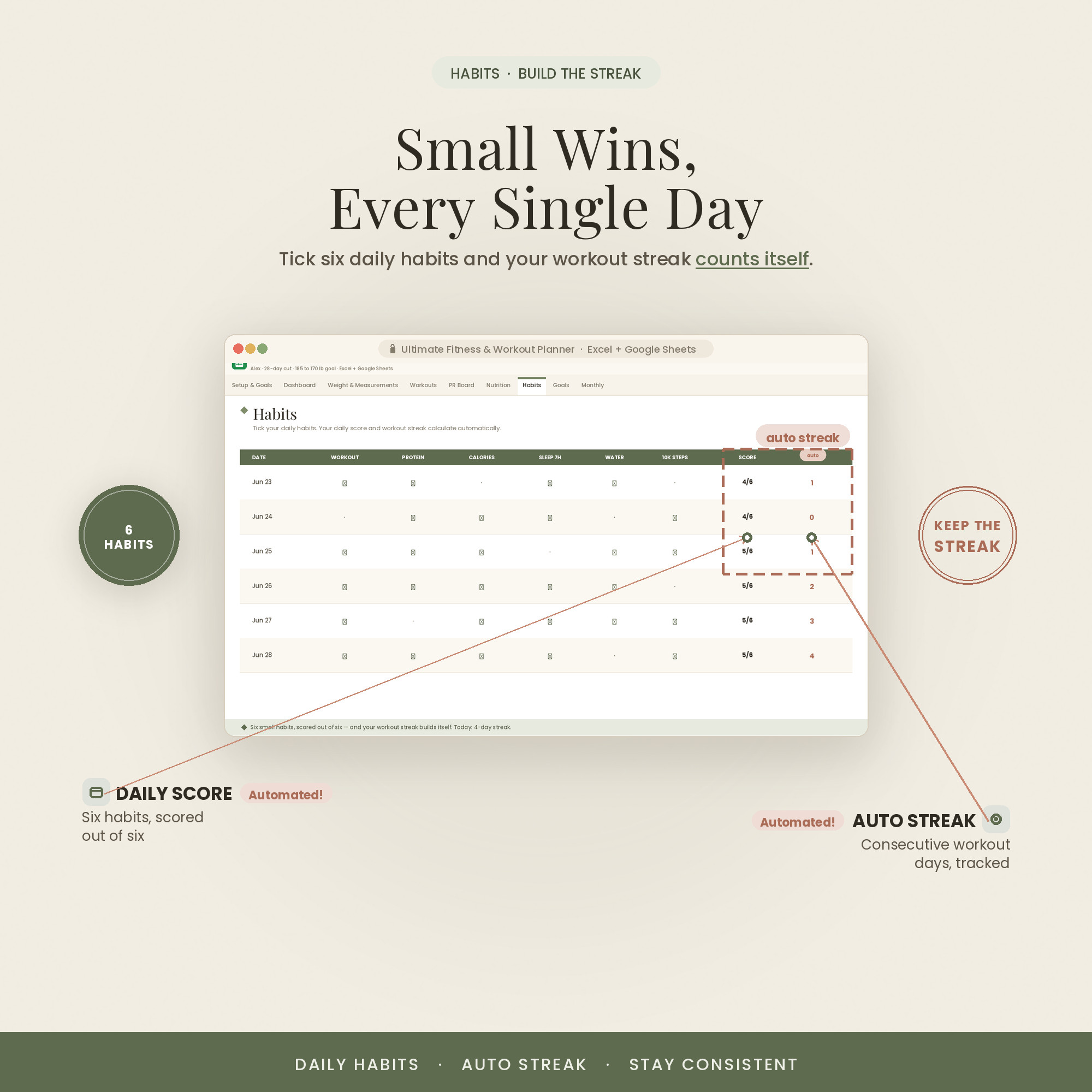
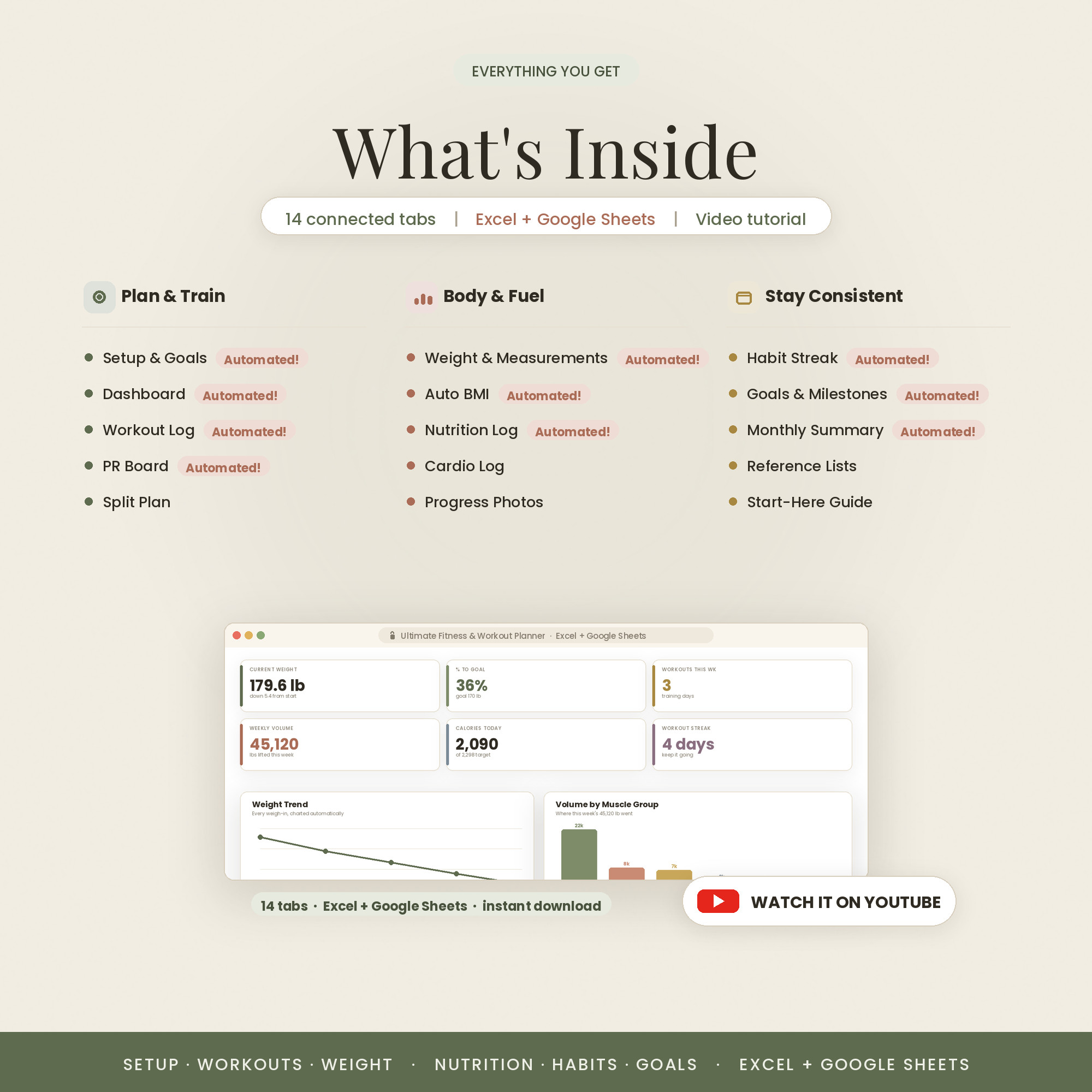
A 14-tab training system: workouts, weight trend, nutrition and macros against your targets, streaks and volume — all charted automatically so you can see progress instead of guessing at it.
- 14 tabs, 8 live KPIs
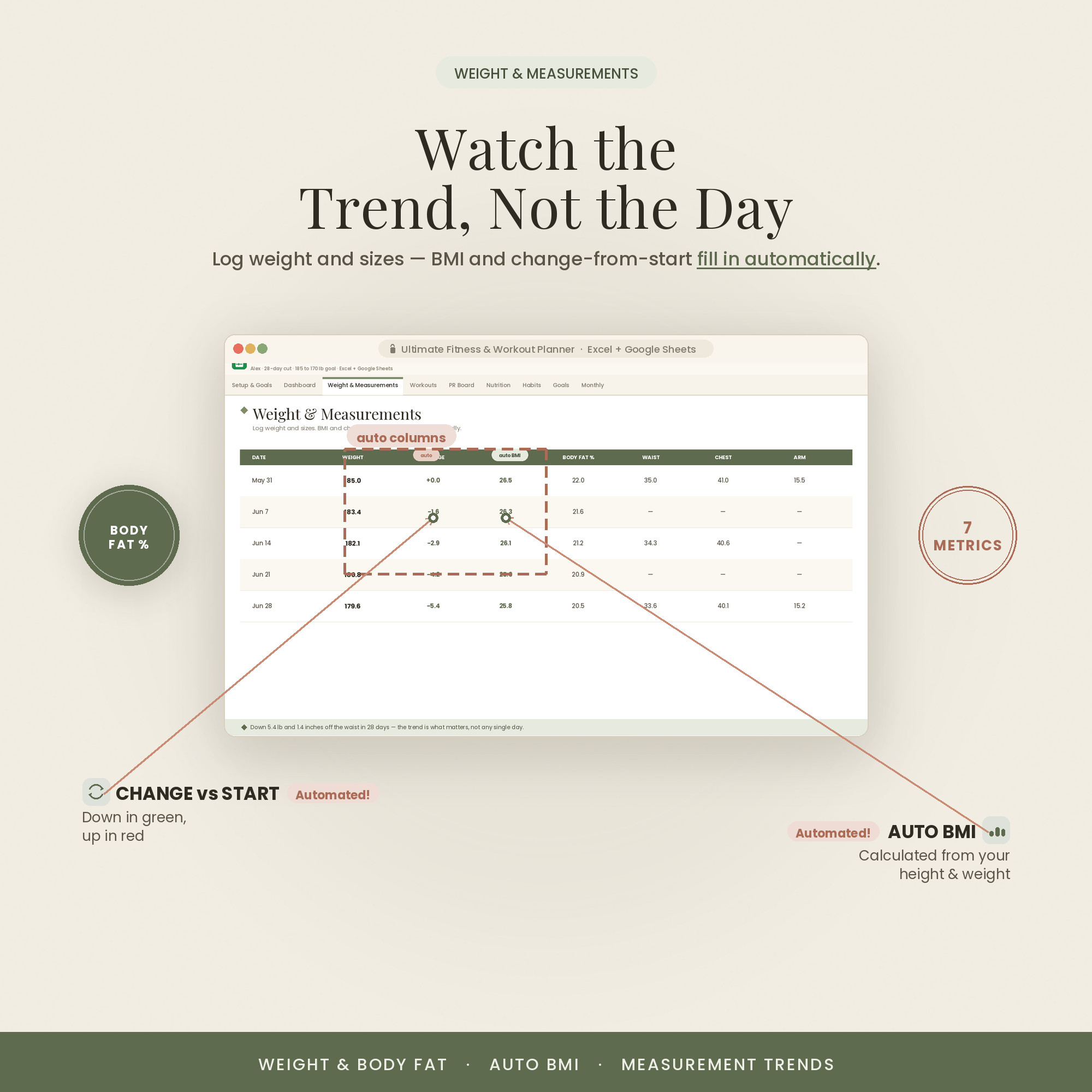
- Weight trend charted from every weigh-in
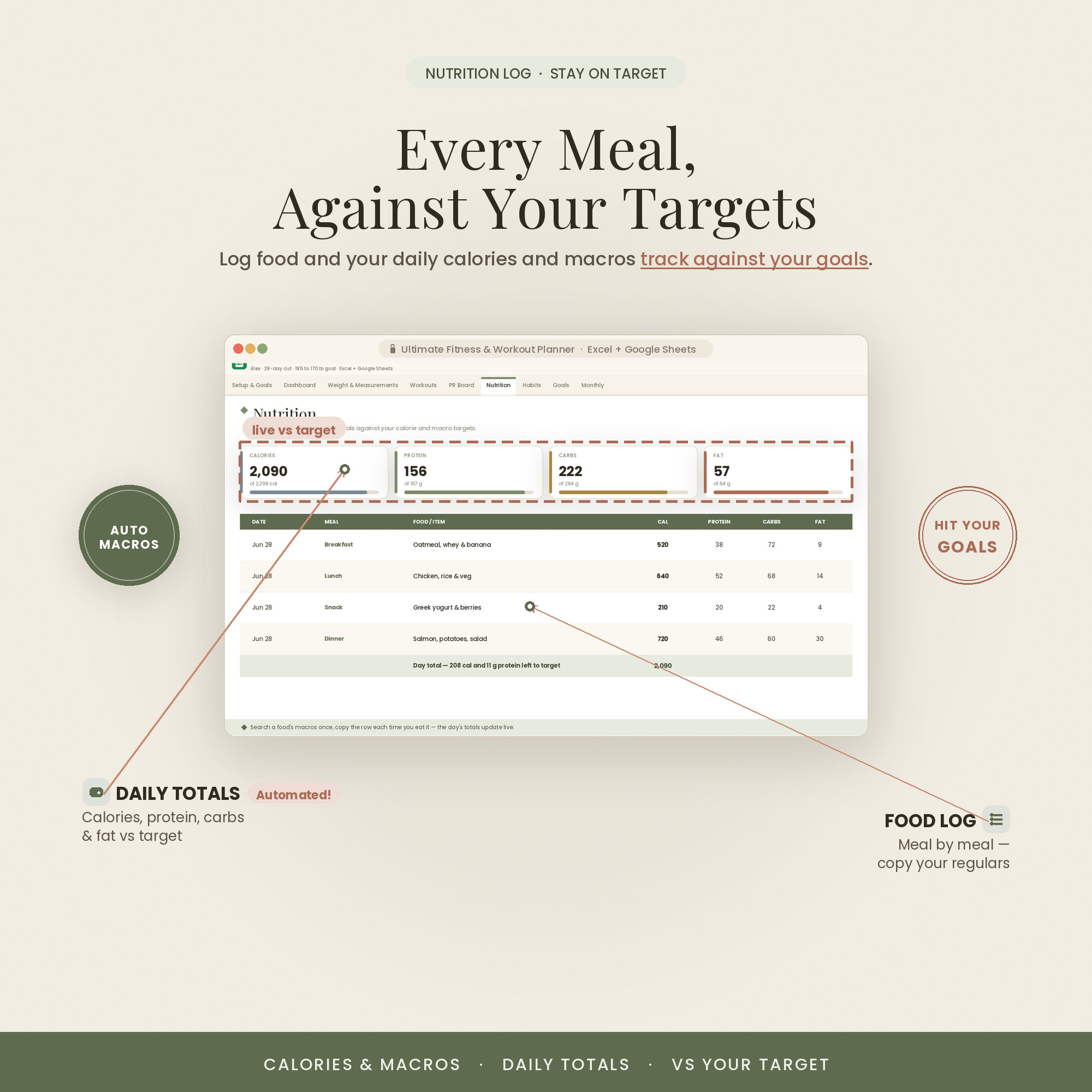
- Calories & macros vs your targets
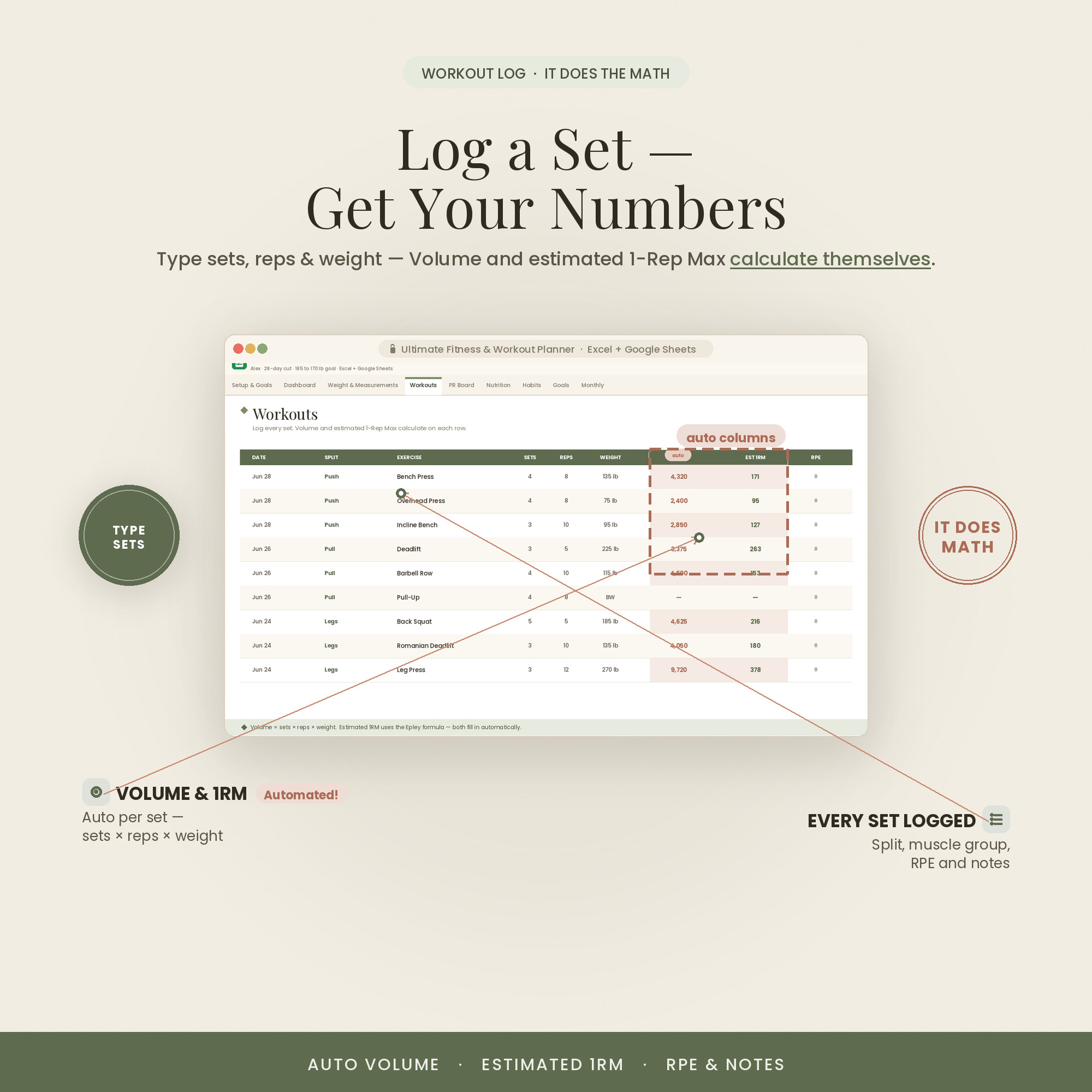
- Workout log with volume tracking
- Excel + Google Sheets
Overview
See progress, not just effort
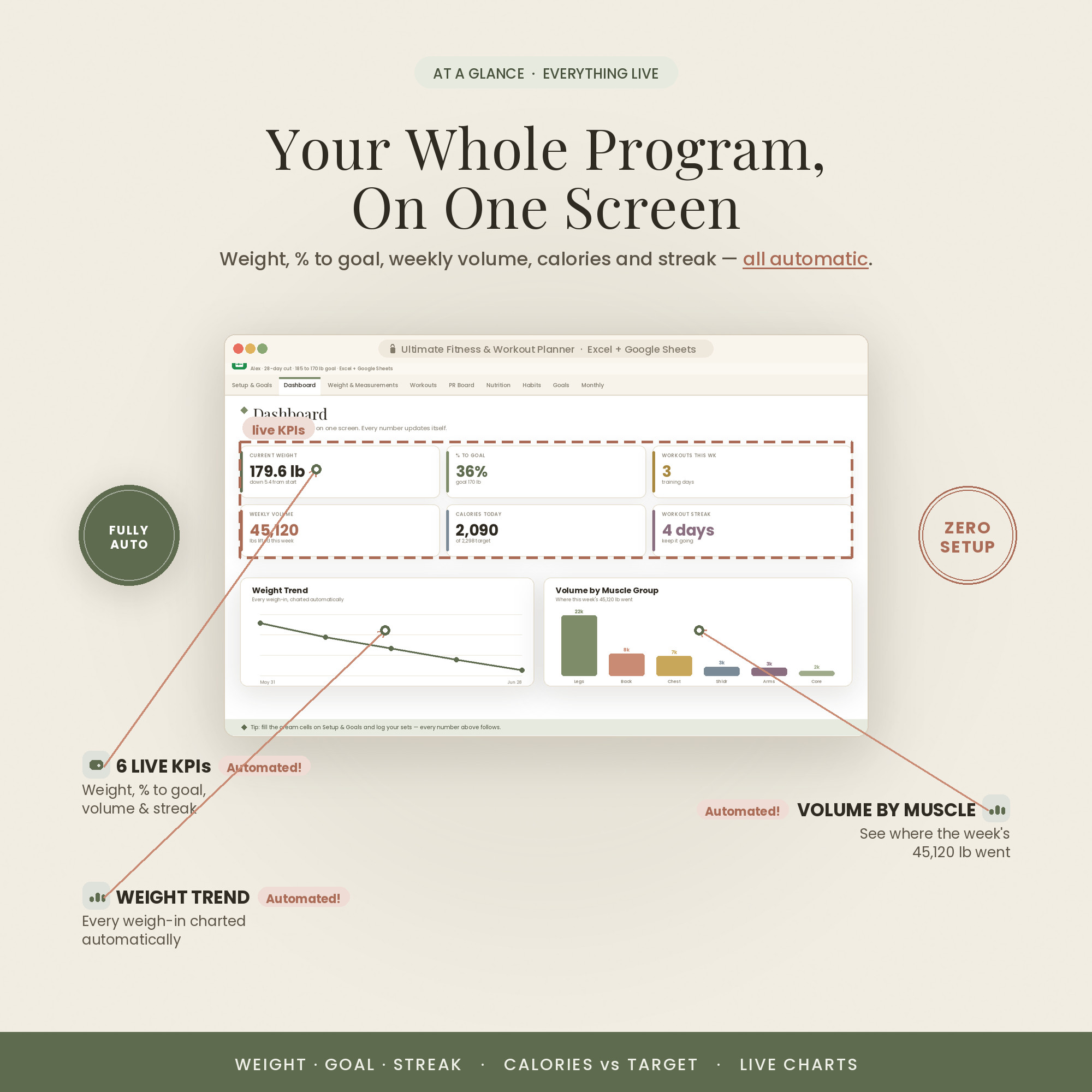
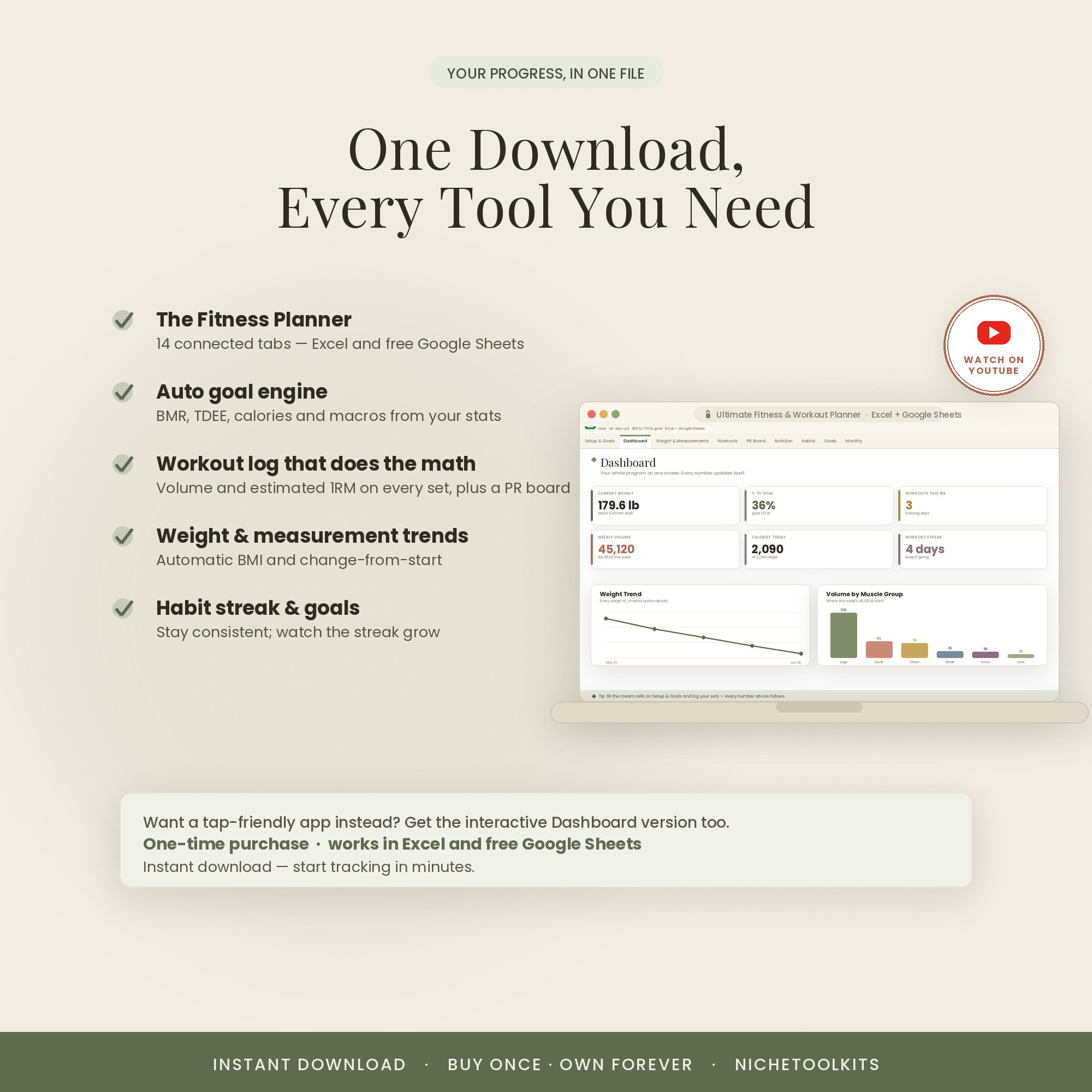
It's easy to train hard and still not know if it's working. This planner turns your day-to-day logging into a clear picture: a dashboard of key numbers, a weight trend line, macros against your targets, and workout volume tracked set by set.
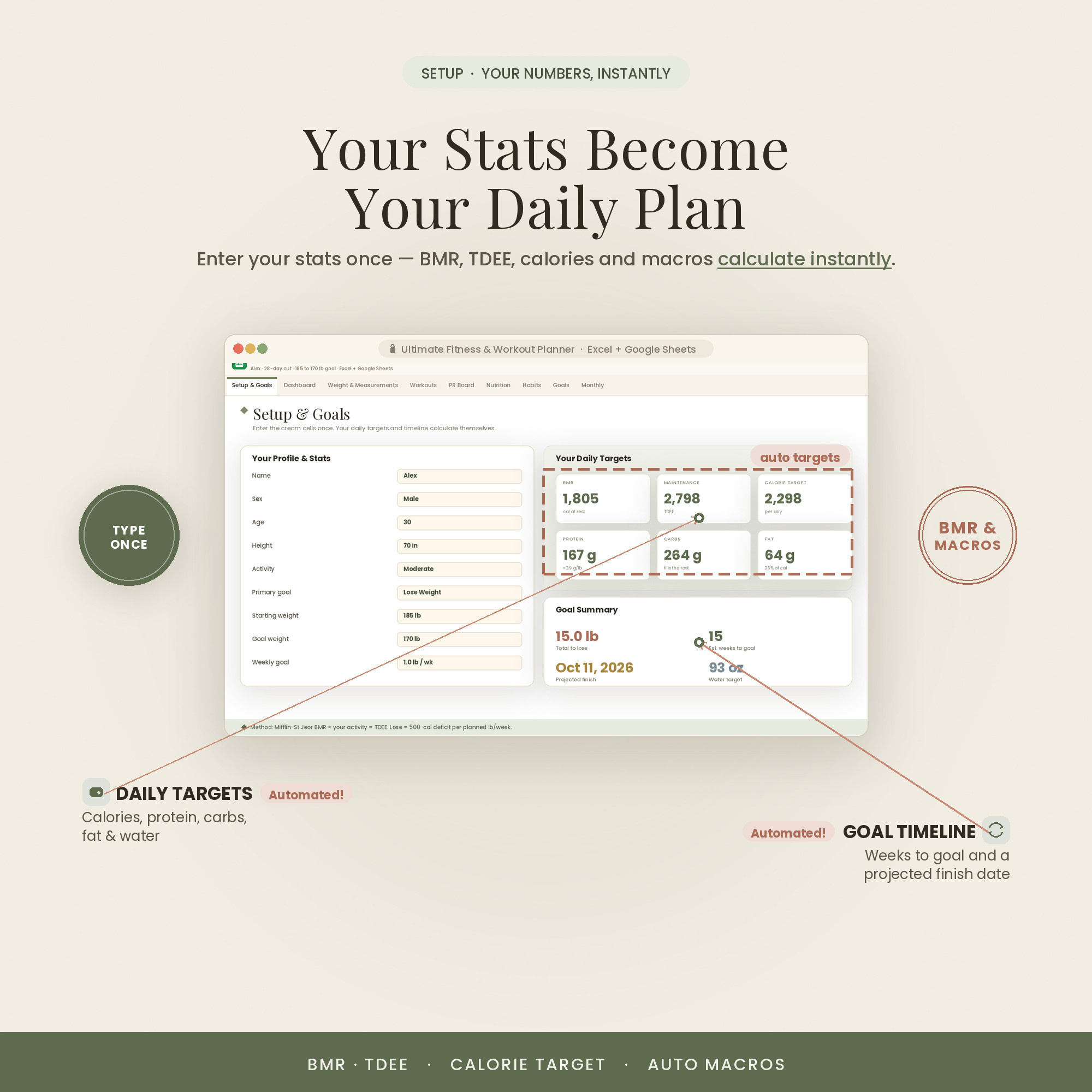
You set your goals once, then just log. Every weigh-in, meal and session flows into the charts automatically, so the progress you're making is finally visible — and the weeks you slip are obvious early enough to fix.
It also comes in three looks — Colorful, Light and Dark. Use the color switch on this page to preview each one; every purchase includes all three, so you can pick the style that fits you.
What's Included
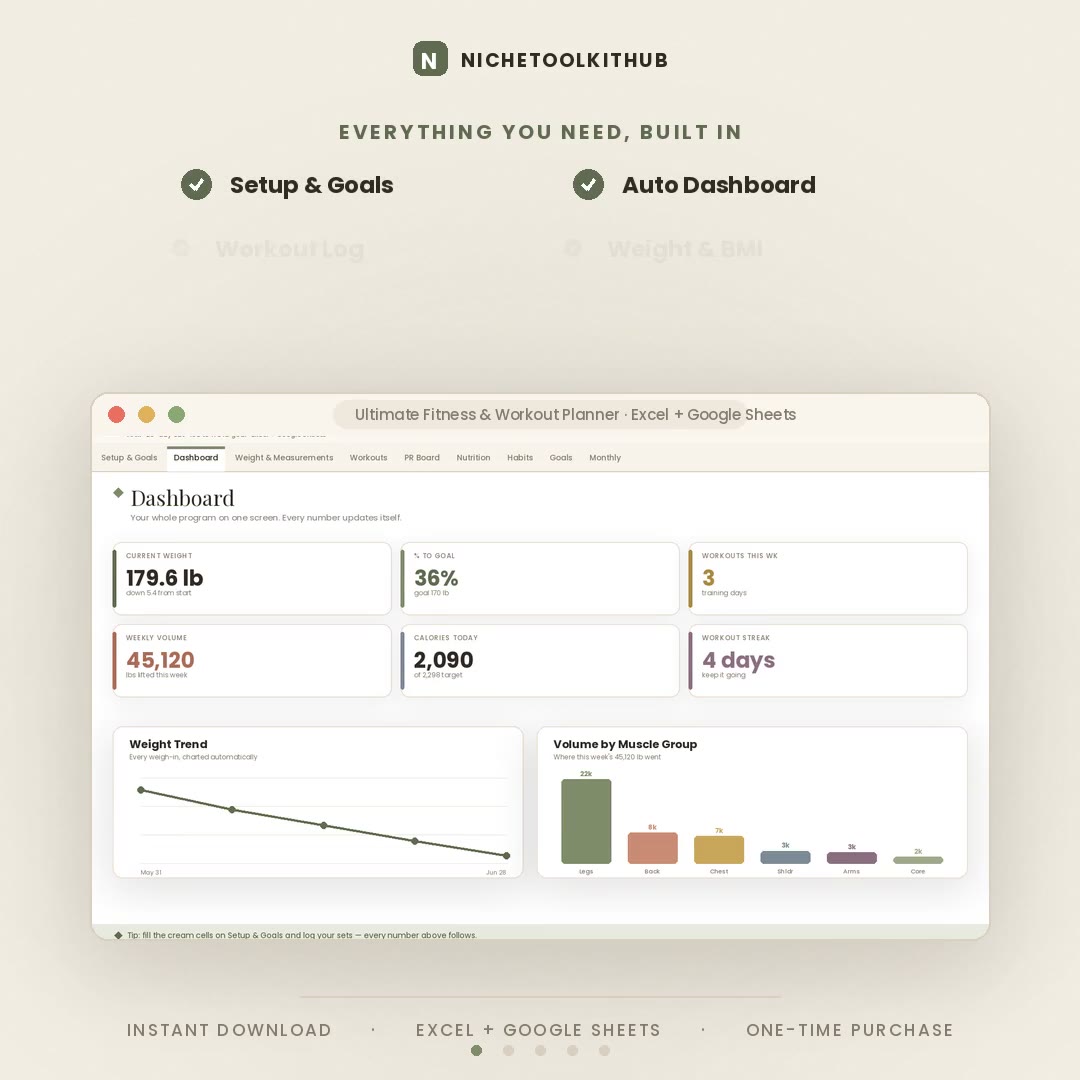
14 connected tabs that chart it for you
- The Excel workbook (.xlsx) in all three colors — Colorful, Light & Dark — each also opens in Google Sheets
- A step-by-step Quick-Start guide (PDF)
- A link to an in-depth video walkthrough on YouTube
- Free lifetime updates & friendly support — message anytime
Key Benefits
Why this one, not a free template
Weight, macros, volume and streaks turn into trend lines automatically — no manual charting.
Every day shows calories and macros against your goal, so you know where you stand.
Sets, reps and weight roll into total training volume — the number that drives progress.
Log from your phone in Sheets at the gym, or on your laptop in Excel at home.
Every formula independently checked — your totals and trends will add up.
Colorful, Light or Dark — pick your look. All three included in every purchase.
Who It's For
For people who want the receipts
- Lifters who want volume and PRs tracked, not guessed
- Anyone in a cut or bulk who lives by calories and macros
- Beginners who want structure without an app subscription
- Data-lovers who want the whole picture in one sheet
How It Works
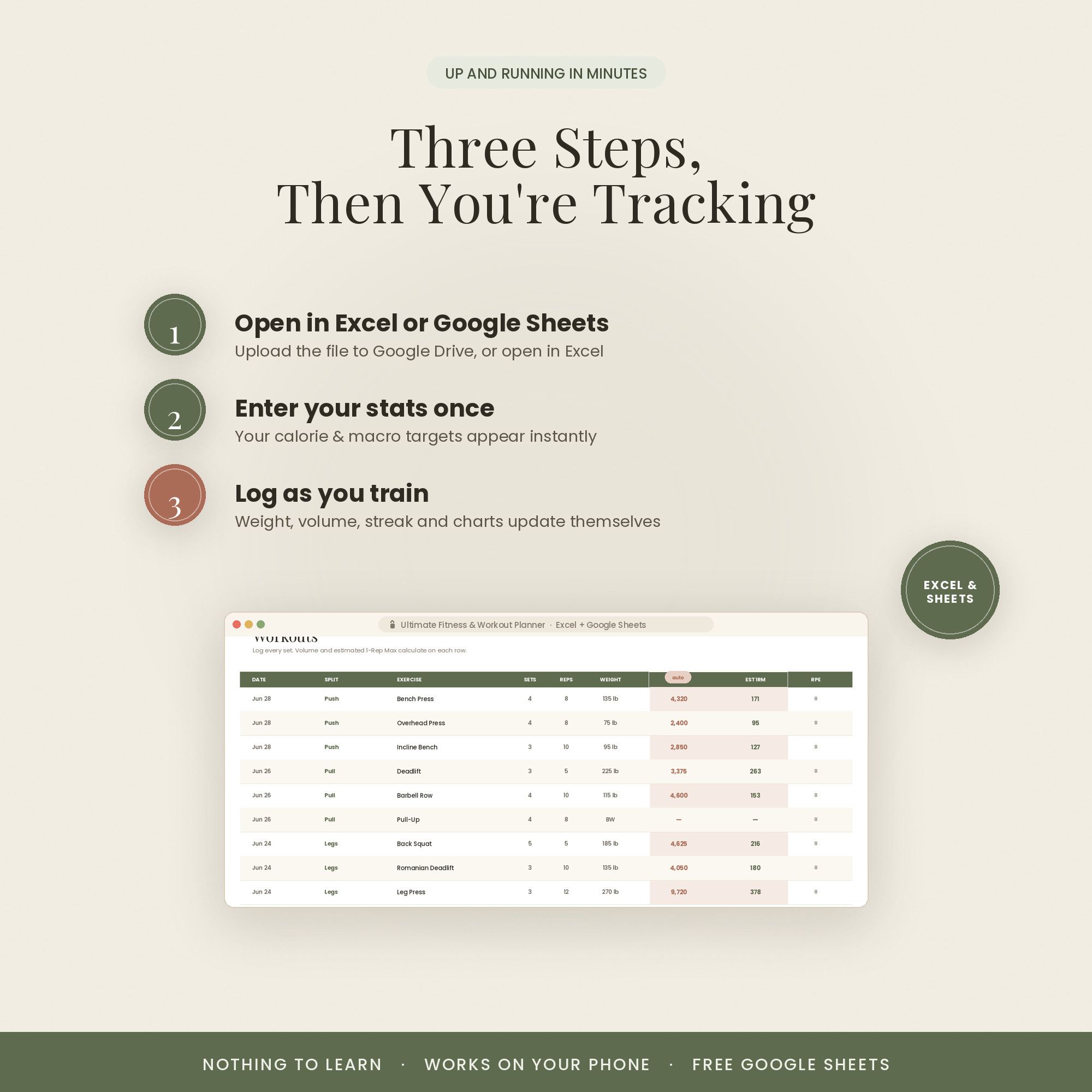
Up and running in three steps
Open the .xlsx in Excel, or upload it to Google Drive and open with Google Sheets.
On the Setup tab, enter your goal weight, calories and macro targets.
Enter workouts and weigh-ins — the dashboard and trend lines build themselves.
Why It's Different
A training log, not a subscription
Most fitness apps rent you your own data and hide the numbers you care about behind a paywall. This is a one-time purchase you own — with every calculation visible and editable.
Because it's a spreadsheet, you can bend it to your program: add exercises, change targets, or build a new view. It works the way you train, not the other way around.
Delivery & Compatibility
Instant, and works with what you use
As soon as your order is complete you get instant access to download the spreadsheet, plus a copy by email. Prefer Google Sheets for real-time updates and dropdowns? It's fully optimized. More comfortable in Excel? It works just as well.
Built and tested in the latest Excel (Office 365). On Mac we recommend the Google Sheets version — the template is not compatible with Apple Numbers. Available in English. The template is delivered blank; the images and video show sample data to demonstrate how it looks once filled in.
FAQ
Questions, answered
What formats does it come in?
Both Excel (.xlsx) and Google Sheets. If you're on a Mac, note that Apple Numbers isn't supported — use Excel for Mac or the Google Sheets version.
Does it come in different colors?
Yes — every purchase includes three color versions: Colorful, Light and Dark. Preview them with the color switch near the top of the page, and you'll receive all three in your download (for both Excel and Google Sheets).
Do I need a subscription or special software?
No. It's a one-time purchase with no subscription. It works in Excel or in free Google Sheets — nothing else to install.
How do I receive it after purchase?
Instantly. After secure Stripe checkout you're taken to a download page, and you also receive an email with your download link.
Are there instructions or a tutorial?
Yes — a Quick-Start PDF is included, plus a full video walkthrough on our YouTube channel. You can message us anytime with questions.
Do I have to build any formulas?
Never. Type only in the highlighted cells; every dashboard, tab, total and chart calculates itself.
Can I resell or use it commercially?
It's licensed for personal use only. Reselling, sharing or redistributing the file isn't permitted. See our Terms for details.
What's your refund policy?
Because it's an instant digital download, please review the details above before buying. Full details are on our Refunds page.
For personal use only. © 2026 NicheToolkitHub — no resale or redistribution.